
 1.866.458.6999
An ID card printer is no longer just a machine that prints employee badges. For many organizations, it has become part of a larger security ecosystem tied to access control, visitor tracking, compliance, workplace identification, and operational efficiency.
The problem is that many businesses are still relying on outdated printers that were designed for a very different workplace environment. Slow print speeds, fading cards, software compatibility issues, limited security features, and expensive maintenance costs often become “normal” over time because teams simply adapt around them.
But eventually, every organization reaches the same question. Do you keep repairing older equipment, trade it in, or invest in a completely new system?
The answer depends on far more than the price tag.
Inside This Guide
- How to tell when your current ID card printer is holding your organization back
- The biggest advantages of upgrading to modern ID card printing technology
- When an ID card printer trade in makes financial sense
- Hidden costs organizations overlook when keeping older printers too long
- Key differences between repairing, trading in, and buying new equipment
- What to consider before choosing your next ID card printing system
- How Avon Security Products helps Canadian organizations modernize credential printing workflows
The Real Cost of Holding Onto an Old ID Card Printer
Most organizations do not replace badge printing equipment because they want the latest technology. They replace it because older systems quietly start creating operational problems.
At first, the issues seem manageable.
- A ribbon error here
- A software crash there
- Cards taking longer to print
- Colours looking inconsistent
- Replacement parts becoming harder to source
Over time, those small frustrations begin affecting productivity, employee onboarding, visitor processing, and security workflows.
Older printers also struggle to integrate with modern workplace infrastructure. Many businesses now require stronger encryption capabilities, faster card production, cloud connected workflows, mobile credential support, and integration with broader access control systems. Legacy printers often cannot keep up.
Organizations exploring more advanced workplace credentialing solutions are increasingly moving toward modernized and more adaptable secure ID card systems that support evolving operational requirements.
Modern credential programs are increasingly tied to broader identity verification and workplace security standards, including frameworks outlined by the National Institute of Standards and Technology (NIST) for secure identity management and credential systems.
Signs It May Be Time to Replace Your Printer
Some ID card printers continue functioning long after they stop being cost effective. That distinction matters.
A printer that technically still works may still be slowing down operations, increasing maintenance expenses, or creating security limitations that impact the organization as a whole. Here are some of the most common signs that upgrading your ID card printer may make sense.
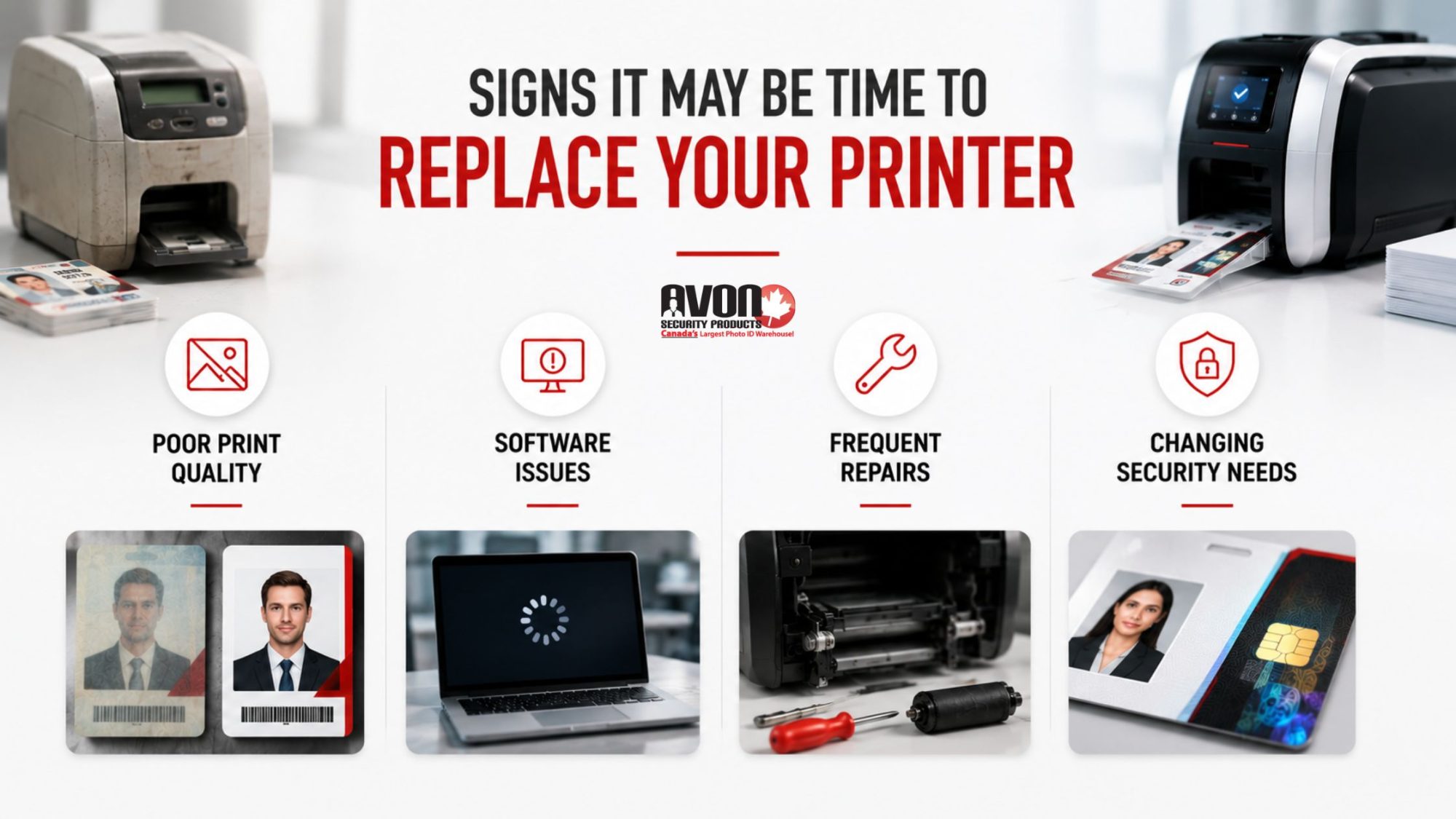
Your Print Quality Is Becoming Inconsistent
Faded text, poor colour accuracy, streaking, and blurry photos can make employee credentials look unprofessional and difficult to verify quickly.
For organizations relying on visual identification, poor print quality becomes more than a cosmetic issue. It can affect workplace security and employee confidence.
Your Software No Longer Works Smoothly
Older printers often struggle with newer operating systems and updated credential management platforms.
Compatibility issues can create delays, security vulnerabilities, and workflow interruptions that increase IT support requirements.
Many organizations upgrading their systems also modernize their ID card printing software at the same time to improve reliability and simplify credential management.
Repairs Are Becoming More Frequent
There is a major difference between occasional maintenance and constant troubleshooting.
If your organization is regularly paying for replacement parts, technician visits, or downtime related to printer issues, the long term cost of keeping older equipment may already exceed the value of upgrading.
Your Security Needs Have Changed
Modern workplaces require more advanced credential protection than many older printers were designed to support.
Features like holographic overlays, smart card encoding, enhanced authentication options, and improved encryption capabilities are becoming increasingly important for secure credential programs.
Why Newer ID Card Printers Change More Than Print Quality
Many organizations assume a new printer simply produces better looking cards.
In reality, modern ID card printing systems improve operational efficiency across the entire credential management process.
That includes:
- Faster print speeds
- More reliable ribbon handling
- Higher resolution image quality
- Improved security features
- Better software integration
- Reduced maintenance requirements
- Easier scalability for growing organizations
The difference becomes especially noticeable in environments handling large employee populations, visitor traffic, contractors, or multi location credential programs.
Modern enterprise systems are also designed to support more flexible workflows, including remote management capabilities and integration with broader workplace security infrastructure.
Organizations evaluating new systems often compare different ID card systems based on scalability, security requirements, print volume, and long term operational support.
As workplace credential programs become more connected to physical access infrastructure, many organizations are aligning badge systems with modern Physical Access Control System (PACS) strategies recommended through U.S. government identity management guidance.
Trade In vs. Buy New: What Actually Makes Sense?
The answer depends on your current equipment, operational goals, and future growth plans. For some organizations, trading in older equipment can reduce upgrade costs while simplifying the transition process.
For others, continuing to maintain outdated hardware may create greater long term expenses than investing in a completely new system.
When a Trade In May Be Worth It
A trade in can make sense if:
- Your printer still functions reasonably well
- The manufacturer still supports parts or servicing
- Your organization wants to offset upgrade costs
- You are moving to a newer model within the same ecosystem
- Your print volume or operational demands are increasing
Trade in programs can help organizations modernize without fully absorbing the cost of a brand new deployment all at once.
When Buying New Makes More Sense
Sometimes older equipment has simply reached the end of its useful life. If your current printer suffers from repeated failures, lacks modern compatibility, or cannot support your security requirements, purchasing a completely new system often delivers better long term value.
This becomes especially important for organizations prioritizing reliable ID card printers that can support ongoing operational demands without constant maintenance interruptions.
The Hidden Operational Costs Organizations Overlook
One of the biggest mistakes organizations make is focusing only on hardware pricing.
The true cost of outdated equipment usually appears elsewhere:
- IT support time
- Staff delays
- Slower onboarding workflows
- Visitor bottlenecks
- Reprint waste
- Emergency repair calls
- Security limitations
- Downtime during critical periods
Those costs add up quickly. In many cases, organizations spend years trying to stretch outdated equipment beyond its practical lifespan while unintentionally increasing operational inefficiency.
This is also why organizations researching upgrades should understand the common mistakes to avoid when buying an ID card printer before making a replacement decision.
Modern workplace security increasingly depends on stronger coordination between cybersecurity and physical security systems, especially as credential management becomes more integrated with broader operational infrastructure.
Security Expectations Have Changed Fast
The way organizations think about credentials has evolved dramatically.
Employee badges now frequently support:
- Building access
- Visitor verification
- Time tracking
- Multi site access management
- Compliance requirements
- Secure authentication workflows
Government identity management frameworks continue emphasizing the importance of secure, authenticated credentials that support both identity verification and controlled facility access across modern organizations.
Modern ID card printing technology is increasingly tied directly to broader workplace security infrastructure. Organizations upgrading older printers often discover that newer systems allow them to improve operational security while simplifying day to day credential management at the same time.
Many businesses also integrate badge issuance with broader visitor management systems to improve building oversight and streamline front desk workflows.
Why Modern Datacard and Enterprise Printers Matter
Not all printers are built for modern credential environments.
Many newer enterprise printers now focus heavily on:
- Security encryption
- Faster batch printing
- Remote printer management
- Cloud compatibility
- Enhanced ribbon efficiency
- Smart card encoding
- Improved durability
Organizations evaluating upgrades are increasingly exploring new Datacard printers for modern ID workflows because of their ability to support higher security requirements and more scalable credential programs.
For growing organizations, choosing the right platform now can help avoid another costly replacement cycle later.
How Avon Security Products Helps Organizations Upgrade Smarter
Upgrading an ID card printer should not feel like guessing. Avon Security Products helps Canadian organizations evaluate outdated badge printing equipment, compare replacement options, and determine when a trade in or full upgrade makes the most operational and financial sense.
From professional badge printers and ribbons to credential software and visitor management solutions, Avon helps organizations modernize ID printing workflows with technology designed for today’s workplace security needs.
The goal is not simply replacing hardware. It is helping organizations build more reliable, secure, and scalable credential programs that support long term operational growth.
Modernizing an ID card printing system is not only about improving print quality. It also supports stronger physical security practices, secure credential issuance, and more reliable access management aligned with evolving cybersecurity recommendations in Canada.
Key Takeaways
- Older ID card printers often create hidden operational costs long before they fully stop working
- Modern ID card printers improve print quality, workflow efficiency, software compatibility, and security capabilities
- Trade in programs can help reduce upgrade costs when existing equipment still holds value
- Repeated repairs and software compatibility issues are strong indicators that replacement may make sense
- Modern credential programs increasingly require stronger integration with workplace security systems
- Choosing the right printer involves more than hardware pricing alone
- Avon Security Products helps Canadian organizations evaluate, upgrade, and modernize ID card printing systems with long term operational support in mind
Frequently Asked Questions
How do I know if my ID card printer is too old?
If your printer experiences frequent errors, declining print quality, software compatibility issues, or increasing maintenance costs, it may be time to evaluate replacement options. Older printers can continue functioning while still creating operational inefficiencies that affect security workflows, onboarding processes, and overall credential management reliability.
Is an ID card printer trade in worth it?
An ID card printer trade in can help reduce upgrade costs if the equipment still functions reasonably well and retains manufacturer support. Trade ins are often beneficial for organizations moving to newer systems with improved security features, faster printing speeds, and better long term software compatibility.
What are the biggest benefits of newer ID card printers?
Modern ID card printers typically offer improved print quality, stronger security features, faster production speeds, better ribbon efficiency, and easier integration with modern credential management platforms. Many also support advanced encryption, smart card encoding, and scalable enterprise workflows for growing organizations.
What is usually required for an ID card printer trade in?
Most trade in programs require organizations to provide details about their current printer model, operational condition, and existing workflow setup. Eligibility may depend on manufacturer support status, compatibility with newer systems, and whether the equipment still functions reliably on an older operating system or legacy printing environment.
Should organizations repair or replace older badge printers?
The decision depends on repair frequency, maintenance costs, operational downtime, and compatibility limitations. If repairs are becoming frequent or the printer no longer supports your organization’s security and workflow requirements, replacement often provides better long term value and reliability.
What should organizations consider before upgrading an ID card printer?
Organizations should evaluate print volume, security requirements, software compatibility, future scalability, support availability, and overall operational efficiency. The best upgrade decision balances current needs with long term credential management goals rather than focusing only on initial hardware pricing.
Upgrade Your ID Card Printing System With Confidence
Modern ID card printing systems are no longer optional for organizations managing workplace security, employee credentials, visitor identification, and scalable operational workflows.
Whether your organization is considering a trade in, replacing outdated equipment, or evaluating completely new badge printing technology, Avon Security Products helps Canadian organizations make smarter upgrade decisions with reliable technology, trusted manufacturer solutions, and long term support designed for modern security environments.