
 1.866.458.6999
Key Takeaways
- Canadian sourcing helps avoid customs delays and import costs.
- Avon Security Products is the exclusive Canadian distributor of the Entrust Sigma DSE.
- Single- and dual-sided Sigma DSE models support different card issuance needs.
- Local technical support simplifies printer setup, troubleshooting, and service.
- Domestic access to printers and compatible supplies helps keep card issuance on schedule.
If you’ve ever managed a facility upgrade or a major hiring push, you know that operational timelines are fragile. Everything looks great on paper until a critical piece of security tech gets stuck in a cross-border customs warehouse for three weeks, leaving your onboarding team stranded. When it comes to secure credentialing, waiting around for international shipping lines is a liability your budget simply doesn’t need. Aligning your procurement strategy with a dedicated ID card printer local supplier means you completely remove those unpredictable border variables from your calendar. At Avon Security Products, our entire inventory is managed right here in Canada, ensuring your organization receives predictable, reliable delivery alongside the comprehensive domestic infrastructure required to keep your facility secure.
Sourcing Inside Canada: Protecting Your Operational Schedule
Relying on cross-border supply chains for critical security infrastructure can leave identification programs vulnerable to costly disruptions. When customs inspections or regulatory holds delay essential shipments, corporations, school boards, and healthcare networks may be left unable to issue badges to new staff, contractors, or temporary personnel, slowing onboarding and creating gaps in secure facility access.
The Canada Border Services Agency routinely notes that documentation volume, strict screening protocols, and incomplete partner filings are primary drivers of extended border hold times. These logistical stalls have direct security consequences; organizations must strictly maintain and issue authorization credentials to limit unescorted access to non-public areas. When border delays leave a security team without hardware or materials, the ability to enforce these compliance baselines fractures.
The Entrust Sigma DSE gives Canadian organizations another reason to source their ID printing equipment domestically. Available in single-sided and dual-sided configurations exclusively in Canada through Avon Security Products, the DSE can be purchased alongside the ribbons and supplies required to keep it operating. Buying within Canada shortens delivery times, avoids customs and border delays, and reduces the added costs that can come with importing printers and supplies from the U.S.
Operational Benchmark Analysis: Domestic Turnarounds vs. Transit Reality
Relying on international logistics introduces a hidden cost metric: unpredictable transit variation. Internal shipping data across the Canadian B2B procurement space reveals a stark contrast in fulfillment stability. While cross-border shipments face an average latency window of 7 to 14 business days, frequently compounded by random customs holding patterns at primary hubs like Mississauga or Richmond, domestic infrastructure operates on a known timeline.
| Logistics Metric | Cross-Border Sourcing | Local Sourcing (Avon Security Products) |
| Average Dispatch-to-Delivery Window | 7 to 14 Business Days | 1 to 3 Business Days |
| Customs Brokerage & Clearance Fees | Variable ($50 – $150+ per unit) | $0 (Pre-cleared) |
| Consumable Resupply Stability | Vulnerable to trade lane blocks | Immediate regional stock |
| Warranty Hardware Evaluation | International shipping required | Domestic depot service |
By eliminating international freight handling, Avon Security Products operates on a predictable 24-to-48-hour dispatch model for the Entrust DSE printer Canada line. This removes the “just-in-case” over-purchasing behavior that forces organizations to tie up capital in excess inventory, allowing procurement teams to adopt an efficient, just-in-time supply model for their identification needs.
Selecting the Right ID Card System
A basic product sheet lists speeds and resolutions, but it cannot determine if a single- or dual-sided configuration fits your operational workflow. It will not show whether specialized encoding features are necessary, or if the hardware will communicate smoothly with your current software environment.
Avon Security Products helps your team evaluate these structural choices by reviewing:
- Daily Card Volume: Matching your printing demands with the right engine capacity.
- Credential Requirements: Identifying required visual security features.
- System Integration: Verifying compatibility with your existing security infrastructure.
Aligning Hardware with Compliance Standards
Identity programs must align with strict organizational protection baselines. When evaluating a security footprint, administrators refer to benchmarks like the NIST SP 800-53 Physical Access Authorization Standards to define role structures and credential verification strength. Deploying hardware that lacks network integration can cause compliance bottlenecks during strict institutional reviews.
As the exclusive Canadian distributor of the Entrust Sigma DSE series, Avon Security Products provides access to specialized security technology that standard online retailers cannot supply. Sourcing this line domestically allows your organization to avoid cross-border logistics friction while securing a dedicated Canadian support team for long-term operational guidance.
Protecting System Continuity and Print Quality
A common operational issue in badge production is using generic, non-optimized ribbons and card blanks. Substandard printing supplies often lack proper back-coating lubrication, causing excessive friction against a high-resolution printhead. Over time, this friction leads to premature hardware wear and printhead burnout, a component failure that brings an entire card issuance lane to a halt.
Intelligent Media Tracking
The Entrust Sigma DSE platform addresses this mechanical vulnerability through built-in system intelligence. Sourcing your materials through a trusted local supplier guarantees access to genuine smart-load ribbon cassettes equipped with integrated RFID tracking chips.
According to the official Entrust Sigma DSE Technical Reference Data, this connection allows the machine to automatically calibrate its tension and temperature profiles. This prevents staff from running jobs with mismatched settings. The system also triggers cleaning prompts based on exact card counts, removing debris before it strikes the print elements to protect your long-term capital investment.
Canadian Support for the Entrust Sigma DSE
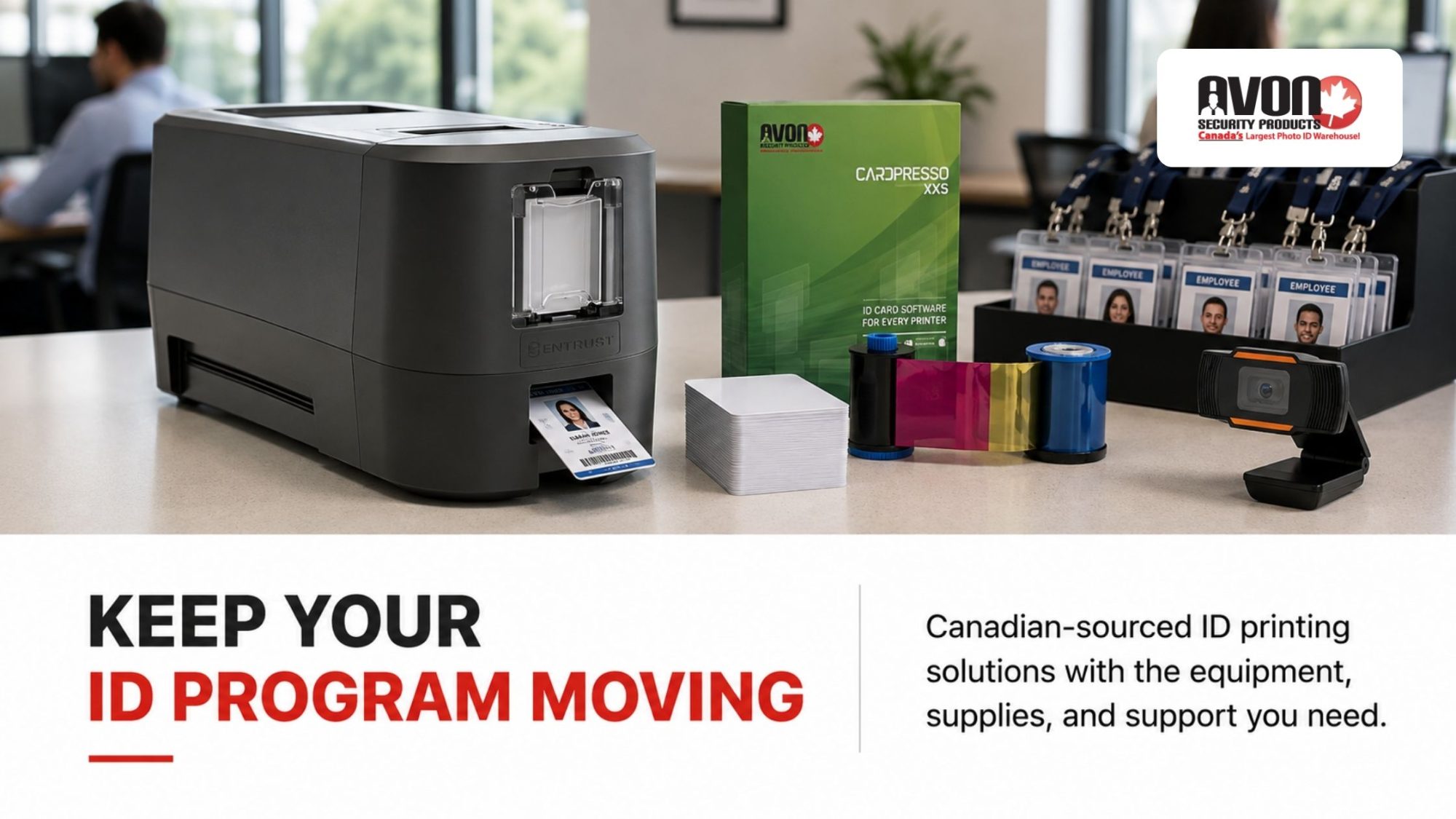
The Entrust Sigma DSE is available in Canada exclusively through Avon Security Products, with single-sided and dual-sided models for different card printing requirements. Both configurations offer 300 dpi printing, speeds of up to 185 single-sided colour cards per hour, and a 100-card input hopper. The dual-sided DSE can print both sides automatically at speeds of up to 145 double-sided colour cards per hour and adds Ethernet connectivity for networked environments. Avon helps organizations compare these configurations against their card volume, card design, connectivity requirements, software, and existing ID system before ordering.
Single-Sided or Dual-Sided Printing
The single-sided Sigma DSE suits credentials that only require information on the card front. Organizations that routinely place instructions, security information, terms, barcodes, or other data on the reverse can use the dual-sided DSE to print both sides automatically rather than manually flipping and re-feeding cards.
Match the Printer to Your ID Program
Print speed alone does not determine whether a printer will work well for an organization. Avon can review expected card volume, card layouts, software compatibility, network requirements, and other parts of the existing ID system to help determine which DSE configuration fits the intended use.
Technical Support After Installation
Questions can continue after the printer is installed, particularly around configuration, software communication, card feeding, and print quality. Avon provides Canadian technical support and can assist with troubleshooting, warranty requirements, repairs, and other service needs for the equipment it sells.
Source the Sigma DSE in Canada
As the exclusive Canadian distributor of the Entrust Sigma DSE, Avon Security Products gives Canadian organizations a domestic source for the printer, compatible printing materials, and technical support. Purchasing within Canada can also shorten shipping times and avoid customs delays, brokerage fees, and other costs associated with importing equipment from the U.S.
Decentralized Management: Browser-Based Administration for Multi-Site Facilities
A major operational challenge for modern IT departments and enterprise security networks is the fragmentation of hardware management. Traditional card systems require a direct USB link to a dedicated local PC, forcing system administrators to physically visit individual workstations to configure print properties, update firmware, or diagnose feed errors. This architecture lacks scalability and strains internal technical resources.
To address this issue, the Entrust Sigma DSE platform shifts from localized management to an integrated, browser-based dashboard environment. Because Avon Security Products approaches identity deployments from an ecosystem perspective, our consultative process ensures your IT team can leverage the printer’s built-in Ethernet connectivity right out of the box.
Authorized administrators can log into the secure management console from any network-connected device to monitor device health status, adjust print color balancing profiles, or push global firmware patches across multiple campuses simultaneously. By converting a hardware asset into a manageable network node, your organization reduces the administrative hours required to maintain system uptime while keeping facility access controls strictly unified.
Keep High-Volume Card Issuance on Schedule
Large employee onboarding, student registration, and credential replacement programs can put significant pressure on an ID card printing system. The Entrust Sigma DSE single-sided printer produces up to 185 colour cards per hour, giving organizations a practical option for high-volume, single-sided credential printing. Avon Security Products can help configure the printer, software, cards, and ribbons for your issuance requirements, with Canadian technical support available when you need it.
Frequently Asked Questions
How does buying an ID card printer from a Canadian supplier support operational planning?
Buying an ID card printer and compatible supplies from a Canadian supplier can simplify procurement when inventory is already located in Canada. It removes the import-clearance step for that domestic shipment and may make replenishment easier to plan. However, domestic sourcing does not guarantee a specific delivery date; stock availability, courier capacity, destination, and order timing still matter. Avon Security Products lists Entrust Sigma DSE printers, compatible supplies, and support options for Canadian ID card programs.
Can cross-border shipping affect an organization’s badge issuance schedule?
It can. International shipments may require customs documentation, declarations, and, depending on the goods and shipping method, payment of applicable duties, taxes, and handling charges. The Canada Border Services Agency notes that clearance times can vary and that items may undergo further examination when concerns arise. For organizations onboarding employees, contractors, students, or visitors on a tight timeline, it is sensible to confirm supply availability before launch dates rather than rely on an urgent replacement order.
Does sourcing equipment in Canada eliminate all delivery risks?
No. Domestic sourcing can remove border clearance from the delivery process, but it does not eliminate every logistics risk. Weather, carrier disruptions, product availability, warehouse processing, remote delivery locations, and unexpected demand can still affect delivery timing. A resilient procurement approach includes confirming current inventory, ordering replacement ribbons and cards before they are urgently needed, and identifying a support contact for troubleshooting. This helps organizations maintain continuity without purchasing unnecessary quantities of supplies solely because delivery timing is uncertain.
What should an organization assess before choosing a Sigma DSE configuration?
Start with your actual card printing requirements. Consider annual and peak card issuance volume, whether cards need single-sided or dual-sided printing, cardholder data, barcode or encoding requirements, software compatibility, connectivity options, and available workspace. A single-sided configuration may suit a straightforward photo ID, while dual-sided printing provides room for return instructions, terms, barcodes, or access-related information. Avon can help organizations compare printer configurations alongside compatible cards, ribbons, cameras, software, and accessories.
When is a dual-sided ID card printer worth the investment?
A dual-sided printer is useful when the back of the credential carries information that should not crowd the front, such as emergency instructions, a barcode, contact details, access rules, terms of use, or a secondary language. It also avoids the manual work of flipping and re-feeding cards to print the reverse side. If a card only needs a name, photo, logo, and expiry date, a single-sided printer may be more cost-effective and efficient for the program.
How should card issuance volume influence printer selection?
Card issuance volume should be measured by both routine demand and peak periods. For example, a school may print most student credentials during registration, while an employer may have a short period of high-volume issuance during seasonal hiring. Consider the number of cards needed per day, expected replacement cards, card capacity, print speed, staff availability, and whether encoding is required. A printer that is reliable during normal operations but cannot manage predictable peaks can delay onboarding and create avoidable administrative work.
What does 300 dpi print resolution mean for an ID card?
Print resolution indicates how much visual detail an ID card printer can reproduce. A 300 dots-per-inch, or dpi, printer is suitable for most professional employee badges, visitor passes, student cards, and membership credentials because it can produce clear text, photographs, logos, and standard barcodes. Image quality also depends on the original photograph, card design, ribbon type, card surface, printer settings, and routine cleaning. The Entrust Sigma DSE is specified at 300 dpi and supports CR-79 and CR-80 card formats.
What can the Entrust Sigma DSE Printer Dashboard do?
The Entrust Sigma DSE Printer Dashboard is a browser-based printer management tool. Authorized users can access it through the printer’s IP address or a desktop shortcut created with the printer driver. Its functions can include viewing printer status, checking supply and cleaning information, configuring supported settings, and managing user access. The Dashboard can reduce the need for an administrator to work directly at the printer for every task, but it should be configured according to the organization’s network and access-control policies.
How should organizations secure browser-based printer management?
Browser-based printer administration should be treated as part of the organization’s wider network security program. Create individual administrator accounts rather than sharing passwords, use strong credentials, limit management access to authorized staff, and remove accounts promptly when responsibilities change. IT teams should also review network segmentation, secure communications, firmware-update procedures, and access logs where available. The Sigma DSE administration guide instructs organizations to establish an initial administrator account and then create user accounts for people who require Dashboard access.
Why do compatible ribbons, cards, and cleaning supplies matter?
Compatible supplies help maintain print quality, protect hardware, and reduce avoidable interruptions. A printer ribbon is designed to work with particular card printer models and card types, while cleaning cards and rollers remove debris that can affect card feeding and image output. Entrust recommends cleaning Sigma printers when changing a ribbon, after every 500 cards, when print quality declines, or more often in dusty environments. The Printer Dashboard can display cleaning reminders based on a configured card count.
Can the Sigma DSE work with an organization’s existing ID card software?
Compatibility depends on the specific software, operating system, printer driver, network configuration, card design, and any encoding requirements. Before purchasing, confirm whether the software supports the intended printer model and whether it can create the necessary card layout, barcodes, photographs, database fields, and dual-sided card design. Organizations using proximity cards, smart cards, or magnetic stripe credentials should also verify that the printer configuration, card technology, and existing access control system work together. Avon offers ID card software alongside printer systems and supplies.
What information should be included in an ID card procurement plan?
A practical procurement plan should cover more than the printer purchase. Include the number and type of credentials required, anticipated card issuance volume, printer configuration, design software, card stock, colour or monochrome ribbons, cleaning supplies, replacement-card procedures, encoding features, connectivity needs, and technical support contacts. Also document who can approve cardholder records and access personal data. This creates a clearer budget, supports operational efficiency, and helps the organization avoid delays caused by missing components or incompatible supplies.