
 1.866.458.6999
Employee IDs are swiped through readers, handled constantly, clipped to clothing, carried in wallets, exposed to oils and dirt, and frequently passed through printers or access systems. Over time, that wear begins to affect both appearance and performance.
Cleaning ID cards is the process of safely removing dirt, oils, debris, and buildup from employee badges, access cards, and identification systems without damaging the card surface, embedded technology, or printed information. Proper ID card maintenance helps improve readability, scanning reliability, printer performance, and overall card longevity.
In modern workplaces, clean cards are not just about appearance. They directly affect security systems, operational efficiency, and equipment performance.
At Avon Security Products, we help organizations maintain secure, professional, and reliable workplace identification systems through practical maintenance support, cleaning products, printer supplies, and durable card solutions designed for daily use.
At a Glance
- Dirty ID cards can cause scanning failures, faded print quality, and access control issues
- Safe ID card cleaning requires non abrasive materials and approved cleaning solutions
- Harsh chemicals can damage magnetic stripes, RFID chips, barcodes, and printed surfaces
- Regular printer cleaning helps reduce card jams, ribbon issues, and print inconsistencies
- Clean employee badges support better workplace security and professionalism
- Proper ID card maintenance helps extend the lifespan of printers, cards, and access systems
- Organizations should avoid excessive moisture, rough materials, and household cleaners
- Preventative maintenance reduces operational disruptions and replacement costs
Dirty ID Cards Create More Problems Than Most Businesses Realize
Many organizations do not think about ID card maintenance until something stops working. A badge no longer scans properly. A printer begins producing streaks or faded images. Employees struggle to access secured areas. Cards start cracking, peeling, or becoming unreadable.
In many cases, dirt buildup is the cause. Employee badges collect oils from hands, dust from workplaces, residue from wallets or purses, and environmental debris throughout the day. Over time, these contaminants can interfere with barcode readability, magnetic stripe functionality, smart chip communication, and RFID scanning.
This becomes especially important for organizations using access control systems, visitor management programs, or attendance tracking systems where reliability matters every day.
Regular maintenance of your ID Card Systems helps reduce avoidable disruptions while improving professionalism across the workplace.
The Safest Way to Clean Employee ID Cards
One of the biggest mistakes businesses make is assuming all cleaning methods are safe for plastic cards.
They are not. Harsh chemicals, abrasive cloths, excessive moisture, and household cleaners can permanently damage card surfaces and embedded technologies.
The safest approach involves gentle cleaning methods specifically designed for identification cards and access systems.
The Centers for Disease Control and Prevention (CDC) also recommends using appropriate cleaning methods and avoiding improper chemical use that may damage sensitive surfaces and equipment.
Recommended Cleaning Materials
For most employee badge cleaning tasks, organizations should use:
- Microfiber cloths
- Non abrasive wipes
- Isopropyl alcohol solutions approved for plastic cards
- Manufacturer approved cleaning cards
- Specialized ID card cleaning kits
- Soft lint free materials
Avoid using:
- Bleach
- Acetone
- Ammonia based cleaners
- Paper towels
- Rough sponges
- Excessive water
- Glass cleaners
Many cleaning chemicals can strip protective overlays, fade printed graphics, or damage embedded components.
This is particularly important for organizations using custom branded Avon Security Products ID cards that are designed for long term workplace durability and daily scanning.
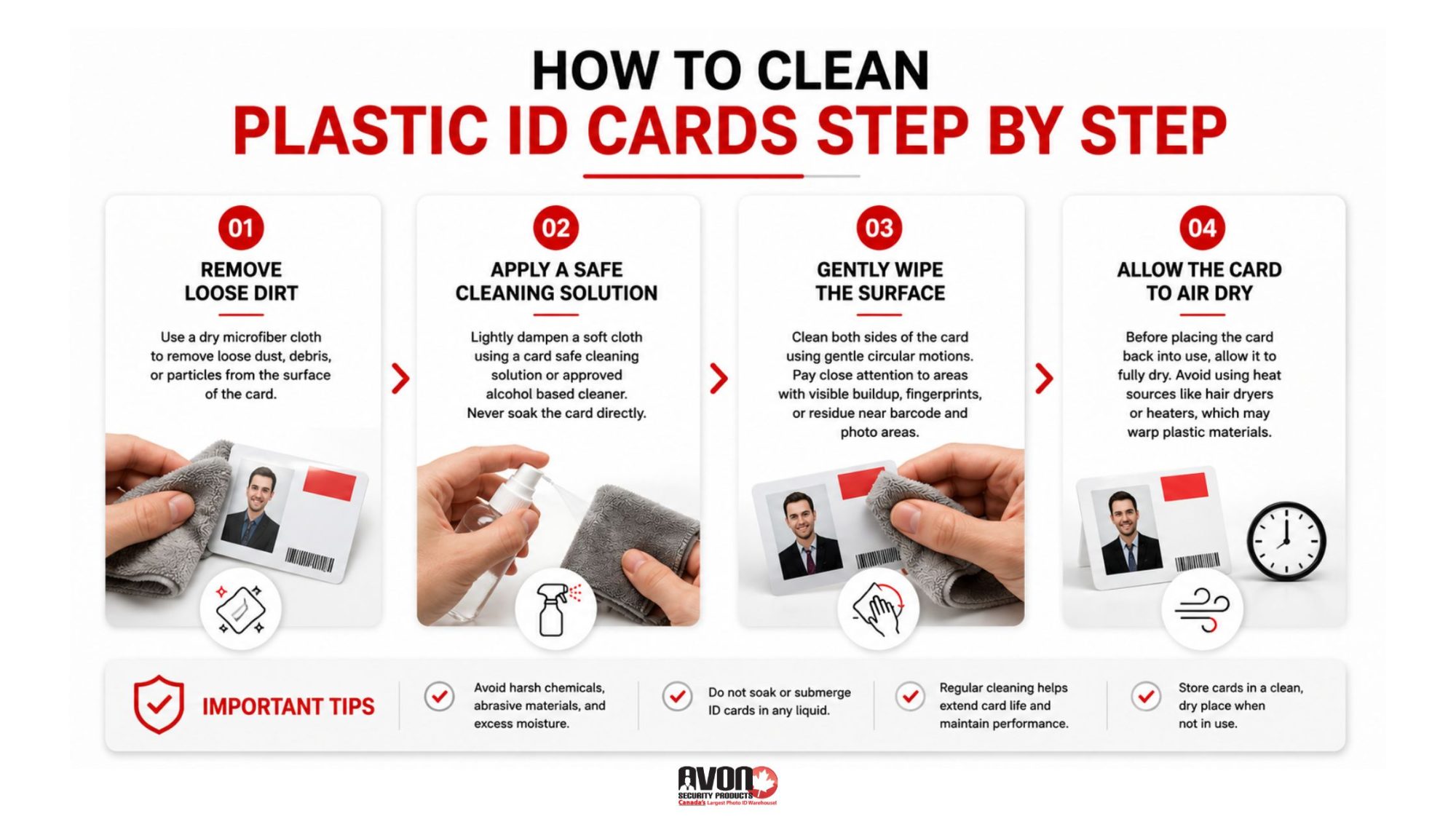
How to Clean Plastic ID Cards Step by Step
Cleaning plastic ID cards properly only takes a few minutes, but technique matters.
Step 1: Remove Loose Dirt
Use a dry microfiber cloth to remove loose dust, debris, or particles from the surface of the card before applying any cleaning solution. This prevents scratches during the cleaning process.
Step 2: Apply a Safe Cleaning Solution
Lightly dampen a soft cloth using a card safe cleaning solution or approved alcohol based cleaner. Never soak the card directly.
Kansas State University guidance on cleaning electronics also recommends limiting excess moisture and using soft microfiber materials when cleaning sensitive surfaces and electronic components. Excess liquid can seep into smart card components or damage magnetic stripes.
Step 3: Gently Wipe the Surface
Clean both sides of the card using gentle circular motions. Pay close attention to areas with visible buildup, fingerprints, or residue near barcode sections and photo areas.
Step 4: Allow the Card to Air Dry
Before placing the card back into use, allow it to fully dry. Avoid using heat sources like hair dryers or heaters, which may warp plastic materials.
Why Access Cards Require Extra Care
Modern workplaces increasingly rely on smart credentials and contactless technology. Many employee badges now include RFID chips, encoded magnetic stripes, embedded security elements, or integrated smart card technology.
Improper cleaning methods can interfere with signal transmission or permanently damage sensitive components.
According to Springfield Technical Community College’s electronics cleaning guidance, abrasive materials and excessive liquid can damage sensitive electronic surfaces and interfere with device performance.
This is especially true for organizations using high frequency access systems or encrypted workplace credentials.
Businesses using secure entry systems and proximity cards should avoid excessive moisture, strong solvents, or aggressive scrubbing techniques that could compromise functionality. When cards stop scanning properly, organizations often assume the card reader or software is failing when the actual problem is physical contamination or surface damage.
Your ID Card Printer Needs Cleaning Too
One of the most overlooked parts of ID card maintenance is the printer itself. Even perfectly cleaned cards can produce poor results if the printer contains dust, debris, ribbon residue, or adhesive buildup.
Dirty printers commonly cause:
- Streaked print output
- Color inconsistencies
- Misaligned printing
- Card jams
- Ribbon tearing
- Reduced printer lifespan
Routine printer cleaning helps maintain consistent print quality while reducing costly repairs and operational interruptions.
Organizations using an Evolis cleaning kit can safely remove internal debris and maintain optimal printer performance according to manufacturer recommendations.
Common ID Card Cleaning Mistakes Businesses Should Avoid
Many organizations unintentionally shorten the lifespan of their ID cards by using incorrect cleaning methods. Here are some of the most common mistakes we see.
Using Household Cleaning Products
Standard disinfectants and household cleaners often contain chemicals that damage card overlays and print surfaces.
The Occupational Safety and Health Administration (OSHA) also emphasizes the importance of using cleaning chemicals properly and understanding how certain substances may affect workplace materials and equipment.
Scrubbing Too Aggressively
Rough cleaning materials can scratch protective coatings and affect barcode readability.
Applying Too Much Liquid
Excess moisture can damage embedded electronics or weaken adhesive layers.
Ignoring Printer Maintenance
Dirty printers often transfer debris directly onto new cards.
Waiting Until Cards Stop Working
Preventative maintenance is significantly more effective than reactive replacement.
Organizations using regular Magicard and Polaroid printer cleaning products often experience fewer printer issues and more consistent badge quality over time.
Clean Cards Help Protect Workplace Security
A dirty or damaged card can become a security risk. Unreadable badges may delay access verification. Damaged barcodes can interfere with visitor tracking systems. Worn access cards may create confusion at secured entry points.
In healthcare facilities, schools, government buildings, offices, and manufacturing environments, reliable identification systems play an important operational role every day.
Professional appearance also matters. Employees carrying faded, cracked, or dirty ID cards can unintentionally create a poor impression for visitors, customers, and clients.
Regular maintenance helps businesses maintain both functionality and professionalism across the organization.
Card Longevity Starts With Better Daily Habits
Cleaning helps extend card lifespan, but everyday handling habits matter too.
Organizations can reduce wear by encouraging employees to:
- Store cards in protective holders
- Avoid bending or punching smart cards incorrectly
- Keep cards away from extreme heat
- Avoid placing cards near magnets
- Clean badges regularly before buildup becomes severe
- Replace damaged badge clips or lanyards when necessary
Durable cards combined with proper maintenance can significantly reduce replacement frequency and operational costs.
Using high quality ID card printer ribbons and supplies also helps improve print durability and long term card readability.
Better Maintenance Helps Reduce Printer Downtime
Dirty cards affect more than the badge itself. Dust, oils, and debris transferred from cards can accumulate inside printers over time, eventually leading to mechanical problems and inconsistent output.
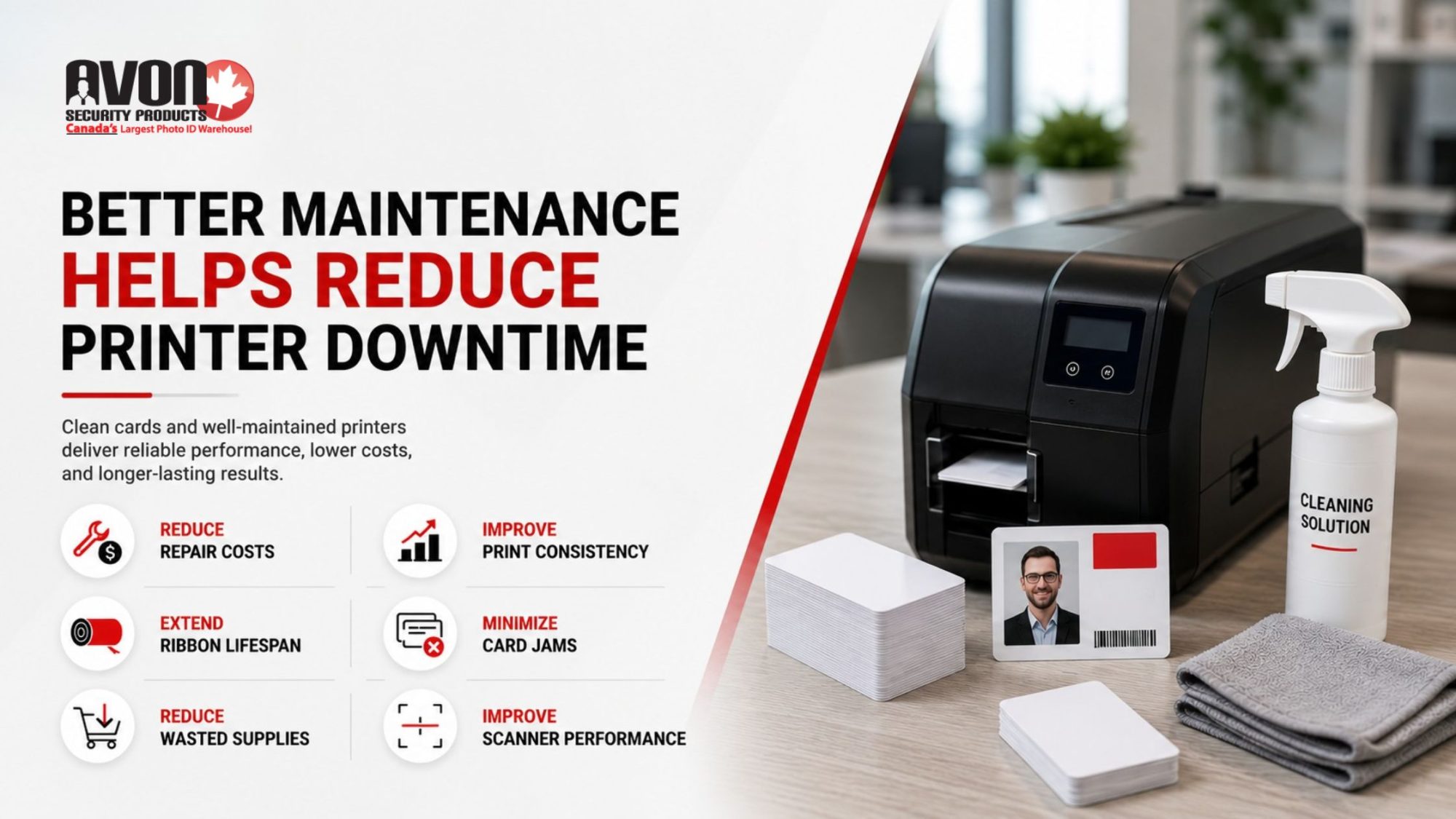
Regular cleaning schedules help businesses:
- Reduce printer repair costs
- Improve print consistency
- Extend ribbon lifespan
- Minimize card jams
- Reduce wasted supplies
- Improve scanner performance
At Avon Security Products, we help organizations develop practical ID card printer maintenance tips and cleaning routines that support long term reliability across their identification systems.
Key Takeaways
- Regular ID card cleaning helps maintain workplace security and scanner reliability
- Dirt and oils can damage both employee badges and printer equipment over time
- Harsh household chemicals should never be used on plastic ID cards or access credentials
- Proper cleaning techniques help preserve magnetic stripes, RFID chips, and printed graphics
- Printer maintenance is equally important for reducing card jams and print inconsistencies
- Durable cards and proper storage habits help extend badge lifespan
- Routine maintenance reduces operational disruptions and replacement costs
- Clean, readable ID cards support a more professional workplace environment
Final Thoughts
Clean ID cards support more than appearance. They help maintain workplace security, improve operational reliability, protect printing equipment, and extend the lifespan of identification systems that organizations rely on every day.
Small maintenance habits often prevent much larger operational problems later. At Avon Security Products, we help businesses maintain reliable workplace identification systems through durable cards, printer supplies, cleaning products, maintenance solutions, and practical support designed for real world daily use.
Whether your organization manages employee badges, access control systems, visitor credentials, or large scale identification programs, proper maintenance helps protect your investment while keeping your systems running smoothly.
Frequently Asked Questions
How often should employee ID cards be cleaned?
Employee ID cards should generally be cleaned every few weeks for standard office environments and more frequently in healthcare, manufacturing, education, or high traffic workplaces where cards are exposed to dirt, oils, and constant handling. Regular cleaning helps maintain print quality, scanning reliability, and card durability.
Can alcohol damage plastic ID cards?
Certain alcohol based cleaners are safe when used properly and in small amounts. However, harsh chemicals or excessive liquid can damage protective overlays, printed graphics, or embedded technologies. Businesses should always use cleaning products approved for plastic ID cards and access credentials.
Why do dirty ID cards affect printer performance?
Dirty cards transfer oils, dust, and debris into printers during the printing process. Over time, buildup inside the printer can lead to streaking, ribbon issues, card jams, and inconsistent print quality. Routine cleaning helps reduce equipment wear and improve operational reliability.
What should never be used to clean access cards?
Organizations should avoid bleach, acetone, ammonia based cleaners, abrasive cloths, rough paper towels, and excessive moisture when cleaning access cards. These materials can damage magnetic stripes, RFID chips, smart card technology, and printed surfaces.
How can businesses extend the lifespan of employee badges?
Businesses can extend badge lifespan through regular cleaning, proper storage, protective card holders, printer maintenance, and high quality printing supplies. Encouraging employees to avoid bending cards or exposing them to extreme heat also helps reduce damage over time.