
 1.866.458.6999
Key Takeaways
- Choose ID card templates based on your printer, budget, and design needs.
- Printer manufacturer templates help ensure compatibility.
- Free online ID card templates offer speed and flexibility.
- Dedicated ID platforms are useful for bulk badge creation.
- ID software gives you more control for custom ID card design.
Implementing an internal ID card system is a critical strategic step for modern organizations looking to maximize building safety, streamline facility access control, and foster a cohesive team identity. However, trying to design a secure credential completely from scratch can become an expensive roadblock, especially if you do not have a dedicated graphic designer on staff.
The right template source directly impacts your final product’s quality, compatibility, and customization options. Sourcing a professional template saves time, eliminates costly formatting errors, ensures precise card sizing for your hardware, and guarantees that your advanced visual security elements print perfectly sharp. We compare the best sources for ID card templates, explain what to look for before downloading one, and help determine when free design tools are enough, and when professional ID card software offers better long-term value.
What to Look for in an ID Card Template Source
The right template can speed up the design process, but it should also support your organization’s branding, security requirements, and printing workflow. Before downloading free ID card templates or identification card templates, consider whether the platform provides the flexibility and file quality needed to create professional employee credentials.
Design Options That Fit Your Organization
Look for a platform that offers a variety of ready-made templates for employee badges, visitor passes, membership cards, and other identification needs. Template libraries such as Adobe Express provide professionally designed layouts that can serve as inspiration while allowing organizations to incorporate their own branded assets, logo, colour schemes, and typography.
Easy Editing and Customization
A good template should be easy to personalize without advanced design experience. Platforms with intuitive drag-and-drop design tools, template editing features, and an upload feature make it simple to:
- Upload your logo and brand assets
- Insert customized text fields
- Change fonts and font combinations
- Change background colours and colour schemes
- Resize elements without disrupting the overall layout
- Upload your own photos and save your design for future updates
Resources like Canva’s ID Card Maker demonstrate how customizable templates can streamline the design process while maintaining a professional appearance.
Print-Ready File Formats
Not every downloadable template is suitable for professional ID card printing. Before choosing a design, confirm it can be exported in high-quality formats such as PDF, Photoshop (.psd), or Illustrator (.ai). High-resolution artwork helps preserve photo quality, logos, and text while reducing alignment issues during production.
Adobe’s Illustrator print preparation guidance offers useful best practices for preparing files for commercial printing, including maintaining image quality and preserving vector graphics.
Support for Professional ID Card Features
Modern employee credentials often include more than a photograph and employee name. Your template should accommodate barcodes, QR codes, signature panels, smart card technology, and other security features without affecting readability or your overall card layout.
If your organization uses barcode-based identification, GS1 Barcode Standards guide barcode quality, placement, and scanning reliability to help ensure credentials perform consistently with access control and identification systems.
Transform Your ID Cards with These Must-Have Features
Choosing the right ID card template is crucial for maintaining a professional image and ensuring efficient operations within your organization. A poor template choice can lead to misaligned prints, blurry images, and wasted card stock, hindering your security efforts.
When comparing options, look for the following features:
- Customization Tools: Look for drag-and-drop design tools that allow you to easily insert text fields, adjust layouts, and upload your own photos.
- Brand Consistency: Ensure the platform lets you seamlessly change colour schemes, apply font combinations, and add your organization’s logo or branded assets.
- Media Assets: A built-in library of photographs, curated elements, and icons helps you build a professional look without requiring external assets.
- Variable Data Fields: Ensure the template supports customized text, barcodes, and photo ID editing for multiple distinct users.
- Print Optimization: The source must provide options to download for printing in high-resolution, exact CR80 dimensions (standard credit card size) to avoid blurry, low-quality results.
Top Sources for Professional ID Card Templates
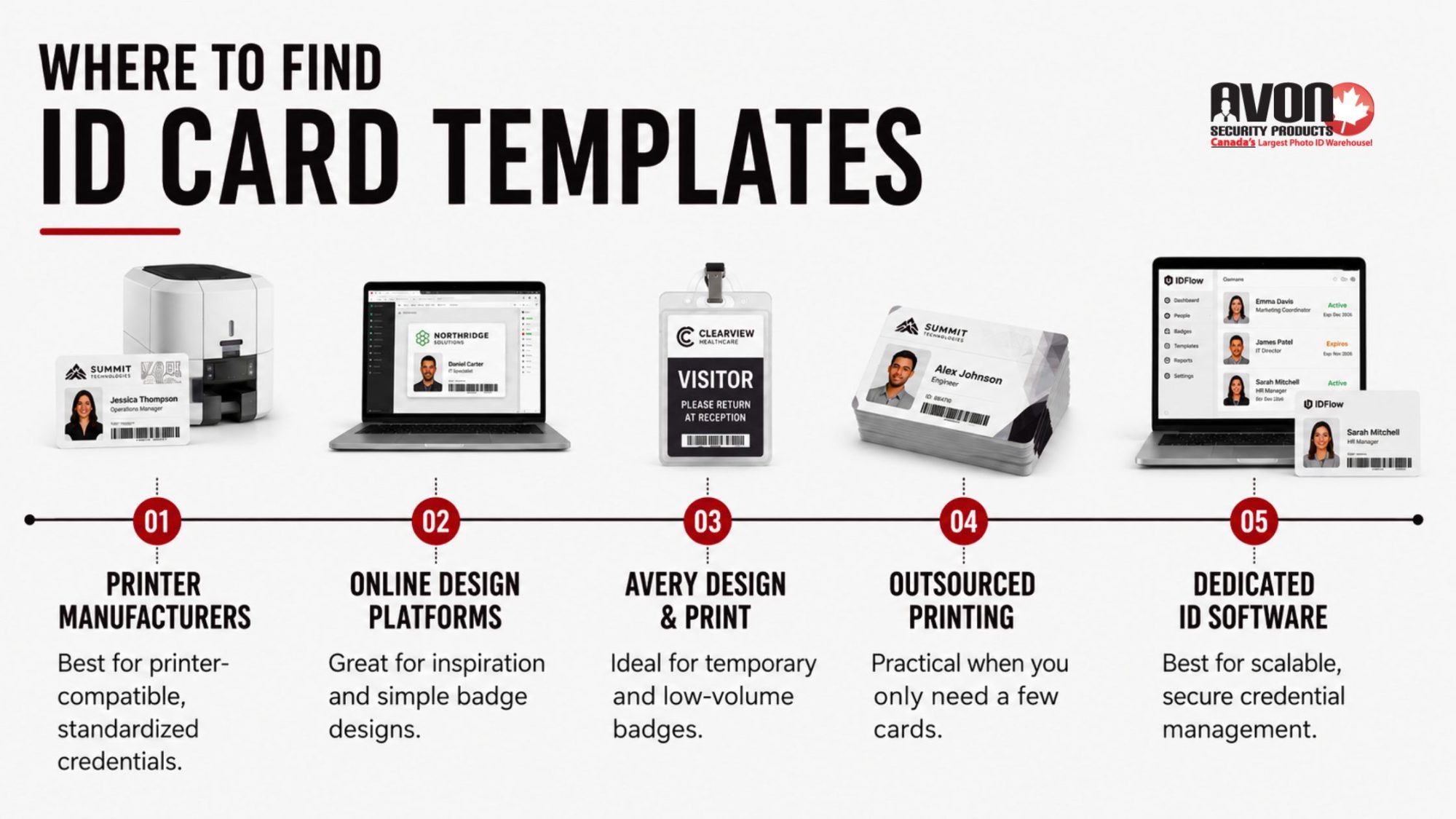
Finding the right template source depends on how your organization creates, prints, and manages ID cards. While some options are ideal for simple badge designs or occasional printing, others are better suited for organizations that need secure, scalable credentialing and long-term card management.
ID Card Printer Manufacturers
If your organization already has an ID card printer, the manufacturer’s template library is often the best place to begin. Most printer manufacturers provide layouts designed specifically for their hardware, helping reduce alignment issues and ensuring cards print the first time correctly.
Manufacturer templates are particularly useful when creating standard employee badges or replacing existing credentials. They’re also designed to accommodate features like magnetic stripes, smart cards, and dual-sided printing without requiring extensive adjustments.
A good choice for:
- Organizations already using a professional ID card printer
- Replacing existing employee credentials
- Printing standardized employee badges
- Maintaining consistent print quality
Online Design Platforms
Online design tools like Adobe Express and Canva can help explore layouts, experiment with branding, or create simple visitor badges. Their libraries include ready-made templates, editable colour schemes, font combinations, and drag-and-drop editing tools that make basic customization straightforward.
While these platforms are excellent for visual design, they aren’t built specifically for professional ID card production. Features such as database integration, variable data printing, access control credentials, and secure card encoding typically require dedicated ID card software.
A good choice for:
- Design inspiration
- Small projects
- Temporary visitor passes
- Simple photo ID layouts
Avery Design & Print
For organizations producing a limited number of identification cards, Avery’s online design tools provide a quick way to create printable badges using pre-built layouts. They’re particularly useful for conferences, volunteer events, visitor passes, and temporary credentials where long-term durability or advanced security features aren’t required.
As your card program grows, organizations often outgrow these basic tools in favour of solutions that support employee databases, photo capture, barcode generation, and access control integration.
A good choice for:
- Temporary identification cards
- Event badges
- Volunteer credentials
- Low-volume printing
Outsourced Badge Printing Services
If your organization only needs a handful of ID cards each year, outsourcing production can be a practical option. Many online badge providers allow you to upload employee information, photographs, and logos before printing finished cards on your behalf.
While outsourcing reduces the need for in-house equipment, it also limits flexibility. Updating employee information, replacing lost cards, or issuing credentials for new hires often requires another order and additional turnaround time.
A good choice for:
- Small businesses
- Seasonal staff
- Organizations printing very few cards annually
- One-time credential projects
- Dedicated ID Card Software
As employee numbers increase, managing ID cards manually becomes more time-consuming and more prone to errors. Dedicated ID card software streamlines the entire process by combining card design, employee data, photographs, and printing into one centralized system. This makes it easier to issue new credentials, update existing cards, and maintain consistent branding across every location.
At Avon Security Products, we offer professional ID card software that supports everything from basic employee badges to advanced credentials with barcodes, QR codes, smart card technology, and database integration. Combined with our selection of ID card printers and blank PVC cards, organizations can build a complete in-house card production system that scales as their security needs grow.
Whether you’re printing a handful of employee badges each month or managing thousands of credentials across multiple facilities, having the right hardware and software helps reduce production time, improve consistency, and simplify ongoing card management.
Find ID Card Design Inspiration Faster
A professional ID card doesn’t have to start with a blank page. Today’s template libraries include hundreds of ready-made templates that help organizations create consistent, branded credentials in minutes instead of hours. Whether you’re designing employee badges, visitor passes, student IDs, or even a kids ID card template for schools or events, the right starting point can save time while producing a more polished result.
When comparing template libraries, look for features like:
- Canva and Adobe Express for quick design inspiration and simple layouts.
- A wide selection of ready-made templates for different industries and card types.
- Built-in drag-and-drop design tools that make editing simple.
- Professional font combinations and customizable colour schemes that align with your brand.
- Access to curated elements, icons, and a library of photographs.
- The ability to add your logo and other branded assets for a consistent look across every ID card.
While these tools are excellent for generating ideas and creating basic layouts, organizations issuing ID cards regularly often benefit from software built specifically for secure credential design and printing.
Customize Templates with Confidence
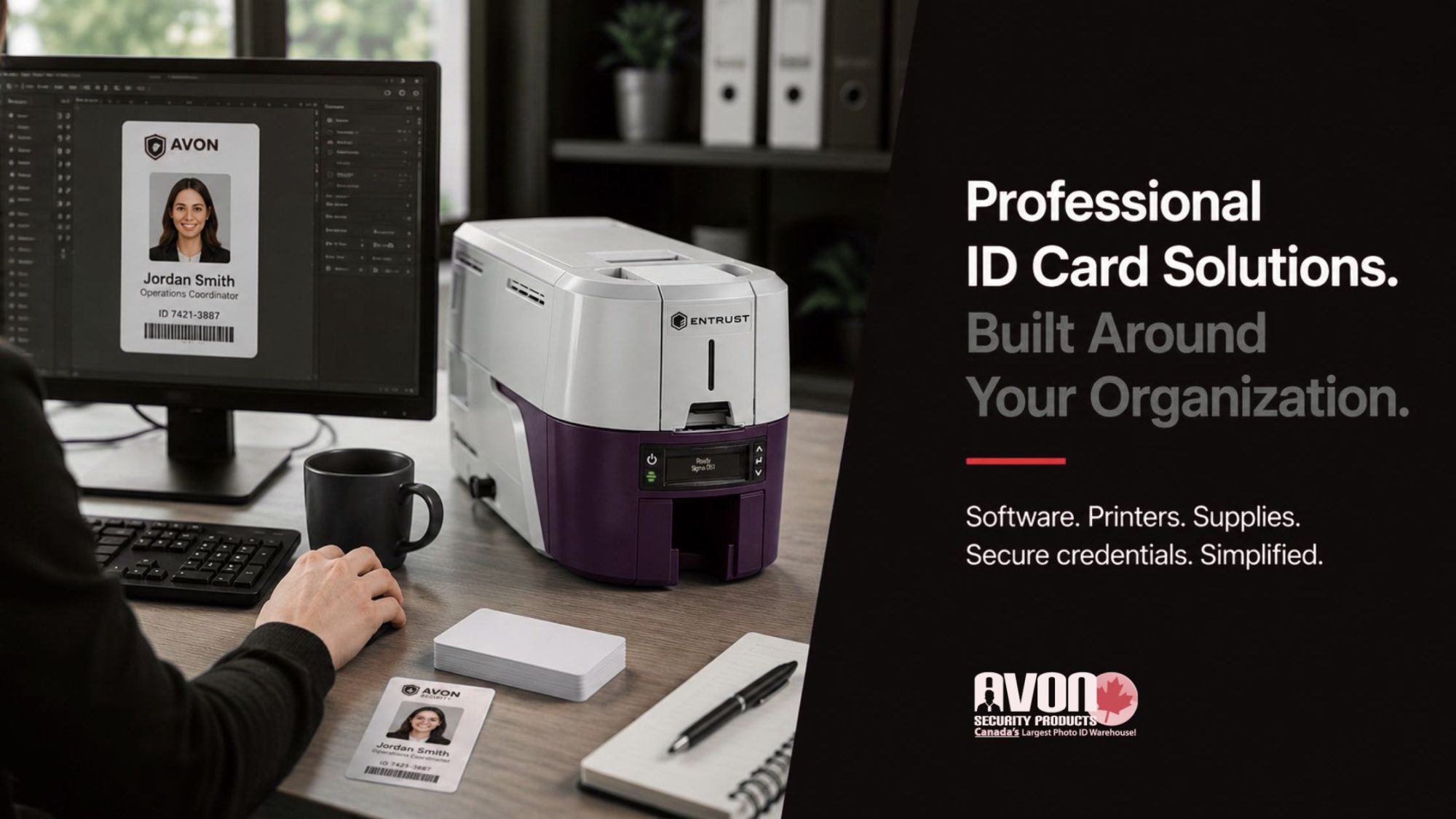
The best ID card templates don’t just look professional; they’re easy to edit as your organization grows. Whether you’re creating one card or hundreds, flexible template editing tools make it easier to update information while keeping every credential consistent.
Look for platforms that let you:
- Upload your logo and other company branding.
- Upload your own photos for employee or student credentials.
- Insert text fields for names, titles, departments, or ID numbers.
- Adjust layouts to fit different card types.
- Resize elements without affecting print quality.
- Change fonts to match your brand guidelines.
- Change background colours or change colour schemes for different departments or locations.
- Use intuitive editing tools that simplify updates.
- Save your design as a reusable template for future cards.
- Download for printing when your design is complete.
The easier a template is to customize, the less time your team spends recreating designs every time a new employee, visitor, or student needs a credential.
Choose Templates Built for Printing
A template may look great on screen but still produce poor print results if it isn’t designed for ID cards. Look for printable identification card templates built for standard CR80 card dimensions that support photo ID editing, upload your own images, and high-resolution printing. If you’re using an online editor or online ID maker, make sure designs are compatible with your ID printing kit and professional-grade printer. For longer-lasting credentials, lamination adds durability while helping cards maintain a clean, professional appearance.
Streamline Your Design Process—Explore Our Professional Software and Supplies
Choosing the right template helps speed up the design process, but the finished card is only as good as the equipment used to produce it. Professional ID card software, dedicated card printers, and quality printing supplies help create sharper, longer-lasting credentials while reducing wasted cards and reprints. From trusted design software to complete ID printing systems, Avon Security Products provides everything needed to produce professional, secure credentials. Speak with our team to find the right combination of software, printers, and supplies for your organization.
FAQs
What is an ID card template and how do I use it?
An ID card template is a pre-designed layout that includes placeholders for photos, text fields, barcodes, and branded assets like your logo. To use one, select a ready-made template from a trusted source, then customize text, colour schemes, and font combinations to match your organization. Upload your own images or choose from a library of photographs. Drag-and-drop design tools make editing simple. Save your design and download for printing or digital distribution through secure ID card software.
Where can I find free and customizable ID card templates?
Free and customizable ID card templates are available on platforms like Canva, Adobe Express, and specialized badge creators. These sites offer photo ID card templates, printable identification card templates, and kids ID card template options. Look for curated elements such as icon libraries, font combinations, and colour schemes. Most platforms include an upload feature for logos and photos. Use drag-and-drop design tools to adjust layouts, insert text fields, and resize elements before downloading your printable ID card template for professional use.
How do I create professional ID cards without design experience?
Creating professional ID cards without design experience is easy using online ID maker tools with ready-made templates. Start by selecting an ID card background that fits your brand, then add customized text, barcodes, and your logo. Drag-and-drop design tools let you upload your own images or choose from a library of photographs. Adjust font combinations and colour schemes for consistency. Most platforms include editing tools to change fonts, background colours, and element sizes. Save your design and download for printing or integrate with ID card software for bulk issuance.
What elements should every effective ID card include?
Every effective ID card should include a clear photo, name, ID number or barcode, and issue or expiration dates. Add branded assets like your logo and colour schemes to reinforce identity. Include customized text for roles or departments and consider security features like QR codes or holograms. Use font combinations that ensure readability and upload your own images for authenticity. Editing tools let you resize elements, change background colours, and insert text fields. Download for printing or manage digitally through secure ID card software for access control.
Can I print ID cards at home or do I need a professional printer?
You can print ID cards at home using printable identification card templates and a standard inkjet or laser printer. For durability, use an ID printing kit with lamination sleeves. However, a professional-grade printer delivers higher resolution and security features like microtext or holograms. Online editors and drag-and-drop design tools let you prepare files for either option. Upload your own images, adjust layouts, and change colour schemes before downloading. For high-volume needs, integrate with ID card software that supports batch printing and centralized management.
How do I customize an ID card template with my brand assets?
Customizing an ID card template with brand assets starts by uploading your logo, selecting your colour schemes, and choosing font combinations that match your style. Use editing tools to change background colours, insert text fields, and resize elements like barcodes or icons. Drag-and-drop design tools make it easy to upload your own photos or choose from curated elements. Most platforms allow you to save your design for future edits. Download for printing or integrate with ID card software to maintain brand consistency across all identification card templates.
What is the best way to design ID cards for multiple users?
The best way to design ID cards for multiple users is to start with a template that supports bulk customization. Use an online ID maker with a spreadsheet upload feature to add names, photos, and ID numbers quickly. Drag-and-drop design tools let you adjust layouts, change fonts, and insert text fields efficiently. Upload your logo and brand assets once, then apply them across all cards. Save your design and download for printing or manage through ID card software. Refer to guides on ID card templates for multiple users for streamlined workflows.
Are there ID card templates specifically for schools or events?
Yes, many platforms offer ID card templates designed specifically for schools, events, and membership groups. These include kids ID card template options, student photo ID card templates, and visitor badge designs. Look for curated elements like icons, colour schemes, and font combinations suited to educational or event branding. Drag and drop design tools make it easy to upload your own images, insert text fields, and resize elements. Save your design and download for printing or use ID card software to manage access and track attendance securely.
How do I add barcodes or QR codes to my ID card design?
Adding barcodes or QR codes to your ID card design is simple with most online editors and ID card software. Start with a template that includes a barcode placeholder or insert one using editing tools. Upload your own images if needed, then customize text fields for names and ID numbers. Drag and drop design tools let you resize elements and change their size or colour to match your brand. Save your design and download for printing. Barcodes and QR codes enhance security and enable quick scanning for access control.
What file formats should I use when downloading ID cards for printing?
When downloading ID cards for printing, choose high-resolution formats like PDF or PNG to ensure clarity and colour accuracy. Most online editors and drag-and-drop design tools export in these formats automatically. Verify that your printable identification card templates include bleed margins and crop marks for professional results. Upload your own images in high quality to avoid pixelation. Save your design in an editable format for future updates. For bulk printing, integrate with ID card software that supports standardized file outputs and centralized management.
How can I ensure my ID card design is both secure and visually appealing?
To ensure your ID card design is secure and visually appealing, combine branded assets like logos and colour schemes with security features such as barcodes, QR codes, or holograms. Use font combinations that enhance readability and upload your own images for authenticity. Drag-and-drop design tools let you adjust layouts, insert text fields, and resize elements precisely. Change background colours to reflect your brand while maintaining contrast for clarity. Save your design and download for printing or manage through ID card software for enhanced access control and tracking.
Where can I find inspiration for my next ID card design project?
Find inspiration for your next ID card design project by exploring template libraries on platforms like Canva, Adobe Express, or specialized badge creators. Browse curated elements such as icon sets, font combinations, and colour schemes tailored to different industries. Use drag-and-drop design tools to experiment with layouts, upload your own images, and test different branded assets. Save your design iterations for comparison.