
 1.866.458.6999
Proximity & Access Cards
PROUDLY CANADIAN SINCE 2005
Protect Every Entrance With the Right Proximity & Access Cards.
Proximity cards and key fobs for more than 40 access control brands, programmed to match the cards you use now. Supplying more than 25,000 Canadian organizations since 2005.
Need Help? 1-866-458-6999
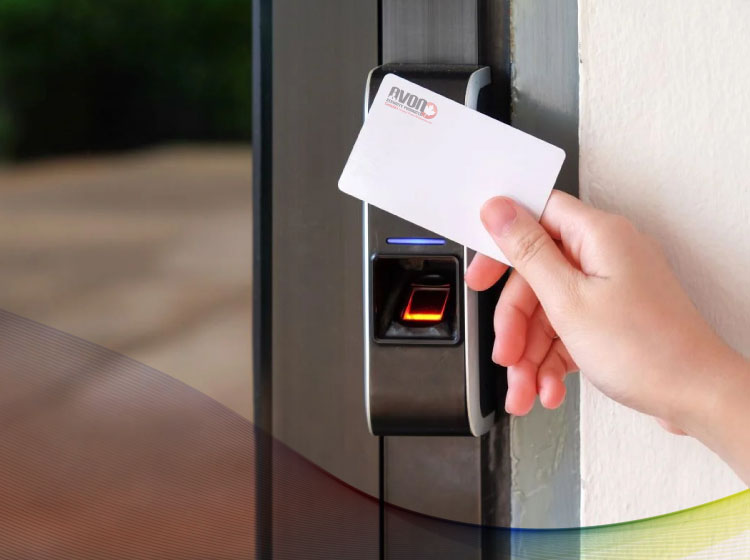
Proximity Cards
-

SecureASP
-

A901146A
-
ADI
-
ADI Alternative Proximity Cards
-
ADP
-

ADT Alternative Proximity Cards
-
Alarm.com
-
Alarm Lock Alternative Proximity Cards
-
Allegion
-

AMAG
-

AMAG Alternative Proximity Cards
-
Amano Alternative Proximity Cards
-
AWID
-
AWID Alternative Proximity Cards
-

Bosch
-
Cansec Proximity Cards
-
CDVI
-
Chamberlain
-
Chubb/Guardall
-

Continental Alternative Proximity Cards
-

Dayforce
-
Doorking Alternative Proximity Cards
-

DSX Alternative Proximity Cards
-
EYEonGATE
-
Farpointe Data
-
Farpointe Alternative Proximity Cards
-
GE CASI RUSCO Alternative Proximity Cards
-

Geoffrey Alternative Proximity Cards
-

Hartmann
-
HID
-
HID Alternative Proximity Cards
-
HID iClass, Seos and NFC
-
Hikvision
-
Honeywell
-
Honeywell Alternative Proximity Cards
-
ICT
-

IDentiPROX
-
IDTeck
-

IEI Alternative Proximity Cards
-

Inaxsys
-
Indala
-
Inner Range
-
JCI Alternative Proximity Cards
-
Kantech
-
Kantech Alternative Proximity Cards
-
Keri Systems
-
Keyscan
-
Keyscan Alternative Proximity Cards
-
Lenel Alternative Proximity Cards
-
Linear
-
Mircom
-
Mifare / DESFire / NFC
-

Mirtech
-
Northern Computer Alternative Proximity Cards
-
Paradox
-

RBH
-
ROSSLARE
-
Rosslare Alternative Proximity Cards
-
Salto
-
Schlage
-

Simplex Alternative Proximity Cards
-
Tyco
-

UltraProx
-
Verkada
-
Verkada Alternative
-

Wristband Prox


































A Canadian Partner for Proximity Cards and Access Credentials
Avon helps organizations choose the right credential, confirm it works with their access control system, and keep their card program running as it grows.
Most proximity card orders come from organizations that already have readers on their doors. HR is onboarding new staff, security is replacing lost badges, or facilities is opening another floor. The new cards have to work with the readers and software already in place, and two cards that look identical can carry a different technology, card format or facility code. Avon’s specialists work through those details with you, recommend the card or fob that suits how your people move through the building, and stay available after the order arrives. School boards, hospitals, municipal offices, manufacturers and property managers across Canada source their HID, Indala, AWID and CDVI credentials through Avon, with inventory and support based in Concord, Ontario.
Types of Proximity Cards, Key Fobs and Tags
Start with the technology your readers accept, then choose the form your staff will carry.
Product listings for each family sit under proximity cards, with a dedicated section for HID proximity cards.
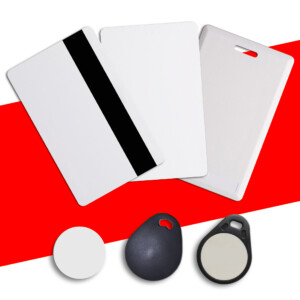
Clamshell Proximity Cards
A thick, rigid door credential for staff who don’t need a printed photo ID. Options include the HID Proximity 1326 ProxCard II and the CDVI CS25 standard clamshell proximity card.
Printable Proximity Cards
Photo ID and door access on one card, printed in-house. Options include the HID Proximity 1386 ISOProx II in 26-bit and 37-bit formats and the CDVI ISOH25 HID printable ISO card.
Prox Cards With a Magnetic Stripe
One badge for doors, time clocks and cafeteria readers. The HID Proximity 1336 DuoProx II and Keyscan 1386MG pair a proximity chip with a magnetic stripe.
Proximity Key Fobs
Access on a key ring for maintenance, warehouse and field staff. Options include HID Proximity 1346 ProxKey III fobs, CDVI TAG-H tags, and fobs for iCLASS, Seos, DESFire EV3, Indala and AWID systems.
Adhesive Proximity Tags
The HID 1391 MicroProx tag sticks to the back of a badge or any non-metallic item, adding door access without issuing a new card.
Indala and AWID Credentials
Indala and AWID readers need cards in their own technology. Matching the technology and format lets you add staff without changing a single reader.
Cards for Keyscan, Kantech and Other Systems
Keyscan, Kantech, Schlage, CanProx and Pyramid Series systems each read their own credentials. Find yours by access control brand, or send a card to match.
Prox Wristbands
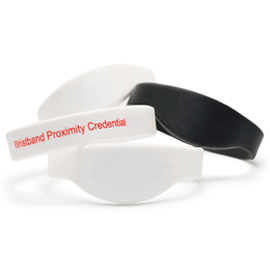
Hands-free access for recreation centres, residences and staff whose hands are busy. Options include UBand Prox and Alarm Lock compatible 26-bit wristbands.
Adhesive Cards for Clamshell Prox
Thin CR79 adhesive cards print on a compatible ID card printer and turn an existing clamshell card into a photo ID.
How Proximity Access Cards Work
Each card carries an ID number, and your access control software decides which doors it opens.
A proximity card access system has three parts: the card, the reader at the door and the software behind it. Proximity access cards work by drawing power from the reader’s radio field, so a standard card has no battery and nothing to wear out at the door.
What’s Inside a Proximity Card
A coil of fine copper wire runs around the edge of the card, connected to a small chip. Classic prox cards, including the HID ISOProx II, run at 125 kHz and are often called low-frequency proximity cards. The chip holds the card’s number, format and facility code. Knowing how an HID proximity card works makes it clear why those details, rather than the brand printed on the card, decide whether it opens your doors.
From Reader to Door Lock
The proximity card reader picks up the number from a few centimetres away and passes it to the door controller, usually as a Wiegand signal. If the card is allowed in at that time, the controller releases the proximity card door lock or electric strike.
Where the Permissions Live
Names, access levels and schedules stay in your access control software, not on the card. A lost card can be switched off from a desk, without rekeying any doors.
Card Formats, Facility Codes and Card Numbers
These three details decide whether a new card opens your doors.
Your door controllers are set up to accept particular formats and facility codes. Matching them is what lets a new batch work alongside the cards your staff already carry, so they are the first things an Avon specialist confirms with you.
Card Format
The format is the layout of the data on the card. The common 26-bit format, listed by HID as H10301, holds a facility code and a card number. Larger organizations often use longer formats, such as 37-bit H10302 or H10304, HID’s Corporate 1000 program, or a format tied to their system, such as Chubb’s G10901.
Facility Code
The facility code, or site code, is shared by a group of cards and helps your system recognize them as yours. In the 26-bit format it runs from 0 to 255. Organizations with several buildings, or with more staff than one code allows, often use more than one.
Card Number and Starting Number
Each proximity card number identifies one credential within its format and facility code. Starting a new batch above the highest number already issued, for example 1201 to 1300, keeps every card unique and enrolment simple.
Reading an HID Part Number
HID part numbers name the card, followed by a code for its options. HID 1386LGGMN, the most common configuration for printable HID and compatible cards, breaks down this way:
- L: programmed (N means non-programmed)
- G G: front and back surfaces, such as white gloss PVC for printing
- M: the printed number matches the encoded number, so it can be typed straight into your software
- N: no slot punch
Do You Need a Proximity Card Programmer?
Not for a standard HID prox system. The cards are programmed to your format, facility code and starting number before they ship, so you don’t need a proximity card programmer or encoder on site. When they arrive, your administrator can program proximity cards into your access control software, recording each number against a cardholder and assigning access levels.
HID Prox 125 kHz Credentials by Part Number
The part number on your HID prox card box or invoice is the quickest way to reorder the same card.
HID Global is a long-standing leader in access credentials, and its part numbers are a useful shorthand when you talk to your installer or to Avon.
| HID part number | Credential | What it is | Where it fits |
| 1326 | ProxCard II | Clamshell proximity card | Door access without a printed photo |
| 1336 | DuoProx II | Printable ISO card with a magnetic stripe | Doors plus magnetic stripe time clocks or cafeteria readers |
| 1346 | ProxKey III | Proximity keyfob | Staff who carry keys rather than a badge |
| 1351 | ProxPass II | Active long-range proximity tag | Vehicle access control with HID long-range readers |
| 1386 | ISOProx II | Thin printable ISO card | Photo ID and door access on one card |
| 1391 | MicroProx | Self-adhesive proximity tag | Adding access to a badge or non-metallic item |
| 1597 | Smart ISOProx II | Printable prox card that can be embedded with a contact smart chip | Door access plus contact smart card applications |
| 1598 | Smart DuoProx II | Smart ISOProx II with a magnetic stripe | Prox, contact chip and magnetic stripe on one card |
Check Your Existing Card Before Reordering
A photo of one card is usually enough to start.
Send us a photo of your current card, front and back, and the label from the original box if you still have it. An Avon specialist will use the part number and printed details to find the matching card and confirm everything with you before your new cards are programmed.
Proximity Card Technical Specifications
Compare frequency, read range, and data across the most common credential types.
Read range is set by the reader and how it’s mounted, so check your reader’s datasheet as well as the card.
| Technology | Frequency | Typical read range | Data on the credential | Common forms |
| Proximity (HID Prox, Indala, AWID, CDVI) | 125 kHz | A few centimetres | One fixed number in a Wiegand format, such as 26-bit H10301 | Clamshell cards, printable ISO cards, key fobs, tags, wristbands |
| Active long range proximity | 125 kHz, battery-powered tag | Metres, with long-range readers | Same prox formats as cards | Vehicle tags |
| UHF | 902-928 MHz | Metres, with long-range UHF readers | A credential number sent to the access system | Windshield tags |
| Smart card (iCLASS, Seos, MIFARE DESFire EV3) | 13.56 MHz | A few centimetres | Encrypted data, memory and multiple applications, depending on the card | Printable ISO cards, key fobs, multi-technology cards |
Card Size and Thickness
A printable ISO card is made to ISO ID-1 (CR80) size, 85.60 x 53.98 mm, at about 0.8 mm thick according to CDVI’s listed dimensions, close to a standard 30 mil PVC card. A clamshell proximity card is the same width and height at about 1.8 mm, too thick for an ID card printer.
Custom Printed Proximity Cards and Photo ID Badges
One badge for photo ID and door access.
Printed proximity ID cards give security staff a quick visual check and give you fewer cards to issue and replace. An Avon specialist can confirm which cards your ID card printer supports.
Printable Prox Cards
Made for photos, names, and logos: the HID ISOProx II and DuoProx II, CDVI printable ISO cards, and the Linear ISO125-H. Any proximity card printer needs to support the card’s thickness, and Avon can check your model.
Direct-to-Card and Retransfer Printing
Retransfer printers give technology cards a more even, edge-to-edge finish because they print onto film first. Direct-to-card printers print straight onto the card, where the chip can show as slight marks.
Clamshell Cards and Adhesive Labels
Keep your clamshell cards and add a photo. A printed CR79 adhesive card fits on the front of the ProxCard II or CDVI CS25.
Slot Punches and Badge Holders
Order cards with the slot punch already in place to protect the antenna. A proximity card holder, including an HID proximity card holder, keeps the printed photo protected and easy to present.
What Details Do You Need to Order Matching Proximity Cards?
Send these five details and an Avon specialist will match your cards the first time.
Technology and Frequency
HID Prox, Indala, AWID, CDVI, iCLASS, Seos, MIFARE DESFire or UHF, to keep your current readers working.
Card Format
The format name, such as H10301. It tells us how your system reads each card.
Facility Code and Starting Number
Your facility code and next unused number, so every new card is unique and ready to enrol.
Card, Fob, Tag or Wristband
How your staff will carry it, and whether it needs a printed photo.
Printing, Numbering and Slot Punch
Whether you’ll print on the cards, want matching printed and encoded numbers, or need a slot punch.
125 kHz Proximity Cards or 13.56 MHz Smart Cards?
Proximity cards handle general door access. Smart cards add encryption for areas that need more protection.
The main difference is security. A proximity card sends a fixed ID number that can be read and copied. A smart card’s data is encrypted and authenticated by the reader. The differences between RFID cards and proximity cards cover frequency, read range, and encryption in more detail.
| 125 kHz proximity card | 13.56 MHz smart card | |
| How it works | Sends a fixed ID number | Encrypted and authenticated by the reader |
| Can it be copied? | Yes, with an RFID copier | Designed to resist copying |
| Data stored | One ID number | Multiple applications, depending on the card |
| Readers | 125 kHz readers | 13.56 MHz or multi-technology readers |
| Typical use | Main entrances, offices, warehouses | Server rooms, pharmacies, records rooms |
When Is It Time to Move Beyond 125 kHz Prox?
When a door protects servers, medication, records or cash, smart cards are worth considering. Other doors can stay on prox if lost cards are switched off promptly and access logs are reviewed.
Upgrading in Stages
Multi-technology readers and cards let you move one area at a time while staff carry a single card. An Avon specialist can check your readers and help plan the order.
Proximity Cards for Offices, Campuses, Hospitals, Parking and Public Buildings
Avon supplies proximity cards to schools, hospitals, government offices, manufacturers, and property managers across Canada.
Corporate & Multi-Site Organizations
Multi-site companies need the same card at every office. Avon keeps your format and number ranges consistent between locations, and printable prox cards let HR issue photo ID and door access on one badge during onboarding.
Schools, Colleges & Universities
Schools and universities issue most of their cards in the weeks before each term. Avon plans number ranges with you ahead of time, supplies cards for student, staff, and residence access, and matches replacements to the cards already in use.
Healthcare Organizations
Hospitals and long-term care facilities need staff ID that is clearly visible and controls access to restricted areas. A printed photo ID proximity card does both, and Avon supplies replacements in the same format so lost badges can be reissued quickly.
Government & Municipal
Government departments order to set specifications. Avon supplies cards in the technology, format and security features your procurement documents call for, and keeps those specifications the same on every reorder. Municipal recreation centres can use prox wristbands for members and staff.
Industrial, Warehouse & Logistics
Warehouse, maintenance and contract staff often carry a proximity key fob or proximity key card on a key ring instead of a badge. Each credential has its own number, so contractor access can be added or removed without changing anyone else’s.
Parking & Vehicle Access Control
Parking garages, fleet yards, and secured lots use long-range proximity tags or UHF windshield tags, so authorized vehicles enter without stopping at a reader. Vehicle credentials are managed in the same access control system as staff cards.
Reordering Prox Cards for an Existing System?
Send us what you have and we’ll help you match it.
A photo of an existing card, the label from the original box or your reader model is usually enough to start. Can’t find a part number? That’s common with cards ordered years ago, and our team will ask the right questions to help you find exactly what you need.
Complete Your Access Card and ID Badge Setup
Proximity cards work best as part of a credential program where printers, software, cards, supplies and support work together. These related categories help keep yours running as it grows.
ID Card Printers
Printing on proximity cards puts more demands on a printer than plain PVC. Avon can recommend a direct-to-card or retransfer model that suits your card technology, card thickness, and issuance volume.
Blank ID Cards
Visitor passes, contractor IDs and visual-only staff badges don’t need an access chip. Standard PVC cards cover those, and adhesive cards add a photo to clamshell prox cards you already own.
ID Card Software
ID card software manages badge layouts, photos and cardholder data. Printing the card number from the same record as the cardholder keeps badges and access records in step as your program grows.
Ribbons, Films & Printing Supplies
The right ribbon and retransfer film keep print quality consistent and your printer running between orders. Supplies are printer-specific, so start with your printer model.
Lanyards & Badge Holders
Badge holders, clips, reels and lanyards decide how staff carry and present their cards every day. A holder that suits the card and slot punch keeps the printed face protected.
Printer Support & Compatibility Checks [H3]
Avon’s tech support team is there to help with any issues that come up, from print quality to card and ribbon compatibility, before you replace anything.
Why Organizations Choose Avon for Proximity Cards
Avon Security Products has served more than 25,000 organizations across Canada with ID card printers, access cards, software, and supplies.
Canadian Since 2005
Avon has supplied Canadian organizations since 2005, and works as a Canadian proximity card supplier with inventory in Concord, Ontario. Domestically sourced orders arrive without unexpected duties or brokerage.
Compatibility Confirmed Before Programming
An Avon specialist confirms technology, format, and facility code with you before new cards are programmed, so the cards that arrive work with the readers you have.
Support as Your Program Grows
New buildings, new staff and new security requirements change what a card program needs. Avon stays available after the order for reorders, upgrades, and printer support.
Frequently Asked Questions About ID Card Software
No, an HID proximity card reader can’t read Indala or AWID cards unless it supports that technology and has been configured to accept it, even though all three run at 125 kHz. Each brand sends its number in its own way. Some multi-technology readers accept more than one, but only when that option is turned on. The simplest path is to reorder the technology and format your staff already carry, or ask an Avon specialist to check your reader model first.
Yes, HID-compatible alternative cards, such as IDentiPROX, Linear, and Farpointe 125 kHz cards, can work on HID prox readers when they’re programmed in the same format with a facility code and number range your system accepts. They suit organizations that want to match an existing system and keep more than one sourcing option. Reader and controller settings still apply, so confirm the format and facility code with an Avon specialist before ordering a full batch.
No, a proximity card can’t be demagnetized because it stores its number in a chip and sends it by radio frequency rather than on a magnetic stripe. Magnets in badge holders or door hardware won’t erase the access credential. A prox card that also carries a magnetic stripe, such as the HID DuoProx II or Keyscan 1386MG, is different: a strong magnet can erase the stripe while the card keeps opening doors. High-coercivity (HiCo) stripes resist erasure better than low-coercivity stripes.
Proximity cards need very little maintenance, because they have no battery and never touch the reader. The care they need is physical. A hole punched outside the slot punch area can cut the antenna, and repeated sharp bending can break the connection between the coil and the chip. Order cards with the slot punch you need rather than punching them on site, carry them in a badge holder, and keep printed cards away from high heat, such as a vehicle dashboard in summer.
Switch the lost card or key fob off in your access control software as soon as it’s reported, so it stops opening doors right away. Issue the replacement with a new card number from your next unused range rather than reusing the old one, so the two never get confused in your records or event logs. Note the change against the cardholder, and if the old number appears in the event log later, review access to that area.
Vehicle access control uses credentials a long-range reader can identify from a vehicle at the gate. UHF windshield tags, such as the AWID WS-UHF, work with compatible long-range UHF readers in the 902-928 MHz band. Active long-range proximity tags, such as the HID ProxPass II, work with HID long-range readers. Like a card, the tag has to match your reader technology and format, so confirm both with an Avon specialist before ordering.
You can source HID proximity cards in Canada through Avon Security Products, an access credential specialist based in Concord, Ontario. Send an existing card, the box label, or your format, facility code, and starting number, and Avon will confirm the details and supply cards programmed to match before they ship. For a new batch of printable or clamshell cards, key fobs, tags or wristbands, a quote request is the quickest way to start, and an Avon specialist will follow up on anything that needs checking.