Published: July 27, 2017
| Updated: September 23, 2024
Author: Team Avon
Photography backdrops often make or break a photo. Whether you need added texture, depth or color, your backdrop can enhance these features for you and make your pictures come to life. If you’re looking for the right backdrop, check out this top list of options and what each one can do for you:
Canvas
Canvas backdrops are hand painted and should not be folded, as they tend to wrinkle easily. These types of backdrops are usually mounted on poles and need to be rolled up for transportation. Canvas material is glare free and are normally used for nature scenes. Canvas can be more costly than other photography backdrops, but they will last for years to come.
Canvas
Canvas backdrops are hand painted and should not be folded, as they tend to wrinkle easily. These types of backdrops are usually mounted on poles and need to be rolled up for transportation. Canvas material is glare free and are normally used for nature scenes. Canvas can be more costly than other photography backdrops, but they will last for years to come.
Muslin
Muslin can either be a polyester cotton blend or pure woven cotton fabric. Unlike canvas, muslin does not wrinkle easily and if it does, they can be taken out with a bit of steam. Muslin can even be shoved into a bag after you use it, and it’s versatile enough to be used for a variety of different themes.
Seamless Paper
Seamless paper is usually Muslin’s biggest competitor, simply because this produces a virtually wrinkle-free backdrop. As seamless paper is stored in rolls, it can be bulkier than muslin, but should it get dirty, you can simply discard the sheet and pull down another. Seamless paper can be bought in a wide variety of colors, but greys an whites are the most popular choice. This is one of the easiest photography backdrops to use.
This type of cloth is translucent and is generally used for artistic effects. It is not meant to be used as an alternative to canvas or muslin, but rather to be incorporated with other types of backdrops. Using fantasy cloth as part of your backdrop allows you to become more creative with textures, designs and colors. fantasy cloth is also very affordable.
Vinyl
Thin, plastic vinyl is often used for parties, while the vinyl that photographers utilize are of much higher quality. Since it’s not made of paper or cloth, it is very easy to clean, which makes them the perfect backdrops for shoots involving children or animals.
Chroma Key
These backdrops are available in blue and green, and normally made from finely woven muslin. Chroma key is used for imposing an image onto your backdrop, and they can be found in large or smaller sizes, depending on what it’s being used for.
Velour, Velvet and Other Types of Backdrops
Velvet and velour are two fabrics that create a dark, rich backdrop and they do not reflect much light at all. Just like fantasy cloth, these types of materials create a very specific look.
Ready to select your photography backdrop? Contact us to learn more!
Published: July 27, 2017
| Updated: September 23, 2024
Author: Team Avon
The importance of having a valid and durable identification card is wide-reaching. Whether you work in corporate, or you’re one of the many who need access to facilities within the education sector – acquiring a workable system to track and grant access is necessary. Here’s what to consider when selecting School ID cards:
How Often Will Cards be Used?
If the answer is frequent, then you might need a more durable, long-lasting material to ensure the longevity and efficiency of your identification system. Keep in mind that card stock easily bends and can tear without much provocation. The moment card stock hits moisture, the fibers of the paper begin to weaken and you are left with a limp ID and perhaps blurred print. On the other hand, bend resistant PVC ID cards maintain their form well, despite spills or unintentional mishaps. Investing in a higher-quality solution the first time can ensure there won’t be a need for costly reprinting.
Who Will be Using the Cards?
You should always take care of your things, right? Of course, but life happens to the best of us. Students and faculty who take extreme care of their personal items still have to deal with the unknowns. From natural wear and tear to the weather and repeated use of standard ID materials – these factors can wreak havoc on any responsible teen or adults’ ID. Consider all these when deciding what kind of ID card material to choose.
How Versatile Does It Need to be?
For day-to-day time stamping, a swipe of your card just requires a flick of the wrist. However, when school ID cards are used for various activities like campus food programs, attending school sporting events or to reserve a seat in the computer lab, cards should be multi-functional. IDs that can be attached to lanyards, are seen clearly through weather-proof sleeves, and are readily on-hand (around the neck or clipped on).
What it’s Most Important Function?
A sense of security is invaluable. Providing clear pictures and incorporating graphics unique to the facility can be paramount to emergency situations. A duel-sided card that allows extra information be printed or encoded can give greater security and address safety issues. For less frequent usage, such as one-day visitor badges, a one-sided school ID card could suffice.
Published: July 11, 2017
| Updated: August 20, 2026
Author: Team Avon
Key Takeaways
Photo ID software helps protect PII and improve secure badge issuance.
Look for access control integration, role-based permissions, and employee background checks.
Choose a platform with database technologies, internet-based enrollment, and face-finding technology.
Prioritize dual-sided printing, magnetic stripe encoding, and barcode support.
Select upgradable badging software with a free trial, technical support, and room to scale.
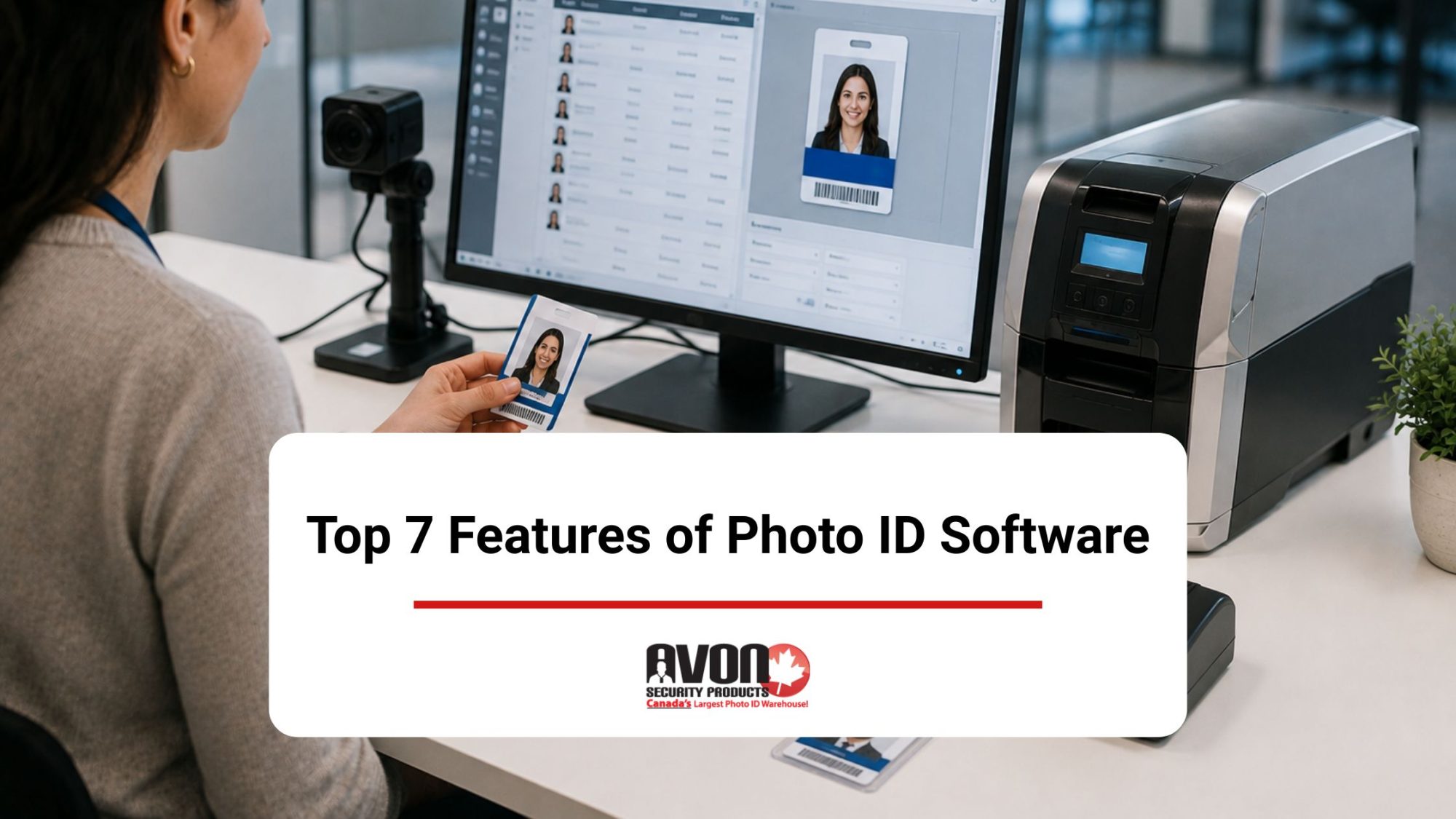
Deploying an intuitive badging program transforms how your organization protects its physical boundaries, streamlines administrative data, and interfaces with the public. To maximize efficiency, your core upgradable badging software must offer clear paths from entry-level to comprehensive functionality without risking a sudden disruption of service delivery. Certified value-added resellers emphasize that modern credential platforms strike a perfect balance between robust data security, such as implementing strict controlled access and auditing role-based log-in permissions, and daily front-line operational utility.
Protecting Private Data and Avoiding Compliance Traps
Bringing a new card system online is about more than just buying software. It requires careful planning between your Chief Information Officer (CIO) and your Information System Security Officer (ISSO) to ensure your network handles personal details safely.
Shielding Identity Records: Your software must actively lock down Personally Identifiable Information (PII) like employee phone numbers, photos, and access logs to keep them away from prying eyes.
The Healthcare Gold Standard: If you run a hospital, senior home, or clinic, your badging tools must keep Protected Health Information (PHI) completely isolated to satisfy strict Canadian patient privacy expectations.
High-Security Operational Rules: Facilities dealing with strict government clearance protocols or a VA sensitive data network infrastructure must verify that their digital workflows mirror strict VA policies and procedures.
Bulletproof Compliance: Investing in a system built around recognized international security standards means your employee data remains safe from modern cyber threats and network breaches.
Locking Down Enterprise Data with Confidence
You do not have to tackle these intense security hurdles alone.Avon Security Products acts as an extension of your internal Office of Information and Technology (OI&T) layout. We consult directly with your Facility Chief Information Officer (CIO) and Information System Security Officer (ISSO) to deploy robust software tiers that protectPersonally Identifiable Information (PII) andProtected Health Information (PHI) right out of the box. Whether your facility must align with strict corporate security standards or secure high-level VA sensitive data configurations, our tailored onboarding ensures your entire badge printing deployment strictly mirrors all necessary VA policies and procedures.
Revolutionizing Workplace Security: The True Value of Modern ID Issuance
Your photo ID software can be core for client satisfaction, keeping queues moving and incorporating company loyalty programs. Although today’s ID printers and cameras can produce incredible resolutions, there’s still a need for your customizable software to produce more than just outstanding picture clarity. When selecting an ideal platform for your organizational needs, look for comprehensive database links that allow for unlimited records, automated employee background checks, and multiple languages to support global workforces. Tracking down a platform equipped with user-friendly interface layouts, immediate card template access, and a streamlined user interface ensures your team can print cards confidently from day one.
Security
Identity theft is always a threat, so even if you’re printing something as simple as photo IDs, you may need applications with encryption technology. Encoding can be done through barcodes, smartcards, or magnetic stripes. If theft and other crimes are your chief concerns, you need access control systems that can handle biometric checks, which some ID printing programs offer. Canada’s ePassport technology has become the global standard, using tamper-proof electronic chips to maintain safety. ID software of this nature checks photographs against external databases.
Processing the Perfect Picture
Artificial intelligence has reached a point where images can be automatically corrected, cropped, and aligned by ID photo suites. Even if staff members aren’t specialized in photography, they can still create ICAO-compliant pictures with the help of this kind of AI. This is an important consideration if you’re processing thousands, rather than hundreds, of cards a year. For busy resort businesses, you’ll need software to function quickly, so you might also require a barcode or smart card reader that integrates into your ID card software.
Your Brand
Your IDs are used by loyal clients, so they’re critical to your brand strength. For this reason, your photo ID software must give a range of attractive templates as well as good resolutions. An integrated program that manages your cardholder database, text formatting, and image importing would be more streamlined and economical to implement for business.
Human Resources Management
If your staff gains access through the same system as your clients, your photo ID software must integrate well with your human resources management needs. It should handle:
Payroll
Productivity
Time sheets
Security
Attendance tracking
Record Keeping
Without connectivity, your software can’t cross-reference, import, or export information. Database management needs a refined strategy that functions well with the software and operating systems you use. Some software integrates with branded programs, and some broaden compatibility by integrating with programming languages and code instead. If you’re a new business, scalability is necessary and the compatibility range of your ID software should grow with your resort.
How Modern Platforms Talk to Your Existing Tech
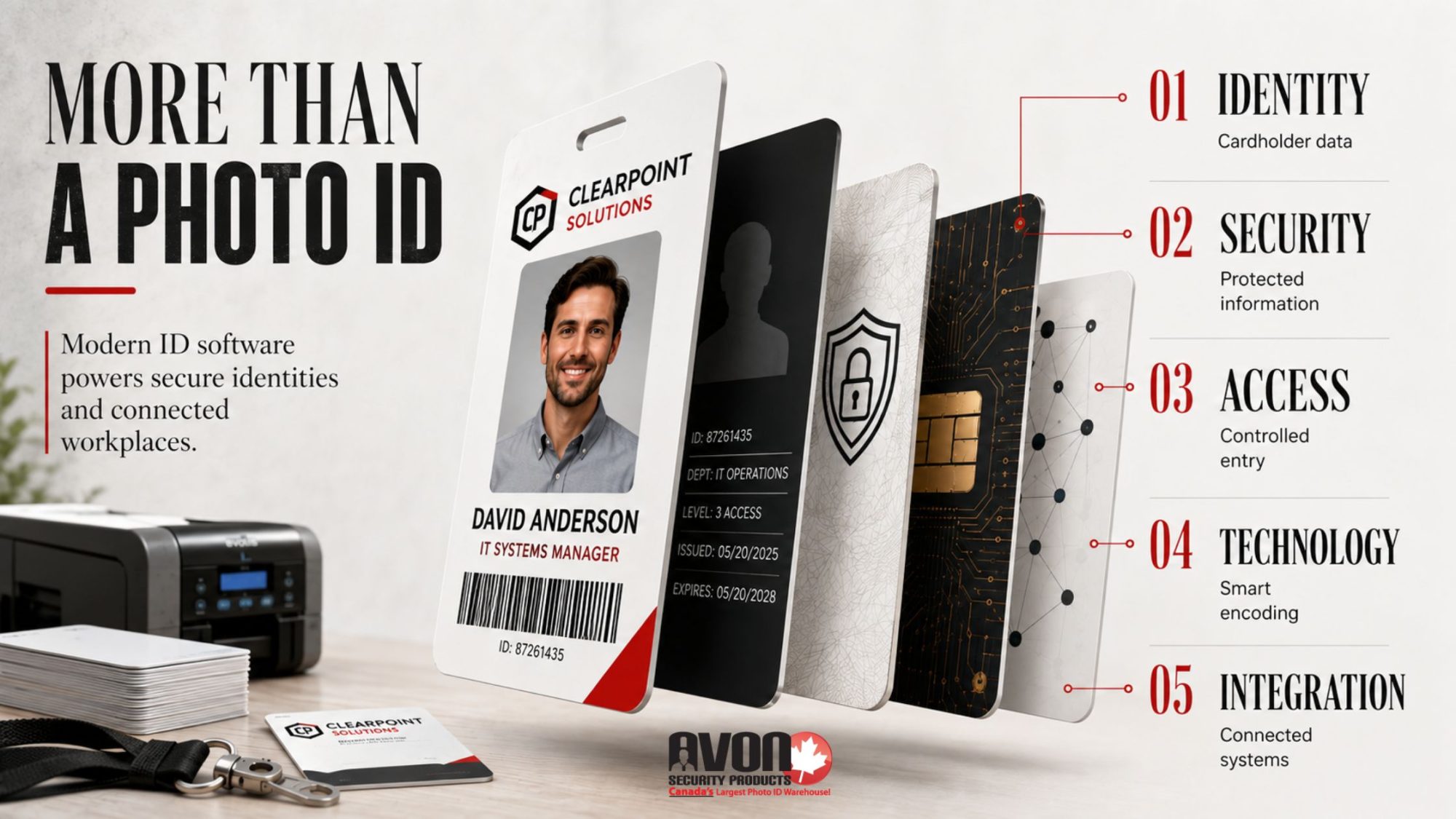
The hidden software engine under the hood determines how well your card printer communicates with the rest of your office. Industry-leading software suites rely on a rock-solid .NET technology platform to keep your data flowing seamlessly across local networks.
Unifying Your Door Security: Real power comes from tight integration with access control systems, turning a simple piece of plastic into an intelligent key that opens electronic turnstiles, gates, and locked doors.
Talking to Your Current Servers: Eliminate manual data entry by linking your badge designs directly to your current corporate networks using flexible, secure database technologies.
Pre-Arrival Web Check-ins: Skip the morning rush by launching an internet-based enrollment web portal, giving remote hires and field contractors the ability to submit their profiles before their first day.
Perfect Photos on Auto-Pilot: Save time with built-in face-finding technology that automatically tracks, crops, and centers employee portraits without requiring manual editing.
Multi-Layered Card Coding: Add deep utility to every badge using standard magnetic stripe encoding, scannable barcode support, or high-speed dual-sided printing layouts.
Universal Content Handling: The system simplifies importing photos and graphics into custom templates while smoothly displaying dashboards in multiple languages for diverse teams.
Total Operations Harmony: Experience a seamless integration that connects your badging queue to essential corporate verification tools, like automated employee background checks.
Engineering a Frictionless, Fully Connected Workplace
Building a tech ecosystem that balances these architectural benefits is simple with our curated software catalogue at Avon Security Products. Our top-tier enterprise platforms—including cardPresso andEPI Suite—are built on a highly stable.NET technology platform to manage complex database technologies without slowing down your network. We specialize in driving deep integration with access control systems, giving you the power to coordinate automated background checks, configure cloud-forward internet-based enrollment, and utilize smart face-finding technology under one unified dashboard. From advanced magnetic stripe encoding to high-speed dual-sided printing, scannable barcode support, and hassle-free importing photos and graphics in multiple languages, we deliver the exact seamless integration your IT infrastructure demands.
Reservation Management and Vending
Your photo ID system can control the full gamut of your business, from parking to cashless vending. The latter lets you track your customer lifetime value, client behaviour, and spending habits. This way, you can reward frequent spenders and develop a more effective marketing campaign based on demographic information that most companies pay a fortune for.
Human Error
Staff who are working with thousands of passes a year are prone to error, but photo ID software can minimize this by automating signature capture and other processes.
Dodging Software Downtime and Budget Surprises
A poorly planned software rollout can quickly stall your security operations and drain your administrative budget. Spotting software bottlenecks early protects your team from daily operational headaches.
Sidestepping Budget Surprises: Opting for a locked-down, entry-level tier without reading the fine print often leads to inaccurate financial planning when your company expands, and you are hit with surprise upgrade costs.
Beating System Blackouts: Unstable, outdated applications or network conflicts can cause a sudden disruption of service delivery, halting badge production entirely when you need it most.
The Zero-Risk Test Run: The smartest way to safeguard your workplace budget is to request a comprehensive free trial period. This lets your IT team stress-test database links and verify printer compatibility before you spend a single dollar.
Bulletproofing Your Investment Against Operational Blackouts
To eliminate the threat of inaccurate financial planning or a sudden disruption of service delivery, Avon Security Products provides hands-on technical support throughout your entire software evaluation process. We actively set up and guide your team through an open, comprehensive free trial period so your technical staff can safely stress-test access controls, check network loads, and layout templates before making a capital investment. By partnering with a dedicated Canadian team, you ensure your organization avoids unexpected licensing traps and secures a highly reliable, smoothly scaling card printing ecosystem from day one.
Secure an ID Platform Built for Canada’s Fast-Growing Brands
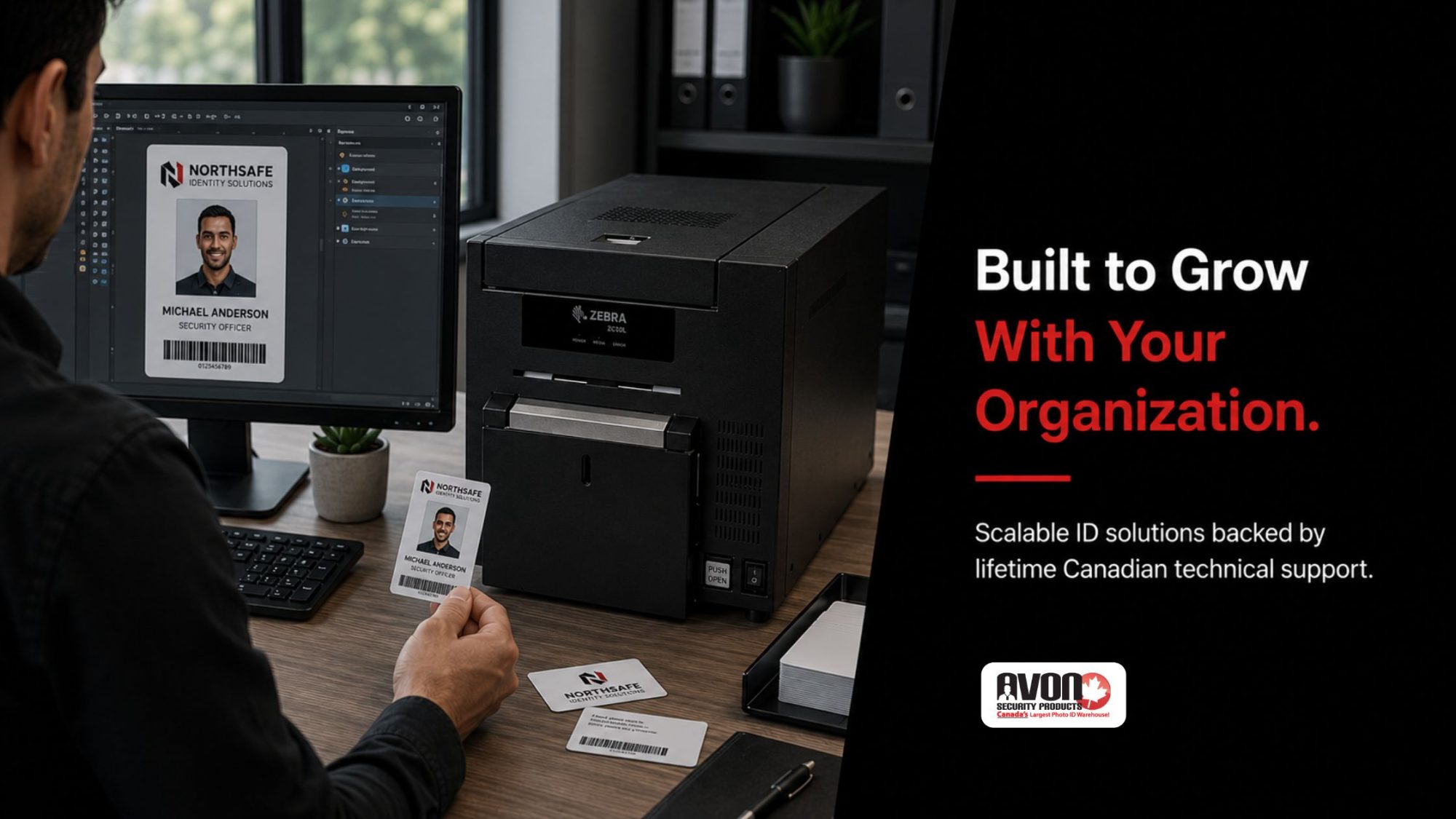
Organizational expansion demands sophisticated workplace ecosystems. Your credential software must adapt to these shifts instantly, allowing you to onboard new teams without forcing your IT department to reconfigure security layouts or patch fragmented technology. Choosing a forward-thinking system that mirrors your long-term growth plan ensures your security posture remains uncompromised. When your badging technology matches your corporate roadmap, everyday card issuance transforms from an administrative chore into a powerful asset that protects your people, data, and reputation.
As Canada’s trusted identity management leader, Avon Security Products combines advanced software capability with effortless daily operation. Launching your platform with us secures an active partnership backed by free, lifetime Canadian technical support to keep your system online. We provide complimentary full training sessions for your operators to build an error-free workflow, and we dispatch all card stock, smart cards, and printer ribbons immediately via fast, free shipping countrywide. Give your teams the tools they need to lead with absolute confidence. Our systems experts are standing by to ensure your credential program matches your organizational goals.
Contact us today for a custom software evaluation.
FAQs
What is photo ID software used for?
Photo ID software helps organizations create, manage, and issue identification cards, badges, and secure credentials. Depending on the software level, it supports cardholder records, digital signatures, smart cards, magnetic stripe encoding, and live access control connections. Avon Security Products explains that an intuitive badging program supports modern business ecosystems by optimizing human resources, tracking attendance, reducing administrative errors, and reinforcing a company’s day-to-day productivity. The ideal customizable software should feature seamless integration to match your organization’s deployment scale, reporting needs, issuance speed, and future corporate growth.
How does photo ID software improve security?
Photo ID software significantly strengthens an organization’s overall security posture by centralizing identity data and standardizing corporate credentials. Modern software options utilize data encryption, the authentication of secure IDs, custom barcode support, and hardware-driven magnetic stripe encoding to prevent card tampering or counterfeiting. However, software is only one component of a holistic defence strategy. Canadian organizations must establish physical controlled access, perform routine user permission audits, rigorously protect personally identifiable information (PII), and ensure the entire ecosystem strictly aligns with national corporate security standards.
Can photo ID software support internet-based enrollment?
Yes. Advanced, enterprise-tier badging networks natively support web-based credentialing through an internet-based enrollment framework. This system allows remote workers, multi-site staff, or external contractors to securely upload their personal text fields, photographs, and identity verification documents through a web portal before arriving at a physical facility. This forward-thinking approach drastically reduces manual data entry and improves bulk management. When planning a deployment, consult with a specialist to review how data is transmitted, where records are stored, and how to restrict administrative paths using strict role-based login permissions.
What are face-finding technology and automatic photo correction?
Face-finding technology is an intelligent automated feature that identifies a person’s face within a live capture feed or uploaded image and instantly resizes, crops, and centers it to fit a specific badge template layout. Specialized suites available through Avon, such as EPI Suite Pro and ID-All Advanced, use these automated image adjustments to ensure consistent, highly uniform, and professional advanced photo ID cards. While these tools save time for high-volume printing operations, they do not replace standard identity screening protocols or required organizational background checks.
Can photo ID software connect with access control systems?
Many enterprise-grade photo ID solutions feature integration with access control systems to bridge physical badging with electronic facility doors. By linking the badging database with your facility’s active door security network, printing a smart card or programming a proxy badge automatically activates corresponding access privileges. Before purchasing, verify your network’s database technologies (such as Microsoft SQL Server, Oracle DB, or Active Directory) to ensure the software API or connector maps perfectly to your hardware readers, allowing a live link and real-time data exchange with automatic auto-update alerts.
What design tools should photo ID software include?
To provide ultimate production flexibility, an application should feature advanced card design tools, user-friendly drag-and-drop design tools, and immediate card template access through a library of professional, pre-installed design templates. A feature called true-to-output preview is vital, as it allows your team to see an exact pixel-accurate visual mockup of the card design on-screen before spending ribbon ink. Top-tier software options must support varying card sizes, complex text fields, standard barcode support, chromakey background extraction, and dynamic dual-sided card designs.
Does photo ID software support dual-sided card printing?
Yes, many professional badging platforms natively support dual-sided layouts, but both the software tier and the physical card printer must be configured for this feature. Utilizing dual-sided printing allows security operators to keep the front of the badge looking clean, colourful, and professional identification badges while pushing denser data, such as mandatory compliance text, facility maps, security terms, or a tracking 2D barcode, onto the back. Ensure your chosen software edition can manage multi-layered back-and-front layouts simultaneously, with built-in ghosting support for secondary security images.
How can photo ID software reduce human error?
Professional badging software minimizes manual entry mistakes by standardizing fields, locking design templates, and automating repetitive print actions. Features like digital signature capture, face-finding technology, automatic importing of photos and graphics, and input validation rules keep card production accurate. Incorporating a streamlined user interface with visual tabbed navigation and adjustable pop-out control palettes makes the badging process simple and highly accessible, even if your organization requires deployment configurations across multiple languages.
Can photo ID software manage unlimited records?
Record storage boundaries depend entirely on the software license version and your database architecture. For instance, entry-level versions like cardPresso XXS allow users to build an internal database holding unlimited records, but lack the architecture to connect to external, third-party databases. Misunderstanding software capabilities during procurement can cause inaccurate financial planning or unexpected upgrade costs down the road. It is highly recommended to have Avon Security Products audit your data storage expectations before installation.
What permissions should be used in a badging system?
Deploying strict role-based log-in permissions is a critical data-protection practice for any organizational network. Implementing this security feature ensures that front-line operators can only enter cardholder names or print badges, while preventing them from editing global design templates, erasing logs, or modifying the master database. Restricting data pathways protects highly sensitive personally identifiable information (PII) and protected health information (PHI) from unauthorized internal extraction.
Should organizations consider background checks when selecting photo ID software?
Standard photo ID programs do not perform automated background checks natively. Instead, candidate screenings are managed beforehand during the HR or organizational onboarding workflow. If your security operation plans to connect background clearance status directly to badge printing eligibility, you must ensure your software features an open database architecture capable of securely syncing with external vetting platforms, enterprise verification tables, or a VA-preferred database setup.
How can an organization choose scalable photo ID software?
Organizations should look for a modular path that allows them to scale seamlessly from an entry-level to comprehensive security posture. A scalable solution should offer a painless pathway to utilize upgradable badging software versions—such as moving up software editions via simple license activation keys—without breaking your existing card layouts. Before making a choice, verify the availability of custom services, specialized training, local technical support, and software evaluation options like a free trial period to guard against a sudden disruption of service delivery. Purchasing your platform from a certified Canadian value-added reseller like Avon Security Products ensures you receive factory-backed support and genuine inventory.
Published: June 19, 2017
| Updated: September 23, 2024
Author: Team Avon
Sometimes travelling a lot for business can lead to complications. The most unpleasant ones are linked to luggage mix ups. Missing your bags or having your luggage damaged can ruin the entire experience and make it impossible for you to take care of business.
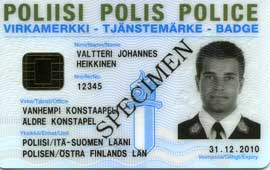
Here’s a few more reasons high-quality police ID cards are a necessity:
Rapid Identification
Often, in troubled situations, calling the police is an instantaneous need. Being able to call and have them simply arrive to help is crucial to reducing the likelihood of losing a life and or damage to property. There’s also the emergency scenario of individuals being let into a building pretending to be police officers. For these reasons, police ID cards allow for rapid and secure identification of people who are indeed law enforcement officers. When adrenaline is flowing and danger is present, the last thing anyone wants to do is call the station to verify identity.
Virtual Elimination of Falsehood
Over the years, there’s been many cases of criminal activity that involve impersonating a police officer. With police ID cards, law enforcement teams can make this a lot harder to do. Since a lot of police badges look similar, replicating them is easier to do. However, when each department creates its own unique ID card design, this significantly lowers the likelihood of offenders being able to precisely replicate police identification.
Police ID Cards can be Highly Customized
From holographic overlay and magnetic strips to watermarks and RFID chips, police ID cards can be highly customized for particular security tasks. Sometimes circumstances call for a specialized group of officers to arrive on scene, or for a pre-selected team of “officers in training” to respond. In these cases, police ID cards make it a lot easier to ensure the right people are onsite and ready to assist.Keep in mind that when people need to verify the legitimacy of a police officer, they typically think of asking them to “show me your badge”. However, many people don’t realize how easy it is to get a hold of a generic police badge online, and most individuals would never know the difference between a real badge and one shown with false intent.
With police ID cards, officers ensure their identity with photo identification proof and department information on the back of the card. At Avon Security Products, we work with all kinds of organizations, and provide many ID card options. Contact us today to select the type of police ID cards you need for your department.
Published: June 12, 2017
| Updated: September 23, 2024
Author: Team Avon
Sometimes travelling a lot for business can lead to complications.The most unpleasant ones are linked to luggage mix ups. Missing your bags or having your luggage damaged can ruin the entire experience and make it impossible for you to take care of business.
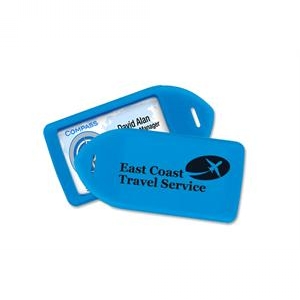
The good news is, custom luggage tags are a viable solution to avoiding some of the most common issues travellers have to deal with. Here’s why:
Effortless Luggage Identification
When you use custom luggage tags, it makes it ideal for quick and easy bag identification. This is particularly helpful for people who have standard suitcases (black colour, standard size). Custom luggage tags come in an array of different colors, and usually can be spotted from afar.
Ideal for Group Travel
Whether travelling with colleagues, or you’ve organized a trip for clients, providing a custom tag for each member demonstrates attention to detail and excellent customer service. This wonderful accessory can also be branded for increasing company recognition. Custom luggage tags are great for identifying which luggage bag belongs to which group member, and can help speed things up if you’re travelling on a fully-booked flight.
Easier Luggage Retrieval
Airplane companies do make mistakes when transporting luggage. Every frequent traveller can confirm that bags indeed, get lost or misdirected at the airport. In 2015, there were 23.1 million mishandled bags, the SITA statistics suggests. This means that roughly 7 out of 1000 bags were either misdirected or mistreated. If your bags go missing, the average timeframe passengers have to wait for retrieval is two days. This period of stress can be reduced by using custom luggage tags. Not only do these tags draw attention, but they provide the information needed for airport officials to quickly identify a misplaced bag.
Aesthetic Benefits
A final advantage worth mentioning is the aesthetic appeal of a custom luggage tag. The addition of a colourful or branded accessory to your suitcase helps you travel in style. It can also serve as a conversation starter or make a great gift idea for coworkers, business partners or clients.
Something as simple as a small, plastic custom tag can increase travel efficiency and safety. Plus, they’re fun and generally inexpensive. Contact us to purchase your custom luggage tags today!
Published: June 7, 2017
| Updated: September 23, 2024
Author: Team Avon
Now that you have an ID printer in the office, finding all sorts of applications is easy. Along with ID cards for your employees, you also use the templates to create cards for marketing campaigns to be used at trade shows, and several other projects. That means going through quite a few ribbons over the course of the year. Here are some tips to finding the perfect printer ribbon.
Compatibility
Not all ribbons are compatible with every ID printer. The first thing to do is determine which ribbons are compatible with your equipment. Along with your original printer ribbon, you may find some third-party brands work well too. Depending on the quality and pricing offered by these brands, you can make your selections from there.
What About Colour Needs?
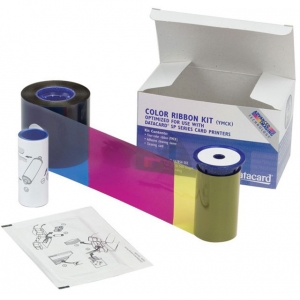
Do your projects mainly call for black lettering and other elements on each card? If so, then a monochrome printer ribbon will work nicely. However, if you’re someone who uses multiple colours for various assignments and tasks, you may want to consider a YMCK ribbon.
This type of printer ribbon allows you to utilize the four main colours needed to produce any hue you like. These colours include yellow, magenta, cyan, and black. Combined, it’s possible to come up with high-quality images if you prefer ID cards with a photograph. This also makes it easier to create discount cards sporting your company colours, which come in handy at trade shows, conferences and other networking events.
A Ribbon That Adds an Overlay
An overlay is simply a protective layer placed on the top of your cards as they’re printed. Overlays eliminate the need to laminate your cards, and results include cards that resist more wear and tear and last a lot longer.
Overlays also make it more difficult to tamper with the information printed on the card surface. From a security perspective, it does make sense to go with this feature if you’re printing identification cards that allow entrance to a secure area. When it comes to your printer ribbon, it’s possible to purchase one that has a built-in overlay. Double check your printer to make sure an overlay or YMCKO ribbon will work with it. If you’ve been thinking about adding protective coating to your cards, this is an extra touch that will pay off in the long run.
The Print Capacity
Always find out how many cards can be printed from a single printer ribbon before making a purchase. While the exact number will vary based on number of colours used per card, it still pays to focus on options that provide the greatest production volume.
Perhaps the ribbon offered by the printer manufacturer is the best bargain, even though the cost per unit is higher. That’s because the printer ribbon is capable of producing a few hundred more cards before it needs to be changed. You’ll lose money and likely quality if an alternative brand only lasts half as long as the recommended brand. Choosing your printer ribbon wisely will ensure your cards look great each time. Go with a ribbon that meets all your needs, works with your printer well and produces the most benefits for least cost. Once you figure out which printer ribbon works best, you won’t need to research options again for a while. Contact us to purchase the right one today.
Published: May 29, 2017
| Updated: September 23, 2024
Author: Team Avon
Nothing compares to the invigorating feeling that stirs within as you stand at the precipice of a mountain top with fresh snow beneath your skis. For the millions of winter sport enthusiasts, a day in the mountains is another opportunity for special memories to be made. Skiing should be an all-around amazing time, without the dollar costs weighing on your mind.
So, how do skiers/snowboarders avoid spending large sums of money doing the winter sports they love? They purchase ski resort passes that allow them to continue skiing, when they can, without continuous payments.
With ski resort passes ranging in the hundreds of dollars per pass, and close to 10 million people skiing, depending on the season, the need for long lasting, high-quality identification badges is ever popular and necessary.
Simply the Best!
The effects of weather, repeated use, poor materials and lack of attachment options all negatively impact an identification system’s effectiveness. For gloved hands, cold/numb or fumbling fingers, low-quality ski resort passes can be awkward to handle and difficult to scan or use. How can you make identification card options convenient for the user? What makes for a great ski resort pass? Below are a few most-desirable characteristics only premier ID options include:
·They’re made of durable material that lasts up to five years. PVC material protects the integrity of the identification card information and require less reprinting.
·A top-tier ID card is available with laser engrave bar codes, and can be encoded with numbers that help protect identities and pertinent information specific to the user.
·It’s made to resist chemical damage, light-induced fading and fairs well against heat warping.
·They’re not easy to imitate or fake. The well-made ID card requires an ID printer to create it.
·A skier’s face is easily identified on the card or pass. With good-quality ski resort passes, photos are much clearer and provide the owner of the ID another layer of protection against identity theft.
·The ID card has the option of being dual-sided. When a ski resort decides to provide more security check points to ensure ski resort passes are not compromised – a dual-sided pass can offer extra information that’s not easily duplicated and doesn’t sacrifice the overall design appeal of the ID card.
Quality is also established in the form of how accessible and convenient the ID card is. If a card is made well with bold clear print, a clear badge sleeve or a pocket attached to a lanyard, this enables card uses to show their pass with ease.
Avoid Catching an Edge
Just like catching an edge while skiing can be dangerous, so can ID cards that are rough or have a sharp edge. This means the integrity of the material isn’t the greatest and could cause skin injury, tear easily or warp. To ensure an easy pass-check experience, provide ski resort passes that are smooth and highly durable.
Click here to check out ID card options with Avon Security today.
Published: May 23, 2017
| Updated: September 23, 2024
Author: Team Avon
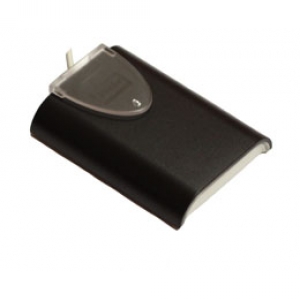
Using a card reader rather than a human-verified photo ID can bring many advantages for you and your employees. Not only do you get the simple security benefits and quick verification of individuals who should be in the building, but you’ll be able to segment where visitors, staff and management are allowed access. Check out these top card reader benefits for more:
Quick Security
Being able to identify employees quickly is valuable to work time and productivity. Even though a security guard can usually identify who’s coming and going based on photo ID, this process takes longer than simply swiping through a card reader. Employing a full-time security guard can also be costly, where a card reader is a one-time payment that also doesn’t make the mistake of waving through a fake ID.
No Errors
Errors can cost your business money, and in some cases, accidently letting in the wrong person can result in violence or a criminal offence. When you run a company, sometimes employees are let go, or you’ll naturally have to deal with employee turnover. If a security guard recognizes an old staff member, they might let them into the building without knowing that person should no longer have access. With a card reader however, individuals attempting to regain access won’t be able to, unless you personally give clearance.
Security Segmentation
Depending on business needs, certain parts of your building might be off-limits to certain personnel for security reasons or otherwise. In this case, using a card reader can help you divide out your space and provide the right security to certain, confidential areas. Not only can card readers prevent employees from walking in where they shouldn’t be, but they can also add extra layers of security by having “check points”. For example, prior to accessing certain files or documents inside a restricted area, employers can make it mandatory for authorized employees to swipe their card once more. This way, you can track who’s accessing what and for what reason.
Entry Quantification
If you run a large business, utilizing a card reader also means you can easily pull data and keep track of who’s doing a full day at the office and who’s frequently taking breaks or skipping time. This kind of information can be addressed during performance evaluations and can also be used to weed out employees who are taking advantage of your smoke break policies or break times in general.Ready to learn more, or purchase your own card reader system? Visit Avon Security Products today!
Published: May 18, 2017
| Updated: September 23, 2024
Author: Team Avon
It’s important to protect certain documents from being destroyed, and paper documents can damage quite easily, especially from liquid spills or accidental tears. That’s why it’s necessary to consider options that help make your documents last. Lamination has always been a go-to option for ensuring paperwork remains in-tact, and lamination pouches are an even easier way to “laminate” documents quickly and conveniently.
What are Lamination Pouches?
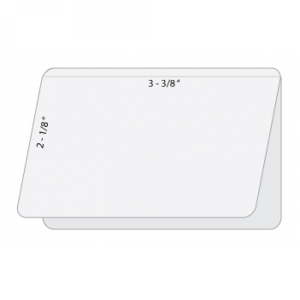
Lamination pouches are a style of lamination that uses a pocket to laminate the document in question. It comes with a seam that folds over to create a protective pouch. Once your documents have been placed inside its pockets, you can simply run these pouches through a laminator and secure your paperwork underneath.
How to Choose a Lamination Pouch
When choosing a lamination pouch you’ll need to take a few things into consideration. First, ensure they’re compatible with your laminator. Second, check the sizing as well as the thickness of the pouch you’re using. They must be larger than the documents you’re laminating. Keep in mind that while thicker pouches are sturdier, they also have potential to distort a document. Thinner pouches might provide less protection, but the results are clear and the appearance of your papers won’t change as much. If you know you’ll use a certain laminated document a lot, it’s beneficial to go with a thicker option. Otherwise a thinner, good-quality lamination pouch will do just fine
Steps for Using Lamination Pouches
Here are some simple steps to follow:
·Turn on your laminator and allow it to warm up. Some brands take longer, upwards of 20 minutes, to warm up than others
·Select the pouch you’re going to use, making sure it’s larger than the document being laminated. Ideally, the pouch will extend at least an inch beyond the edge of your document
·Open the pouch so you can slide the document inside of it. You want to position it into the center. If your machine came with a protective pouch carrier (helps protect the pouch from melting) place the pouch inside your carrier
·Once your pouch is set up and your machine has warmed up, insert your document into the machine
·As your document laminates and leaves the machine, the material will be hot. Let it cool for a few minutes, then inspect to ensure it’s successful. This means the plastic should be flat against the document, allowing you to view details clearly
Lamination pouches are a great way to protect important documents. It all starts with choosing the right one. If you’re looking for lamination options, contact us today!
Published: May 18, 2017
| Updated: September 23, 2024
Author: Team Avon
Various printer accessories can be used to increase the versatility of your valuable equipment and keep it protected. A printer carrying case is one such piece. Here’s five top benefits to investing in your own case:
Protecting the Machine
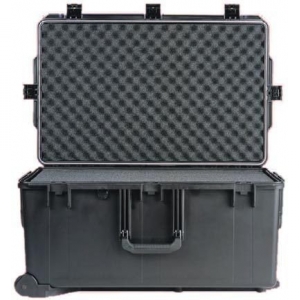
A printer carrying case is usually quite rugged because it’s created to protect the valuable piece of equipment inside. Usually, a good case is waterproof and crushproof at the same time. If you want to ensure the ultimate safety of your printer, look for a heavy duty carrying case. Padding inside, and a tough exterior will make the transportation of your printer an effortless task with minimal risk damage.
Hold Accessories
Some printer carrying cases are designed to hold both the machine and printing accessories. You can effortlessly bring cards, spare cables, additional cartridges and other essentials to the venue where printing is supposed to take place. To figure out whether the carrying case you’re interested in comes with these features, check the design. There should be separate pockets and compartments inside the case to serve the purpose of holding additional printer accessories.
Easy Transportation
This is probably one of the biggest benefits of a printer carrying case. Even if you have a smaller ID printer, it will still be relatively heavy. As a result, moving the equipment around can become a cumbersome task. A carrying case simplifies the process of moving the printer. Many of these cases come with rubberized wheels. This means you won’t have to lift your printer. A long handle incorporated into the design of the case will also enable you to “wheel” the printer around without being forced to do any kind of heavy lifting.
It’s Lightweight
While the printer carrying case itself is incredibly tough and long-lived, it doesn’t contribute a lot to the overall weight of the product. Most carrying cases are made of resin or an enforced type of polyurethane. Both these materials are impact resistant and quite lightweight at the same time. A carrying case made with this type of foam can range from five to 30-pounds, depending on the thickness of the padding inside. The heavier style choices are usually equipped with wheels for easiest transportation.
Long Lasting
Apart from prolonging the lifespan of your valuable ID card printer, a carrying case itself is very long-lived. This is especially true for high-quality carrying cases made with superior materials and assembled by reputable companies. The perfect protective cover for your expensive equipment, a printer carrying case is definitely something you need when moving printers to and from office locations, home or otherwise. Not only are there many options to choose from out there, but each case comes with unique carrying options and advantages. Ready to check out a printer carrying case for you? Contact Avon Security Products today.
×
1
Product selection
2
Contact information
3
Review information
How many cards will you print a year?
Organizations needing to print less than 25 cards per year may find it more economical to use a card printing service.
Automatically print on both side of the Card?
Dual-sided printers usually cost significantly more than single-sided printers. In some cases a single-sided printer can be used to print both sides of an ID card:
If the back of every card is identical (i.e.: If lost, return to... This card is property of...), you can use a single-sided printer and pre-print a batch of card backs, often using an inexpensive black ribbon. Those cards can be sent through the printer a second time to include customized information on the other side. This method is not recommended for printing on technology cards due to possible damage it could cause to the card.
Even if the back and front is unique for every card, you can print one side of an ID card, flip it over and print the back. This is much more time consuming, and is not recommended for organizations that print a large volume of ID Cards. This method is also not recommended for printing on technology cards due to possible damage it could cause to the card.
Need to use the printer with an Apple MacTM?
Only a few models of ID card printers on the market are compatible with Mac computers.
There is currently not any commercial ID card software that is compatible with Mac computers. If at all possible, we recommend using a PC to manage an ID card system.

 1.866.458.6999