Published: May 1, 2017
| Updated: September 23, 2024
Author: Team Avon
A tripod is used as a platform for your camera so you can ensure stability while shooting photos. Camera tripods are a necessary equipment piece not only for professional photographers, but for photo enthusiasts of all levels. Check out these five top reasons why you should invest in one:
Slower Shutter Speed
The main reason for using a tripod is to utilize lower shutter speeds without ruining your photos. When you adjust to a slower shooting speed, your lens stays open for longer and you’re exposing your camera to added elements that can negatively impact your final shot. These types of photos can’t be taken with any shakiness, no matter how minimal. Slower shutter speeds allow you to capture still objects a lot more clearly and gives you the ability to create light trails as you’re photographing. Without using a camera tripod, you’ll need to have super-steady hands and rely on the vibration control on your camera. Both of which are not as effective as a sturdy tripod.
The Timer
The timer function on your camera is another great feature to use hand-in-hand with a tripod. It’s very easy to mount your camera then set the self timer so you can snap some shots with yourself in them. Alternatively, you could use a table or shelving unit, however when you use a camera tripod, it allows you to set up perfectly, increasing the height and changing the angle until you get your preferences right.
Telephoto Lenses
When you’re using lenses from 200 mm onwards, you’ll notice that any movement changes will cause your camera to shake and essentially shift the position of your frame. A camera tripod fixes this issue by allowing you to take your time focusing in on your subject before taking higher-quality, vividly clear shots.
Work Flow Slows Down
Undeniably, lots of new photographers get over-excited when first starting out and tend to take photos of everything. Sometimes this leads to projects of value and sometimes it doesn’t. When camera tripods are used to position shots correctly, you’ll end up spending time getting more useable shots instead. Tripods allow you to think more about the subject matter you’d like to capture, and the locations you’ll need to be in.
Framing and Composition
Framing and composition can be pertinent to getting that perfect shot. When a tripod is used, and your work flow slows down, you’ll automatically free up time to compose your shots exactly as you’d like. A lot of great photography work comes from knowing when to deploy a camera tripod to capture certain lighting or focus on scenes like moving waterfalls.
Published: April 24, 2017
| Updated: September 23, 2024
Author: Team Avon
Launching a new ID card program can seem like an overwhelming task. The tips below will help make the process as smooth and easy as possible.
Consider How the Cards Will Be Used
The first step in implementing an ID card program is deciding how the cards will be used. Consider the ultimate goal of the program. Will the cards simply serve as identification, or will they be used for other purposes as well? Will everyone use the same type of card? How many cards will you need each year? Taking these factors into account will help you select an ID card printer and software designed to meet your specific needs.
Decide How the Cards Will Be Displayed
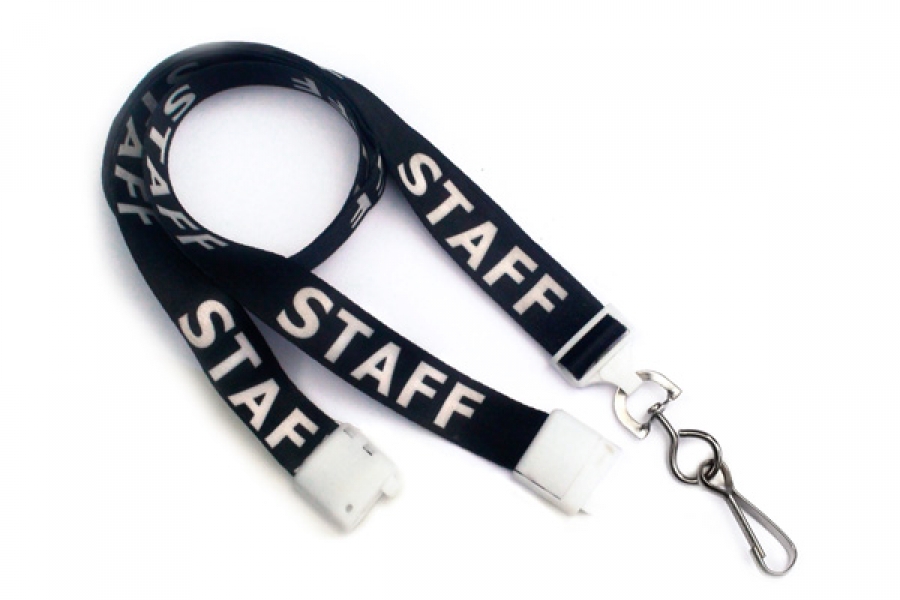
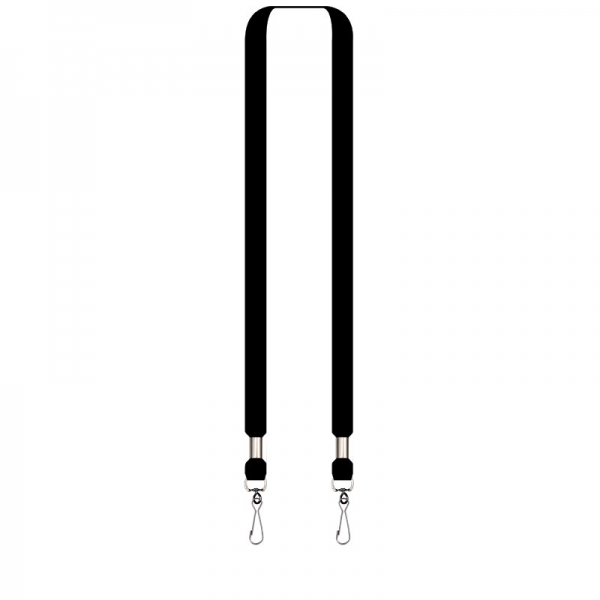
Will your cards need to be visible at all times? If so, you employees will need an easy way to access the card for scanning or swiping. Consider a wearable solution such as lanyards, clips, pins, magnets, and badge reels.
Decide What to Print on Cards
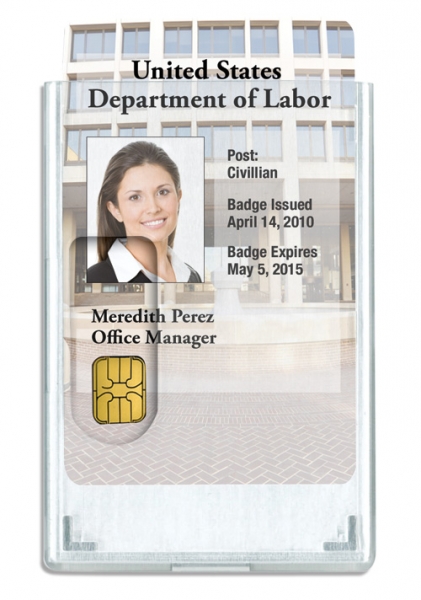
Once you’ve decided how your ID cards will be used and displayed, you’ll need to consider what kind of information to include on the card (i.e. company name and logo, cardholder name, employee ID number). If you plan to use barcodes, magnetic stripes, or smart chips, you’ll need to plan your ID card design around these features.
Secure Your ID Card Printing Equipment
Ensure that your ID card printing equipment and related supplies are protected from unauthorized use. Printer ribbons, blank ID cards, and the printer itself should be stored in a locked room or secure vault when not in use. Limit access to these supplies to a few pre-authorized and supervised employees to prevent the production of unauthorized or counterfeit ID cards. Some ID card printers include software that can track detailed information on card issuance, including how many cards were printed, when they were printed, and who printed them.
Create an ID Card Policy
Once you’ve introduced an ID card program, it’s a good idea to write up an official ID card policy to ensure the system runs smoothly. Some decisions you’ll need to make during this step include figuring out who will print the cards, who will issue them, how often new cards should be issued, and whether cardholders will be required to display ID cards at all times. You’ll also want to think about how lost and stolen ID cards will be handled. While cardholders are generally responsible, it’s inevitable that someone will lose a card or have it stolen. Having a procedure in place for quickly issuing replacement cards will prevent unauthorized persons from gaining access to company property.
Published: April 17, 2017
| Updated: September 23, 2024
Author: Team Avon
Your company brand message is very important for attracting new clients, as well as for maintaining your current customers. In fact, your brand helps to distinguish your business from other competitors. When established correctly, a powerful brand message can help elevate your company to the next level. The trick, however, is to keep your brand consistent through your organization. Whether creating a marketing campaign, introducing new products, or developing customer relations, you want to make sure your brand message is consistent throughout. This is where personalised lanyards can help.>
Personalised Lanyards
Personalised lanyards are made to your required specifications. Most companies include the name of their business, along with any custom logo or tagline. In most cases, these custom logos or tagline become synonymous with the company name, which means that both loyal and non-loyal customers will recognize your organization with just a quick glance. This level of personalization is especially important for organizations with multiple locations and for those running several joint marketing campaigns.
Build Trust and Confidence with Consumer
Most brand marketing campaigns are designed to build a level of trust and confidence with the consumer. The primary goal of these campaigns is to bring the customer through the door. Don’t make the mistake, however of letting your brand message stall after the marketing stage. Instead, intensify that level of trust and confidence, by using Personalised lanyards to strengthen your brand message. >As customers walk through your doors and see your staff wearing lanyards that proudly display your company logo or tagline, the customer will instantly connect with the message your marketing campaign has built. This creates an instant bond with the consumer and makes them more willing to take the next step and make a purchase or hire your services. This will boost consumer confidence in your goods or services and boost sales or enrollment.
Brand Promotions
Personalised lanyards also can be used for promotional purposes. Many employees across the country use lanyards to hold their name badges, but not all employers provide these lanyards. Using your custom lanyards as promotional products can help to spread your brand throughout your local area. Just one of your lanyards in the right hands has the potential to reach thousands of prospective customers throughout the year, with relatively little cost to you. This way you are spreading the same message across all mediums. Best of all personalised lanyards are very attractive and affordable. You can purchase these lanyards in any colour, with any wording or graphic you desire. When looking for a high-quality customized lanyard, look no further than Avon Security Products. You will find a wide array of quality lanyards that are ready to be customized to meet your organization’s specific needs and branding goals.
Published: April 10, 2017
| Updated: June 25, 2026
Author: Team Avon
Employee ID cards are no longer simple photo badges. Ultra secure ID cards are identification credentials designed with advanced visual, digital, and physical security features that help reduce counterfeiting, unauthorized access, and credential misuse.
For organizations managing sensitive facilities, protected data, restricted access areas, or large employee populations, secure ID card printing plays a critical role in workplace security, access control, and identity verification.
At Avon Security Products, organizations across Canada rely on enterprise-grade systems and secure credential technologies that help strengthen employee ID security while supporting long-term credential management.
Inside This Guide
Ultra secure ID cards combine visual, digital, and embedded security features to reduce fraud and unauthorized duplication.
Lamination, holograms, UV printing, RFID technology, and ghost images all strengthen credential protection.
Secure printing hardware matters just as much as card design.
Organizations should match ID card security features to their operational risk level.
Avon Security Products supports Canadian organizations with secure ID printing systems, supplies, and technical guidance.
Security Starts Long Before the Card Is Printed
Many organizations focus entirely on how an ID card looks. Real credential security starts much earlier.
Ultra secure ID programs combine printer security, card materials, software controls, access permissions, and authentication technologies into one connected system. A professionally designed badge with weak printing controls can still become vulnerable to internal misuse or unauthorized duplication.
Controlled printer access using administrator permissions
Encrypted card data transmission
Secure ribbon handling and disposal
Authentication features embedded directly into the card
Controlled badge issuance workflows
Access control integration with building security systems
The strongest ID programs reduce both external counterfeiting risks and internal credential misuse. The Government of Canada also highlights identity, credential, and access management as a critical part of protecting digital systems, facilities, and organizational data environments.
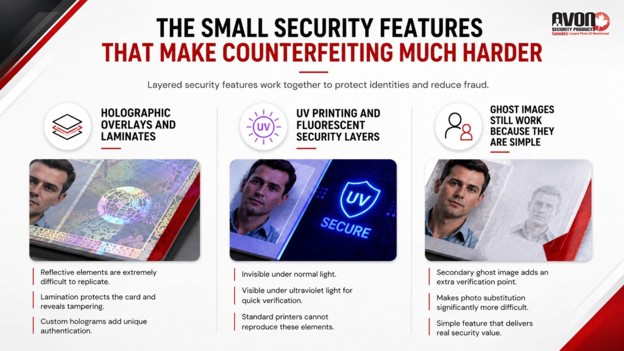
The Small Security Features That Make Counterfeiting Much Harder
Professional counterfeiters often look for easy visual shortcuts. If an ID card lacks layered security features, duplication becomes significantly easier.
Modern high-security ID cards typically combine multiple visible and invisible security elements together. A stronger understanding of the different types of ID card printing can also help organizations choose security features that align with their operational risks, credential usage, and access control requirements.
Holographic Overlays and Laminates
Lamination does more than protect the surface of the card from wear. Holographic laminates create reflective visual elements that are extremely difficult to replicate using standard printing equipment. These overlays also make tampering more obvious because the laminate becomes damaged if someone attempts to alter card information or replace a photo.
Some organizations use custom holographic overlays that include company logos, text, or unique patterns for additional authentication.
UV Printing and Fluorescent Security Layers
UV printing remains one of the most effective anti-counterfeit tools in secure badge printing.
Specialized ribbons create markings, logos, or text that remain invisible under normal lighting but appear under ultraviolet light. Since standard office printers cannot reproduce these elements accurately, UV printing creates a hidden verification layer that security personnel can quickly validate.
Healthcare systems, government facilities, schools, and corporate campuses frequently rely on UV printing for additional employee ID security.
Ghost Images Still Work Because They Are Simple
Ghost images remain effective because they add another visual comparison point without complicating the card design.
A smaller semi-transparent image of the cardholder appears elsewhere on the badge, making photo substitution more difficult. While simple, this feature still increases the time and effort required to alter or duplicate a credential successfully.
Choosing the Right Printer Changes Everything
Not every ID printer is designed for enterprise-level credential security. Organizations printing high-security ID cards should evaluate printers based on encryption capabilities, authentication support, lamination options, and access control compatibility rather than print speed alone.
Selecting the wrong hardware can weaken an otherwise strong credential system.
Modern printers are no longer simple output devices. They are security infrastructure. The National Institute of Standards and Technology outlines how modern identity verification systems increasingly rely on secure credentials, authentication standards, and controlled access frameworks to strengthen organizational security.
Access Control Cards Are Becoming Multi-Layer Credentials
Modern ID cards often do far more than identify employees. Today’s credentials frequently combine physical identification with building access, attendance tracking, payment systems, visitor management, network authentication, and time logging.
This shift toward digital identity and multi-application credentials is changing how organizations approach badge security.
A single compromised card can potentially expose multiple systems at once. That is why organizations increasingly use encrypted RFID technology, smart chips, and secure encoding methods when creating secure access control cards for workplaces.
High-security access credentials may include:
RFID technology
Smart card chips
NFC functionality
Biometric integrations
Encrypted credential storage
Mobile credential compatibility
As credential systems become more connected, the importance of secure printing standards increases significantly.
Why Material Quality Matters More Than Most Organizations Realize
Card durability directly affects security. Low-quality cards wear down faster, making photos harder to verify and increasing the risk of delamination, cracking, fading, or barcode failure. Damaged cards also create opportunities for tampering and visual manipulation.
High-security ID cards often use:
Composite PVC materials
Polycarbonate construction
Tamper resistant overlays
Durable laminate finishes
Scratch resistant coatings
Organizations managing long-term employee credentials or high-frequency badge usage environments often benefit from higher-grade materials designed for heavy operational use. Many organizations also choose to get expert guidance on secure ID card systems when evaluating card materials, printer compatibility, durability requirements, and long-term credential security needs.
Visitor Credentials Can Become a Security Weak Spot
Employee badges usually receive the most attention, but visitor credentials often create overlooked vulnerabilities.
Temporary badges with weak verification processes can allow unauthorized individuals to move through facilities without proper oversight.
Visitor management security matters just as much as employee credential security in many environments.
Secure ID Programs Depend on More Than Technology
Technology matters, but operational habits matter too. Even advanced high-security ID cards become vulnerable when organizations lack proper credential policies.
Strong credential management typically includes:
Controlled Badge Issuance
Only authorized personnel should create or approve employee credentials.
Immediate Deactivation Procedures
Lost, stolen, or terminated employee badges should be disabled immediately.
Secure Supply Management
Blank cards, ribbons, laminates, and encoding supplies should remain secured and monitored.
Staff Verification Procedures
Security personnel should know how to validate visual and hidden security features properly.
According to CISA, effective physical security strategies combine technology, operational procedures, access control, and employee awareness rather than relying on a single layer of protection alone.
Many credential security failures happen because operational procedures fall behind the technology being used.
The Best ID Security Programs Layer Multiple Protections Together
There is no single feature that makes an ID card impossible to duplicate. The strongest credential systems rely on layered security strategies that combine visible authentication, hidden verification, controlled printing access, encrypted technologies, and strong credential management policies together.
This approach increases the time, skill, equipment, and risk required to duplicate or misuse a credential successfully.
Organizations that invest in multiple layers of credential protection often create significantly stronger long-term security outcomes than organizations relying on one isolated feature alone.
Key Takeaways
Ultra secure ID cards combine physical, digital, and operational security measures.
Holograms, UV printing, ghost images, and RFID technologies all strengthen credential protection.
Printer security matters just as much as card design.
Visitor credentials should follow the same security standards as employee badges.
Avon Security Products supports organizations across Canada with secure printing hardware, supplies, and technical expertise.
Frequently Asked Questions
What makes an ID card ultra secure?
Ultra secure ID cards use multiple security layers that help prevent duplication, tampering, and unauthorized use. Common features include holographic overlays, UV printing, RFID technology, encrypted smart chips, ghost images, and tamper resistant laminates combined with secure printing workflows.
What is the best printing method for secure ID card printing?
The best method depends on organizational security needs. Many high-security environments use retransfer printing combined with lamination, UV printing, and RFID encoding because these technologies improve print quality, durability, and anti-counterfeit protection.
Are RFID cards more secure than standard photo ID cards?
RFID cards can provide stronger security when properly encrypted and integrated into secure access systems. They allow organizations to control building access, authenticate users, and track credential activity while reducing risks associated with manual verification alone.
Why is lamination important for employee ID security?
Lamination protects cards from wear, tampering, fading, and unauthorized alterations. Holographic laminates also add visual authentication features that make credentials significantly harder to duplicate using standard printing equipment.
How can organizations choose the right secure ID card system?
Organizations should evaluate printer security features, encoding technologies, software controls, material durability, and access control compatibility based on their operational risks and security requirements.
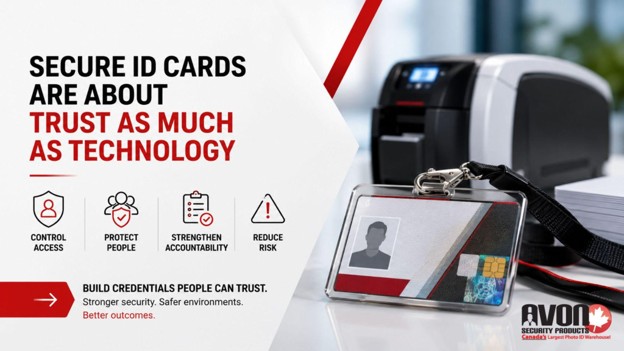
Secure ID Cards Are About Trust as Much as Technology
A secure ID card does more than display a name and photo. It helps organizations control access, protect people, strengthen accountability, and reduce operational risk across entire facilities.
As credential fraud and unauthorized duplication methods continue evolving, organizations need security strategies that go beyond basic badge printing.
Avon Security Products helps Canadian organizations implement secure ID technologies designed for real operational environments, from corporate offices and healthcare facilities to schools, government buildings, and industrial workplaces.
Organizations looking to improve credential protection or learn more about the different types of ID card printing can also speak with a secure ID printing specialist to evaluate the right combination of hardware, software, materials, and security features for their environment.
Published: April 3, 2017
| Updated: September 1, 2026
Author: Team Avon
Key Takeaways
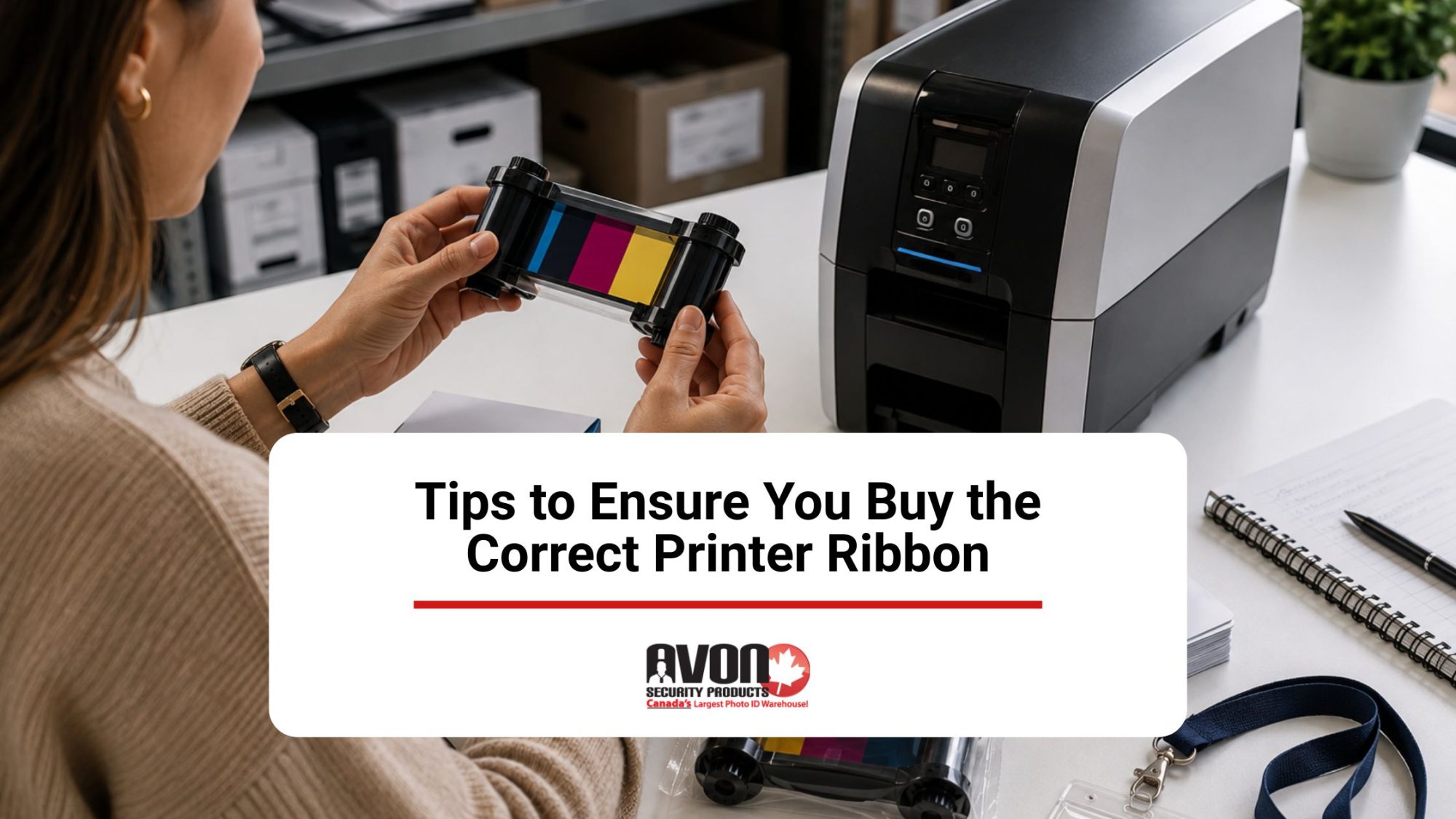
Check your printer model number and ribbon part number before you order.
Save the last ribbon box or packaging so you can reorder the exact match.
Use manufacturer documentation to confirm compatibility and avoid costly mistakes.
Match the ribbon to your printer’s specifications, not just the ribbon type name.
When in doubt, ask your supplier to confirm the correct ribbon for your device.
Finding the right ribbon for your company ID badges shouldn’t be a trial-and-error process. Modern card printer ribbons have come a long way, featuring advanced formulations that prevent smudging, extend card longevity, and use lower-melting-point materials to keep your machine running smoothly. For anyone managing a workplace security system or an annual badge rollout, these technical upgrades simply mean you get razor-sharp text and vibrant photos that scan perfectly every single time.
By matching the right ribbon configuration to your specific office printer, you can easily maximize your cost-per-card efficiency and keep your operations running smoothly without blowing your supply budget. You can leverage technology to your benefit without weighing too heavily on your budget if you understand the features of each ribbon.
Thermal Printing
Direct thermal printers and thermal transfer printers are not the same thing. Only the latter requires a printer ribbon.
Sizing Your Ribbon
Printer widths vary enormously. The width of your ribbon needs to be the same as or less than the width of your printer. The length is equally important and is measured in inches.
Ribbon Materials
While there are recommended materials for different types of printers, you do have some flexibility.
Wax Ribbon
Wax ribbon is budget-friendly and long-lasting. It’s ideal for packaging labels and retail tags. It can only be used with paper labels because it causes smudging on synthetics, rendering bar codes and text illegible.
Wax/ Resin Ribbon
Wax/resin hybrids combine the best features of wax and resin, offering an economical way to gain better quality than wax alone. The result is smudge- and scratch-resistant enough for outdoor locations and warehouse usage. They’re ideal for retail, warehouse, and shipping environments and can be used on synthetic labels as well as paper.
Wax can be enhanced by resin to achieve a balance between wax and wax/resin hybrids.
Resin is the most durable, expensive option, and is thus used in environments that expose labels to chemicals, abrasion, and water. Resin is durable enough to use on synthetic labels and for medical device tracing. Its high definition quality also makes it ideal for bar codes, although it’s typically limited to computer and micro label printing.
Selecting Your Media
Your ribbon needs to be chosen according to the medium you’re printing on as well as the label’s function. Adhesive labels are remarkably forgiving, so it’s pointless to choose expensive resin ribbon for them. Cardboard tags are just as easy to print on, so wax will suffice. However, when printing barcodes on smaller media that are exposed to the elements, a wax/resin hybrid will serve you better. Wristbands and clothing labels must withstand plenty of wear, so the expense of resin might be a necessity, particularly in hospital environments where errors can cost lives.
Label Materials
Your goal when choosing your printer ribbon is to obtain a clear, lasting print, and your label materials are highly influential on longevity.
Paper and wax is only a useful combination if your label won’t be exposed to humidity and wear.
Polypropylene is a rugged synthetic that resists tearing. It usually suits a wax/resin hybrid.
Polyester is the hardiest labelling material available, so a resin/polyester combination is ideal for environments that expose tags to the elements. It’s used for vehicle tagging and the labelling of chemical containers. It can also be used in laboratories and for certain medical applications.
Longevity
Some labels only need to last as long as they stay on the shelf, whereas others are a part of a product’s functionality and need to have extreme longevity. The latter are best served by full resin ribbons and polyester combinations. Wax/resin hybrids are ideal for labels that are used indoors but will be exposed to light handling, sunlight, and temperature changes.
Thermal transfer printers support a wide range of ribbon formulations and printer-specific configurations, so while general guidelines are a helpful starting point, expert advice can help ensure you select the correct ribbon. Along with selecting the correct ribbon, understanding routine maintenance and basic printer ribbon repair practices can help improve print quality, reduce downtime, and extend the life of your printer.
Check the Exact Ribbon Part Number and Printer Model Before You Order
The safest way to avoid a mismatch is to confirm the printer’s full model number and match it to the ribbon part number listed in the manufacturer’s documentation. If you still have the previous ribbon box, use that part number as your fastest reference. This is especially helpful when printer names are similar or when a model has multiple compatible ribbon variants. If the printer has been supplied before, checking the old packaging, invoice, or product label can save time and reduce ordering errors.
This strict validation approach directly mirrors the stringent physical asset screening protocols recommended inCanadian federal risk management policies used to eliminate structural access control gaps.
Pro Tip: Save the box your last ribbon came in! It contains the part number you need to reorder accurately.
Use the Ribbon Packaging and Printer Documentation as Your Compatibility Check
Don’t rely on ribbon appearance alone. Two ribbons can look similar but still be incompatible because of differences in model support, part numbers, or printer requirements. A better approach is to verify the ribbon against the printer manual, product sheet, or packaging details, then compare those details with your printer model number. This helps you catch differences early and ensures you buy the exact ribbon designed for your device.
Always match the ribbon part number with your printer’s specifications. If you’re unsure about compatibility, Avon Security Products provides expert guidance to help you verify printer models, ribbon part numbers, and manufacturer specifications before ordering replacement supplies.
Look for Model-Specific Compatibility Instead of General Ribbon Categories
Generic ribbon types are not enough when the goal is to buy the correct one. A ribbon may be broadly described as compatible with a printer family, but the exact fit still depends on the printer model and the part number tied to that model. Adding a short model-by-model compatibility check makes the buying process much clearer and lowers the chance of ordering a ribbon that is close, but not correct.
Choosing the correct printer ribbon involves knowing:
Your printer model
Your printing needs
Your security requirements
Confirm Compatibility with the Supplier Before Placing the Order
If the model number or part number is unclear, build in a final check with the supplier before purchase. This is a practical safeguard when a printer has been upgraded, rebranded, or previously used with multiple ribbon types. A quick confirmation step can prevent buying the wrong ribbon and makes the article more useful for readers who need a simple, reliable ordering process.
Get the Right Ribbon Before You Order
The easiest way to avoid compatibility issues is to confirm you’re ordering the exact ribbon designed for your printer. As one of Canada’s leading suppliers of ID card printers, printer ribbons, ID card software, and complete identification systems, Avon Security Products helps organizations select genuine, compatible products backed by expert technical guidance. Whether you need help matching a ribbon part number, confirming printer compatibility, or building a complete ID card printing system, contact us to speak with a product specialist.
FAQs
How do I confirm the exact ribbon compatibility for my specific card printer model?
To establish absolute printer compatibility, you must cross-reference your specific printer model with the manufacturer part number found on previous ribbon packaging. Because an ID card printer uses highly specialized media configurations compared to a standard industrial thermal transfer ribbon printer, generic supplies will not fit. Ensure your badge application requirements dictate the exact matching resin thermal ribbon panel layout. Avoid selecting items meant for a flat-head printer, near-edge ribbon assembly, or heavy industrial thermal transfer overprint systems, as these substrates are incompatible with secure PVC card printing infrastructure.
How do ribbon sizing, core size, and overall ribbon width impact the card printing process?
In secure card production, precise ribbon sizing is critical because dimensions are permanently fixed to standard plastic ID dimensions. You must evaluate the required core size alongside the physical housing requirements of your printer’s foil cartridges. A replacement roll that matches the required ribbon width but utilizes an incorrect core size or unmatched ribbon length will trigger structural feeding errors or fail to initialize entirely. For proper credential applications, rely heavily on the manufacturer’s stated total card yield rather than assuming generic industrial roll specifications will work.
What makes specialized card resin ribbons different from traditional wax or nylon formulations?
Unlike standard paper label material applications that utilize cheap wax options, Avon systems use premium full resin ribbons designed for plastic. Legacy dot matrix printers require fabric ribbons or flexible nylon ribbons, while shipping label setups run on satin ribbons. Your secure badge system requires extreme abrasion resistance and strict chemical resistance. Therefore, advanced resin formulations are engineered specifically to fuse permanently onto rigid synthetic substrates like polyester or durable polypropylene cards, ensuring your secure corporate credentials do not fade, peel, or smudge over time.
What are the proper manufacturer guidelines for loading a new ribbon into my machine?
Always consult the official manufacturer guidelines to avoid catastrophic alignment errors during loading. First, identify if your system utilizes a coated side out or a coated side in alignment, as feeding an incorrect ribbon formulation will instantly ruin your printhead. Secure the primary roll onto the internal ribbon spindle or specialized ribbon holder, tracking the material across the designated ribbon guide and integrated ribbon roller mechanism. Finally, attach the leader firmly to the take-up spindle or automatic ribbon rewind spindle to maintain tension.
When should I utilize a ribbon core adaptor or specialized foil cartridge system?
Certain desktop card systems require a proprietary ribbon core adaptor or a drop-in foil cartridge to ensure stable media alignment. If these components are missing or improperly seated on the internal ribbon spindle, the film can slip during heavy production cycles. This variance directly impacts overall print speed and causes material tracking faults. Always ensure the entire cartridge assembly snaps firmly into the printer housing, ensuring that carbon ribbon layers stay perfectly flat and do not wrinkle against the internal rollers during printing.
How do I safely handle and maintain optimal storage conditions for replacement rolls?
To protect delicate ink formulations, you must maintain pristine storage conditions before installing your replacement media. Keep your rolls in a climate-controlled, dust-free environment away from direct sunlight and extreme temperatures. Improper environments cause the layered film to stick together on the roll, resulting in immediate ribbon breakage when production starts. Proper handling prevents early degradation, protects the integrated retransfer film, and ensures that you receive the exact print quality and full card yield promised by the manufacturer.
What is the ideal scheduled preventative maintenance routine to extend my printhead life?
Executing consistent scheduled preventative maintenance is the single most effective way to eliminate premature printhead wear. Every single time you swap out an empty roll, you must clean the system thoroughly. Use an approved cleaning pen and specialized cleaning kits to wipe away microscopic debris, oils, and adhesive residue from the delicate printhead surface. This easy routine prevents a dirty printhead from causing permanent element damage, ensuring crisp images and significantly extending your operational printhead life.
Why is it critical to source genuine Fargo printer ribbons from an authorized provider?
Purchasing cheap third-party supplies severely risks your print quality and can instantly void your hardware warranty. As an authorized HID Global solution provider, Avon supplies authentic genuine fargo printer ribbons, specialized eco-friendly ribbons, and high-definition retransfer film. These certified manufacturer-approved thermal transfer ribbons utilize exact ink formulations designed to interact perfectly with your hardware. Sourcing authentic products guarantees consistent badge durability, prevents severe tracking issues, and ensures you receive dedicated on-site support and reliable depot care.
Which ttr printer settings should I adjust to resolve sudden ribbon breakage or tears?
If you experience frequent ribbon breakage, you must immediately check your internal driver and ttr printer settings. Excessive print heat, incorrect settings, or overly high printhead intensity settings will melt the thin film during the transfer process. Slowly lower the digital intensity within your printer driver and verify that your physical print pressure is balanced correctly. If the film continues to tear apart, inspect the internal pathway for sharp plastic burrs or built-up adhesive residue that could be snagging the media.
How do I fix common tracking errors, a misaligned ribbon, or faded prints?
When experiencing faded prints or a misaligned ribbon, pause your print queue to inspect the mechanical tracking. Check if a misaligned printhead pressure setting is forcing the film to slide unevenly across the internal ribbon guide. Clean the unit thoroughly to ensure a dirty printhead is not blocking the heat transfer. If you face deep structural printhead malfunctions or physical damage, stop using the machine immediately. You can contact Avon to request loaner printers to avoid costly operational downtime.
Published: March 27, 2017
| Updated: September 23, 2024
Author: Team Avon
Security is important whether you’re working at a school or running a company. One way to improve the security of your facility or grounds is to implement mandatory ID badges or cards for your employees. However, the cost of an ID card printer can be off-putting to some, especially if you’re not sure whether or not ID cards will be a good fit for your business. Fortunately, you can rent ID card printers and see how they work for you without making the financial commitment of a purchase, a choice that has many benefits.
Financial Savings
The most obvious benefit of renting an ID card printer is the financial savings you can enjoy. Purchasing a printer outright can be cost prohibitive, and many businesses can’t afford that kind of risk. However, if you rent your printer you can experience all the benefits of the printer itself but only risk a small portion of the overall cost. Over time, of course, this route could become more costly than the price of a printer itself, so many companies will allow you to rent for a certain period of time and then pay off the remainder. Either way, you’re still limiting the lump sum you’re required to pay for the printer.
Expanded Opportunities
For some business owners the decision to purchase an ID card printer isn’t a matter of choice but one of financial inability. Even if you’re willing to take the risk, it doesn’t matter if you don’t have the capital available to purchase a printer. Being able to rent an ID card printer means you can experience the benefits of having ID cards for your employees much sooner than you would be able to if you had to wait for the capital required to purchase a printer.
Upgrade Sooner
Even if you already have a printer you could still benefit from the ability to rent an ID card printer. For instance, let’s say you have an old model, and you’re not able to keep up with your growing company. You can easily upgrade your printer by renting one that has the capacity to meet the demands of your growing staff.
Access to Service
When you purchase a piece of equipment you usually have access to customer service. However, the equipment itself is yours, so the person who benefits the most from keeping it working and functional is you. If you’re renting, the equipment still belongs to the company from which you rent, meaning they will probably have some kind of maintenance or service plan included in the rental agreement. The reason, of course, is that they want to keep their own equipment working and performing at the highest level possible in the event the unit you’re currently renting winds up being rented by someone else down the road.As you can see, there are many benefits to renting an ID card printer as opposed to purchasing one. The benefits of ownership are plentiful, to be sure. However, if owning your own printer is cost prohibitive or a financial impossibility, you can still experience the benefits and added security of having an ID card printer on site without having to make a large payment. For some companies, having an ID card printer is more than just a nice-to-have, it’s required by law. In these situations, being able to rent a printer could mean the difference between opening your doors or having to wait to start your business until you can afford your own unit. Look into the benefits and decide if renting a printer is right for you, and contact us today!
Published: March 20, 2017
| Updated: September 23, 2024
Author: Team Avon
An ID card holder is needed to keep the card in place and to also protect it against the elements. Card holder designs vary and these pieces can be made from a wide array of materials. Some of the materials are cheap and short-lived while others can be particularly durable.
If you’re looking for ways to increase the longevity of ID cards, you should opt for the right holders. The following materials are recognized for their durability and stylishness.
Metal
Metal card holders usually have a frame and a clip used for the attachment of the ID card to a piece of clothing. Depending on the model, they can come with a protective plastic panel in the front. Needless to say, a metal ID card holder is the most durable option out there. It’s a good idea to have the accessory painted or coated. Such a top layer will reduce the risk of clothes getting stained due to normal changes in the metal.Metal card holders are made of aluminum, which is a lightweight and particularly durable metal. A few of the more stylish (and a bit more expensive) options can be crafted out of stainless steel. Such ID card holders look more like accessories and they can be used to create a certain corporate image. They’ll remain in a good condition almost indefinitely because of the ruggedness of stainless steel.
Molded Rigid Plastic
Unlike the regular plastic that’s soft and flexible, rigid plastic is quite tough. Depending on the molding process, some of the ID card holders made of such rigid plastic can withstand even the toughest of environmental conditions. As such, these items will be ideal for individuals who spend a lot of time outdoor and the ones that work under tough conditions.Unlike metal, molded rigid plastic is incredibly lightweight. The material can be either completely clear or frosted, which will have some impact on the aesthetic appeal of the presentation.Some of the mold rigid plastic card holders can feature an open-face design. This means there will be no protective covering over the ID card. In this instance, the plastic may be coloured and the colour could be used as a visual indication of hierarchy level in the organization.
Environment-Friendly Plastic Materials
These ID card holders look like plastic ones but the material is an environment-friendly alternative. This material is just as durable as standard plastic and it can also be used to add to the green image of a business.Usually, such an ID card holder is from phthalates and BPA. The material used is EVA (ethylene vinyl acetate). EVA is a much more environment-friendly possibility than the common PVC (polyvinyl chloride). As a result, EVA is a material that meets the Registration, Evaluation and Authorization of Chemicals (REACH) requirements without making a compromise with toughness.Other than these differences, cards made from EVA are quite tough and long-lived. They’ll remain in a good condition for a long period of time without tearing or losing their clarity.
Acetate
Acetate is another lightweight and tough material.This is a plant-based material that looks like plastic. It consists of multiple fibers that make it incredibly durable and capable of withstanding an array of adverse influences. Acetate is often used for the creation of eyeglass frames and ID card holders.Acetate is flexible and hypoallergenic. It can be either transparent or coloured richly (like the rigid molded plastic). ID card holders made of this material will maintain their shape and clarity, even when regular PVC begins deteriorating.
To learn more, contact us at Avon Security Products!
Published: March 20, 2017
| Updated: September 23, 2024
Author: Team Avon
Convenience and efficiency team up to form a powerful pair when you use high-quality non breakaway lanyards to organize employee check-in or outfit attendees. For any setting, whether for informal gatherings or in various professional business scenarios, you can find the ideal lanyard to suit your unique needs. Customize your experience by taking advantage of the many options available from a trusted security product line. What style of lanyard allows attendants or employees to garner the best experience possible? Below are some of the best styles of lanyards to facilitate successes at any venture!
Stylize Your Experience
Premium lanyards are designed for comfort and longevity. Here are some features that perpetuate the need to incorporate the non breakaway design into differing conventions, meetings or social gatherings:
·Quality materials make the best lanyards comfortable around the neck with a continuous unbroken design to ensure the lanyard slides along the neck unimpeded when needed.
·Attachments to the lanyard like the swivel hook, the split ring or the bulldog clip ensure identification, items like keys or various types of badges are within easy reach and visible when necessary. The best style of lanyard gives you multiple options for use.
·When there are clasps to hold the lanyard secure around the neck, wearers may experience irritation from such clasps. The design of non breakaway lanyards negates that issue.
·Non breakaway lanyards are ideal because they provide you with versatility for important tasks and daily use. Without versatility a lanyard becomes a one-time impulse purchase rather than a viable investment.
·For employees who need badges scanned, the lengthier non breakaway lanyards with sturdy split rings are a good choice. For one time conferences, or brief events, some might prefer the easily detachable options such as the bulldog clip.
Bringing Function to Convention
What do non breakaway lanyards represent to businesses across the country? They represent professionalism and simple, effective solutions to complex problems. Thousands of conferences are put on each year in Canada and the United States. Millions of attendants need a way to find their place among the crowds. Putting together large conventions is not simple, but lanyards are affordable and embody the idea that a simple solution can and does solve difficult issues.Sorting seating, distinguishing roles, allowing for recognition and easily communicating information at a glance is important to the success of a conference.
Non breakaway lanyards are durable and reliable vessels to display information such as badges, passes, or secure keys, whistles, or other tools when necessary. When you needEvent organizers and businesses alike enjoy having options and multipurpose tools that function uniformly for various tasks. From utilizing the bulldog clip for easy detachable options like in name tags for conferences to utilizing a more permanent fixture as in the split ring for badges or keys, whatever the occasion non breakaway lanyards cater to individual and universal needs. Planning an event can be tumultuous at best. Lanyards are the easy solution to encourage smooth transition for event attendees, organizers and in numerous business dealings. Any tool that makes the process time efficient and effective is the right choice.
Contact us to purchase your non breakaway lanyards today!
Published: March 10, 2017
| Updated: September 23, 2024
Author: Team Avon
Datacard printers are capable of outstanding quality prints to handle all your security needs. Some models are multi-taskers, able to laminate, print in full color, and handle two sides of the same card. Others offer more basic functionality, but all units can be upgraded.
Components
Your Datacard printer will usually include:
·A print ribbon cartridge
·Replaceable cleaning sleeve
·Manual advance knob
·A printhead that transfers using a ribbon
·A USB and network connection
·A ribbon
Ribbon
The Datacard brand manufactures entry level and high volume models, letting you choose the ideal ribbon material for your application. Full CMYK ribbons are carefully calibrated to perform at their peak, and YMCKT options can print in both monochrome and color. Choosing genuine Datacard ribbons will assure you of sharp, error-free cards and engineering precise enough to keep your printhead in good condition for longer. Black printer ribbons are easier on your pocket, while overlaminates ensure a smudge-free, lasting result.
Laminates
Lamination gives you a durable alternative to expensive synthetic printing. Holographic films provide extra protection from scratches and sunlight. Single and dual sided lamination is also possible. Durashield overlays and clear topcoats make useful replacements if you prefer a refined finish.
ID Card Systems
You needn’t buy every accessory separately. A more budget-friendly and convenient way to handle your purchase is through a specially prepared kit containing everything from your cleaning materials to your digital ID camera.
Software
The drivers you need will vary depending on your operating system. Most users choose a generic driver, but it’s best to limit yourself to original Datacard software for optimal performance. Your Card Printer driver powers your device and lets you specify how you want to impress your cards. TrueCredential Suite programs by Datacard can manage a wide range of credentials from visitor IDs to government membership cards. Multi-station editions give large enterprises the functionality they need to serve more than one workstation. Preconfigured templates are easy to customize, but generic card management systems have been developed by independent software groups to handle more specialized templates and computers running Linux.
Cleaning Kit
To keep your card printer in good condition, Datacard has created some easy cleaning techniques that don’t require you to pull your entire printer apart. Adhesive cleaning cards, sleeves, and swabs cleanse contact points inside the machine. They come in roll form that must be saturated with the recommended solution and then passed through the machine. The magnetic head, reading contacts, and card readers need to be regularly maintained so that your images remain clear and crisp. Routine maintenance won’t take you longer than a few minutes to complete.
Cables
Datacard printers usually use USB 2.0 cables, which may need replacing as time passes. USB cables are offered in a range of lengths, so adapting to your office layout is remarkably easy. Parallel printer cables and ScanShells might be needed, too. The latter must be compatible with your machine model.
Upgrading
Your Datacard Printer can be upgraded in several ways:
·The Go Green upgrade makes your machine more economical and eco-friendly. A simple, free firmware update is all that’s needed. You can make your system even more environmentally friendly by choosing eco-friendly ribbons.
·An upgrade kit for contactless SMART card encoding is available.
·A card encoding engine provides the software you need to align and encode chips and magnetic stripes.
·A simple spring pressure arm prepares your Datacard printer for spring loading.
As security needs evolve and technology improves, your card printing needs will change and grow. Datacard is a dynamic business, keeping you up to date with contemporary standards. Contact us to learn more about Datacard printers today!
Published: February 27, 2017
| Updated: September 23, 2024
Author: Team Avon
When it comes to high-volume printing and sheer variety of forms, Zebra is a must-have in your business office. This unique brand is capable of handling cards, receipts, labels and others; additionally, the print engine provides barcode options for really high volume printing jobs. Indeed, Zebra printers are optimized for wireless connections, so that you needn’t worry about tangled cords running throughout your office space. The following is a selection of some of the best Zebra printers with wireless connectivity.
1. Zebra ZXP Series 9 Retransfer ID Card Printer
With a superb-rendered print quality, the ZXP line of Zebra printers is an industrial powerhouse of a copy machine. The resolution is a game-changer, you can’t find anything remotely like this in the run-of-the-mill options available for personal home use. In particular, the ZXP is marketed as the premier printer for high-security applications, and can print almost 200 tamper-resistant, long-lasting business cards per hour. Did we mention that there’s a dual-sided feature? Pair with the laminating option to achieve the professional print quality for which the series is renowned.
2. The Zebra ZXP Series 7 ID Card Printer
This next professional printer is slightly more economical than the Series 9, and is tailor-made for businesses that print less volume, as reflected by its price. The Series 7 comes in two models: the single-sided variant, and the double-sided printer. With either option, you also have additional choices that scale with need:
·You can choose to work with an Ethernet connection (there’s are 3 USB connections on the front panel), or for a little extra, upgrade to wireless connectivity.
·For certain professional applications, lamination is desirable. The Series 7 Zebra comes with both single-sided or dual-sided laminate features.
·There is a range of encoding options that span from Magnetic stripe to ultra-high frequency encoding.
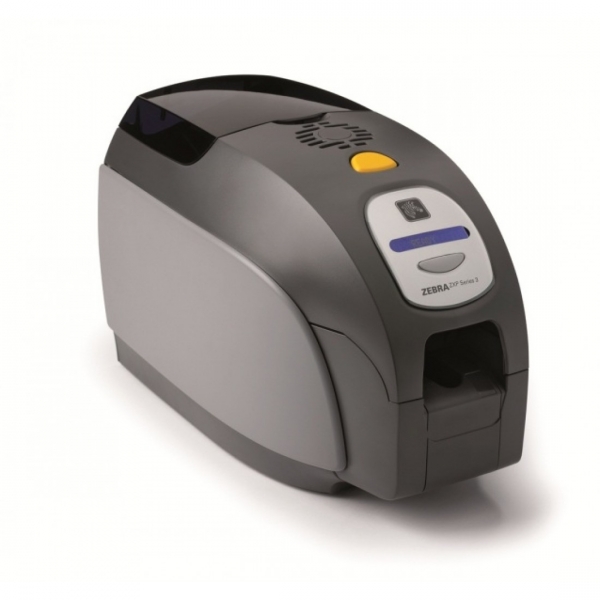
3.The Zebra ZXP Series 3 ID Card Printer for SMBs
If you run a small-to-medium-sized business, then the optimal ID card Zebra printer comes in the small package of the Series 3. As with most of the Zebra line, it comes in both single-sided and dual-sided versions. Although it neither version supports wireless connectivity, they do take Ethernet and support USB downloads. Choose to add a magnetic stripe encoding function at checkout, or a contact station. Depending on your business needs, you can also choose both.
4. Zebra ZXP3 ID Card System
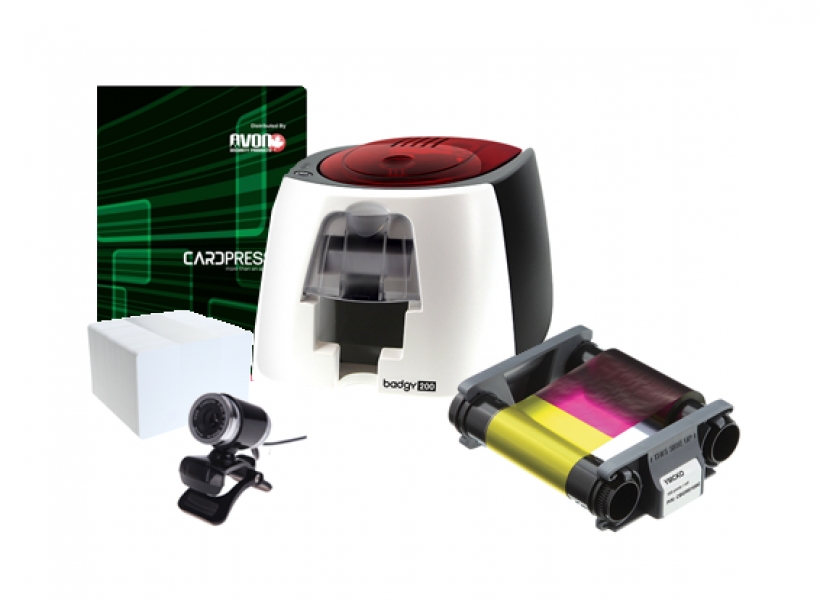
A popular Avon Security Card option, this system is sold as a suite of tools to get your printing station set up immediately. There’s an included Microsoft LifeCam (a webcam), specialized Avon Photo ID software, and a Zebra brand ribbon good for up to 200 prints. The network options include both USB and Ethernet.
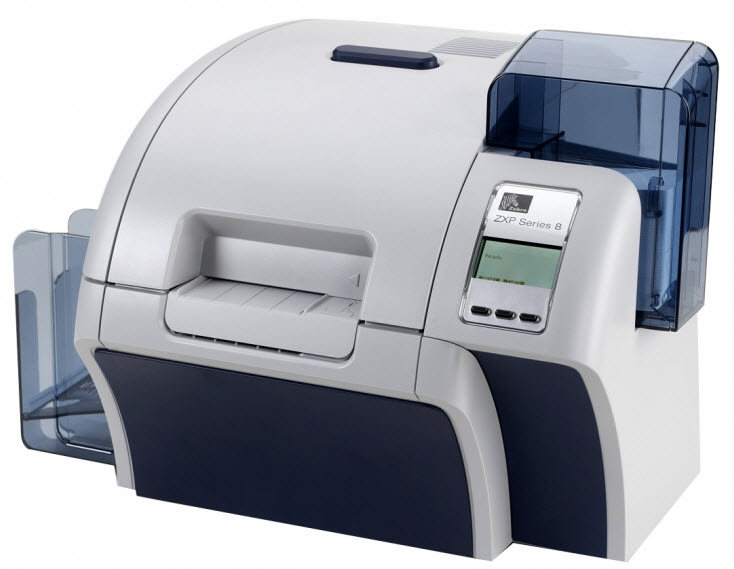
5. Zebra ZXP Series 8 ID Card System
As of 2017, this is one of Avon Security Products’ most advanced printers. It arrives with a YMCK ribbon that will print 625 copies before it needs to be replaced, as well as cardPresso photo ID software and a LifeCam from Microsoft. Just like other upper class Zebra printers, it has the option of USB, Ethernet or Wireless connectivity.
Zebra has been around for some time as the go-to wireless printer for industrial barcode printing. Avon Security Products stands by the machine’s ability to deliver time and again; if you’re looking for more information and a greater selection of Zebra Printers, contact us at your earliest convenience.
×
1
Product selection
2
Contact information
3
Review information
How many cards will you print a year?
Organizations needing to print less than 25 cards per year may find it more economical to use a card printing service.
Automatically print on both side of the Card?
Dual-sided printers usually cost significantly more than single-sided printers. In some cases a single-sided printer can be used to print both sides of an ID card:
If the back of every card is identical (i.e.: If lost, return to... This card is property of...), you can use a single-sided printer and pre-print a batch of card backs, often using an inexpensive black ribbon. Those cards can be sent through the printer a second time to include customized information on the other side. This method is not recommended for printing on technology cards due to possible damage it could cause to the card.
Even if the back and front is unique for every card, you can print one side of an ID card, flip it over and print the back. This is much more time consuming, and is not recommended for organizations that print a large volume of ID Cards. This method is also not recommended for printing on technology cards due to possible damage it could cause to the card.
Need to use the printer with an Apple MacTM?
Only a few models of ID card printers on the market are compatible with Mac computers.
There is currently not any commercial ID card software that is compatible with Mac computers. If at all possible, we recommend using a PC to manage an ID card system.

 1.866.458.6999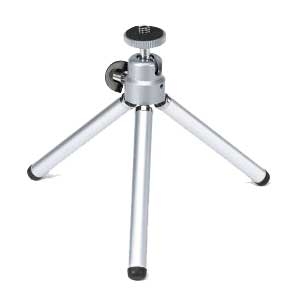
 Components
 1. Zebra ZXP Series 9 Retransfer ID Card Printer