How to Program Proximity Cards: Step-by-Step Guide & Fixes

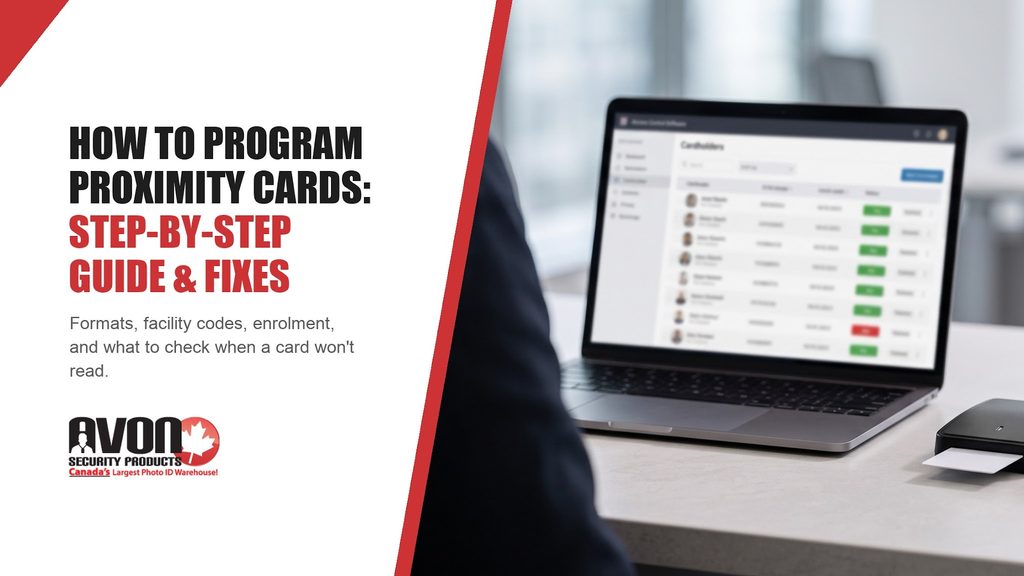
Administrator enrolling proximity cards in access control software on a laptop, titled How to Program Proximity Cards

Key Takeaways

  • Factory-programmed 125 kHz prox cards in formats such as H10301 arrive encoded with a facility code and a card number, so “programming” them on site means enrolling them in your access control software.
  • New cards have to match what your system already reads: the card technology, the exact format, a facility code your system accepts, and a card number range that doesn’t overlap existing cards. They then need correct enrolment and an access level.
  • You can find your current format on the original card box, in past order records, or in the card settings of your access control software.
  • A card the reader never detects is a different problem from a card the reader detects, but the controller denies, and each has its own checks.

To program proximity cards for an office door system, you get cards encoded with the format and facility code your system already uses, then enrol each card in your access control software with the right access level. A proximity card is a contactless credential with a small antenna coil inside, and the reader at the door picks up the card’s encoded number when the card is held close.

If you’re the security or IT administrator, facilities manager, or office administrator who has been asked to add or replace cards, you rarely program the card itself. HID prox cards ordered as programmed cards, such as the ISOProx II, arrive already encoded. Your part is getting the card details right for the reorder and then adding the cards to your software.

What Does “Programming” a Proximity Card Really Mean?

A factory-programmed prox card carries a short string of data laid out according to its format. In formats such as H10301, two fields matter to you, though not every prox format includes a facility code. The facility code, also called a site code, is a number the system uses to separate your organization’s cards from cards encoded for other sites. An organization can use more than one facility code, for example, when it has several buildings or has run past the card numbers one code allows. The card number identifies one card, and it is meant to be unique within that format, facility code, and numbering scheme rather than across every card made.

Three pieces of equipment work together at the door. The reader is the unit on the wall that powers the card’s antenna and picks up its data. The controller is the panel, kept in a secure electrical or IT room, that decides whether to unlock the door. The access control software is where your administrator adds cards, links them to cardholders, and sets which doors and times each person can use.

In many installations, the reader sends the card’s data to the controller over a Wiegand connection, which is a wiring standard for passing card data down the line. That connection is separate from the card’s bit format, which describes how the credential data is laid out, including, in formats such as H10301, the facility code, card number, and parity bits. If the controller finds that the facility code and card number are enrolled with access to that door at that time, it unlocks the door. If it doesn’t, the door stays locked.

So programming a card is really two jobs: the card is encoded with its numbers before it ships, and your administrator enrols it, which means adding the card to the system and linking it to a cardholder. An HID prox card has no battery: the reader’s 125 kHz field powers the antenna coil and chip inside an HID proximity card, which then sends the encoded number back to the reader. Because the card depends on that field for power, it only works at close range.

How Do You Find Out What Format Your HID Prox Card Is?

Start by identifying the format your system reads, because it defines how the credential data is laid out, including which fields it uses, such as a facility code, card number and parity bits. A card with the right facility code in the wrong format will still be rejected.

The 26-Bit Wiegand Format Explained

The 26-bit format, which HID lists as H10301, is a long-standing open format. It holds one parity bit, an 8-bit facility code, a 16-bit card number, and a final parity bit. A parity bit is a simple error check that helps the system reject a corrupted read.

Eight bits give facility codes from 0 to 255, and sixteen bits give card numbers from 0 to 65,535 within each facility code. Because the 26-bit format is open, another site can end up with the same facility code and card number as yours. Longer formats exist, but bit length alone doesn’t tell you the field layout or whether duplicates are possible. What matters is whether HID tracks the format. HID’s ordering guide lists H10301 and H10320 as open formats that HID doesn’t track, so you choose the number range yourself. Tracked formats such as H10302, H10304 (a 37-bit format), and Corporate 1000 work differently: HID allocates the next available numbers and doesn’t allow duplicates; H10304 facility codes are registered to a specific account, and Corporate 1000 cards are ordered under your organization’s company ID code. HID’s Readers and Credentials How to Order Guide explains how HID specifies card formats, facility codes, and the option codes in a part number, and it is the reference to use when you’re reading an HID box label or invoice.

Where to Find Your Format, Facility Code and Card Numbers

You can piece together your format from four places, and it’s worth checking at least two of them so you aren’t relying on a single record.

  1. Look at the original card box or packing slip, because HID box labels carry the part number and the programming details used for that batch.
  2. Check past order records or invoices, which may list the full part number, the format, the facility code, and the starting card number.
  3. Open the card or cardholder settings in your access control software, where the administrator can see the format and facility code assigned to existing cards.
  4. Read the numbers printed on an existing card. On HID cards ordered with matching numbers, the printed number is the encoded card number.

If you need to read HID proximity cards you already have, the software can be the quickest route. Depending on the system, the event log records the facility code and card number when a card is presented, sometimes even for a card that isn’t enrolled.
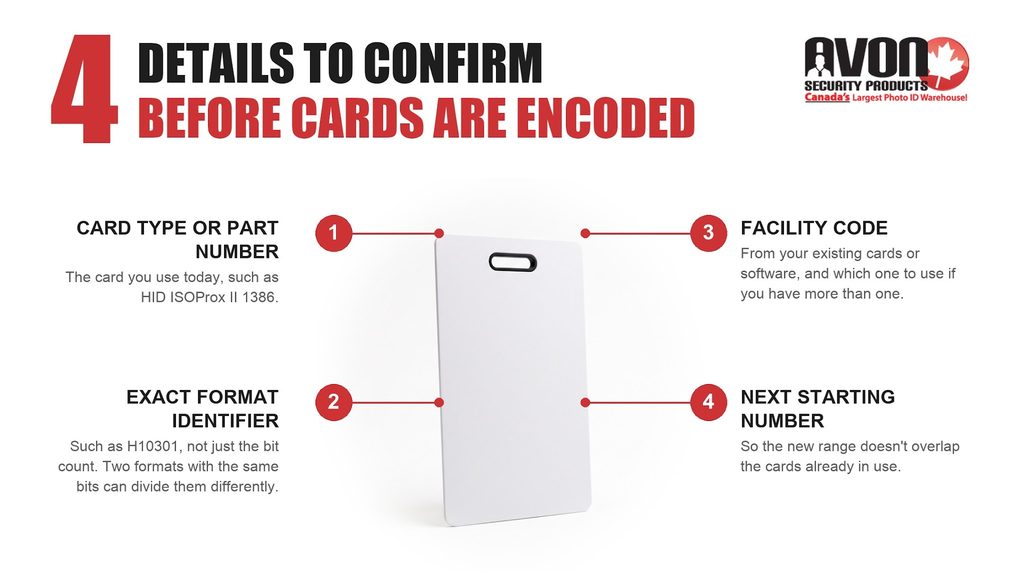
Four details to confirm before prox cards are encoded: card type or part number, exact format identifier, facility code and next starting number

How to Program Proximity Cards Step by Step

Once you know your format, the process is much the same across office door systems. Steps 1 to 3 settle the card details, and steps 4 and 5 happen in your software and at the door.

Step 1: Find the Right HID Prox Format & Part Number

Start with the card type and part number on your existing cards. An HID part number such as 1386 LGGMN names the card type (here, the printable ISOProx II card) followed by a code for its options. Because the ISOProx II is printable, one card can carry both the photo badge and the access credential. It’s a standard 0.76 mm (30 mil) card, so if you print badges in-house, confirm your ID card printer handles that card stock before printing a batch. Matching the card type and the exact format lets your existing readers and controller interpret the new cards the same way as the old ones. The cards still need credential values your system accepts, such as the right facility code, plus correct enrolment and access permissions.

Step 2: Specify Programming Information

Next, confirm the programming options. For the ISOProx II card, per HID’s ordering guide, the five letters after the part number set the card’s options. Other HID product families use their own option structures, so this breakdown applies to the LGGMN configuration of the ISOProx II:

  • The first letter covers programming: L for a programmed card, N for a non-programmed card.
  • The second and third letters describe the front and back surfaces, such as plain white gloss PVC for printing.
  • The fourth letter covers numbering, where M means the number printed on the card matches the number encoded inside it.
  • The fifth letter covers the slot punch, which is the hole for a clip or lanyard: N means no punch, while H and V mean a horizontal or vertical slot.

Matching numbers make enrolment easier, because your administrator can type the printed number straight into the software instead of presenting each card at a reader. If your existing box shows a different option code, verify each option against your current requirements before repeating it. An old code can carry forward numbering, printing, or slot punch choices that no longer suit how you issue cards.

Step 3: Select Facility Code & Card Range Number

Confirm the facility code your system accepts and choose a starting card range number. For a sequentially numbered order, 100 cards starting at 1201 run from 1201 to 1300. The key rule is to avoid overlapping card ranges, because two cards with the same format, facility code, and number look identical to your system. If your format uses customer-selected numbering, pick a starting number above the highest card already issued or purchased under that facility code, including any reserved ranges. For tracked formats such as H10302, H10304, and Corporate 1000, HID assigns the next available range, so you request a quantity rather than a starting number.

If your organization uses more than one facility code, confirm which one the new cards should carry and that the readers and controllers at the relevant doors are set to accept it.

Step 4: Enrol the Cards in Your Access Control Software

When the cards arrive, your system administrator adds them to the software. The screens vary between systems, but the job looks much like this.

  1. Create or open the cardholder record for the employee.
  2. Add the card by typing the facility code and card number, or by presenting the card at an enrolment reader so the software captures it.
  3. Assign an access level, which is the group of doors and times this person is allowed to use.
  4. Save the record and confirm the controllers have received the change before testing. Some systems show a download or sync status for each controller; others update on a schedule.

Step 5: Assign Cards to Employees

Hand each card to the person it was enrolled to and test it at a door together. Keeping the card number on the employee’s record lets you disable it quickly if the card is lost or the person leaves.

What About HID Prox Key Fobs?

Key fobs are programmed the same way as cards. A prox key fob such as the HID ProxKey III is specified with a format, facility code, and card number, so you match fobs to your cards and enrol them in the software exactly as described above.

Do You Need a Proximity Card Programmer?

If you order HID prox cards as programmed cards, you don’t need a proximity card programmer on site, because the cards arrive encoded. The tools you need are your access control software and, if your system uses one, a desktop enrolment reader that captures card numbers into the software.

On-site encoding is an option for organizations that want it. HID’s iCLASS SE Encoder, sold as the CP1000D desktop unit or as an in-line encoder inside a FARGO card printer, can encode HID Prox cards as well as 13.56 MHz credentials, and the in-line version prints and encodes a card in one pass. The encoder uses credential credits and needs the right formats and keys loaded, so it suits organizations that issue cards often or across several card technologies.

How Do You Order Prox Cards That Match Your Existing HID Format?

To get prox cards that match your existing HID format, collect four details and have them confirmed before the cards are encoded:

  • The card type or part number of your current cards, such as HID ISOProx II 1386.
  • The exact format identifier your system reads, such as H10301, not just the bit count. Two formats with the same number of bits can divide those bits differently.
  • The facility code on your existing cards or in your software, and which one to use if you have more than one.
  • The next starting card number, so the new range doesn’t overlap your existing cards.

With these four details ready, an Avon specialist can check them against your existing cards before anything is encoded. The proximity access cards category covers HID cards and alternative cards for systems such as Kantech, Keyscan, and AWID, and the category page includes the ISOProx II LGGMN breakdown.

Frequency matters as much as format. A 125 kHz prox card won’t be detected by a reader that only reads 13.56 MHz smart cards such as iCLASS, Seos,™ or MIFARE DESFire, because the two technologies operate at different frequencies. A multi-technology reader can read both, so confirm the reader model before choosing a card technology.
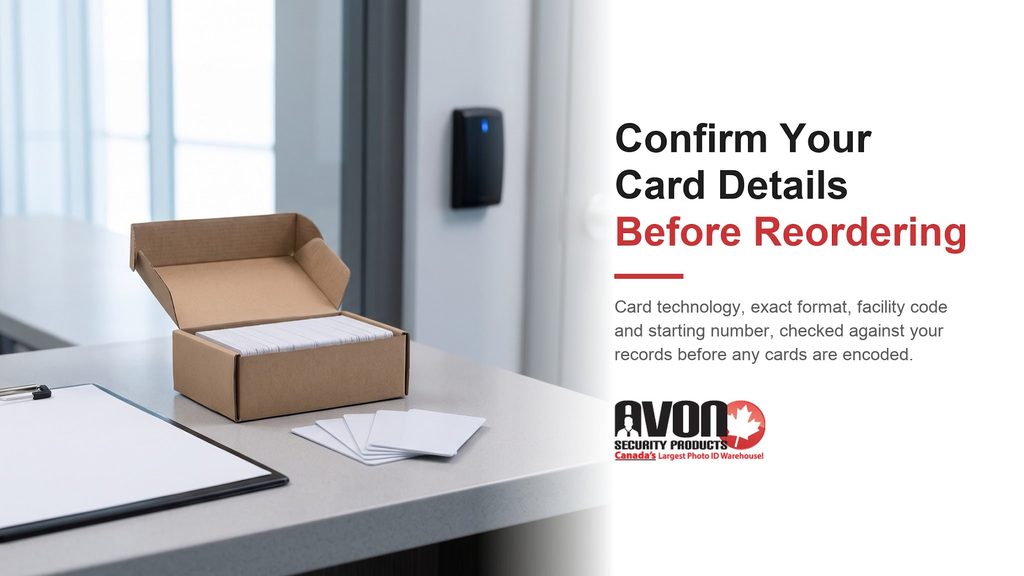
Box of new proximity cards and an order sheet near an office door reader, with the message confirm your card details before reordering

Common Proximity Card Problems and How to Fix Them

When a new or existing card won’t open a door, first decide which of two problems you have. Start with the reader’s feedback and the event log: the reader may not be detecting the card, the controller may be refusing access, or access may be granted while the door doesn’t unlock. The checks are different for each.

The Reader Doesn’t Detect the Card

Symptom: nothing happens when the card is presented. On readers configured to give feedback, there is no beep or LED change, and no event appears in the software log.

Likely causes:

  • The card’s frequency doesn’t match the reader, such as a 125 kHz prox card at a 13.56 MHz smart card reader.
  • The card is being presented too far away, at an angle, or stacked with other credentials.
  • Metal near the reader or the card is weakening the field.
  • The card’s antenna is damaged, for example by cracking or by a slot punched outside the locations marked on the card. ISOProx II cards have marked positions for a horizontal or vertical slot.
  • The reader has lost power or has failed.

What to check:

  1. Present a card that is known to work at the same reader. If it reads, the reader is powered and detecting cards, which narrows the problem toward the new card, but doesn’t prove the card is faulty.
  2. Compare the new card’s technology and frequency with the technologies the reader model supports and is configured to read.
  3. Hold the card flat and close to the reader, one credential at a time, away from other badges and metal.
  4. Look for a punched slot, crack or bend near the card’s edge.

Corrective action: present cards singly, replace a card that is visibly damaged, and reorder in the correct technology if the frequency doesn’t match. If no card reads at that door, check the reader’s configuration and its communication with the controller before treating it as a reader or power supply fault.

When to get help: if a known-good card also fails, or if one reader detects the card and another doesn’t, contact your access control installer about the reader and its wiring.

The Reader Detects the Card but the Controller Denies Access

Symptom: the reader beeps or flashes, and the door stays locked. A beep on its own doesn’t show that access was denied, so open the event log first. If the log shows access granted, the card and controller did their job, and the problem points to the lock, its relay or the door hardware, which is a job for your installer. If the log shows an access denied, unknown card or invalid format event, work through the checks below.

Likely causes:

  • The card hasn’t been enrolled, or it has no access level for that door and time.
  • The card’s format doesn’t match a format the system is set to read.
  • The facility code is different from the one the system expects, or it was typed incorrectly at enrolment.
  • The controller hasn’t yet received the updated cardholder record.

What to check:

  1. Search for the card number in the software and confirm it is saved to a cardholder.
  2. Confirm the cardholder’s access level covers that door at the current time.
  3. Read the denied event in the log and compare its facility code and card number with the box label and the enrolled record.
  4. Confirm the format reported in the log matches the format the system is configured for.
  5. Check the controller’s sync or download status.

Corrective action: correct the cardholder record, assign the right access level, or resend the update to the controller. If the format or facility code on a programmed card is wrong, your software can’t change it, so replace the card with one encoded to the correct details.

A related problem shows up as the opposite of a denial: one person’s card opens doors using another person’s access. One possible cause is two physical cards sharing the same format, facility code, and number. The card may also simply be assigned to the wrong cardholder record, or the system may be reading the credential with the wrong format. Check the assignment and the logged values first. If two cards do share a number, remember that disabling that credential record disables both physical cards, so reissue the affected people with cards from a range that doesn’t overlap and verify each assignment.

When to get help: if the log shows a format your system doesn’t recognize, or a facility code that doesn’t match your records, confirm the card details with your card supplier before replacing cards. Problems with controller configuration belong with your access control installer.

Confirm Your Card Details With an Avon Specialist

Matching a reorder to an existing system comes down to the details above: card technology, exact format, facility code, and starting number. Confirm your card format with an Avon specialist before reordering, and the details can be checked against your box labels, invoices, or software records before any cards are encoded. Avon ships proximity access cards from Canadian inventory, with no unexpected duties or brokerage on domestically sourced orders. Call 1-866-458-6999 or contact Avon with your existing card details.

Frequently Asked Questions

How do you program new proximity cards for an office door system?

You program new proximity cards by getting cards encoded with your system’s exact format and facility code, then enrolling each one in your access control software. HID prox cards ordered as programmed arrive encoded, so no programmer is needed on site. Your administrator adds each card to a cardholder record by typing its number or presenting it at an enrolment reader, assigns an access level for the right doors and times, confirms the controllers have the update, and tests the card at a door.

How do I find out what format my HID prox card is?

Check the original box label or packing slip first, since HID labels carry the part number and the programming details for that batch. Past invoices may show the format, facility code, and starting number. Your administrator can also check the card settings in your access control software, and on some systems the event log shows the facility code and card number when a card is presented. Note the exact format identifier, such as H10301 for the open 26-bit format, since bit count alone doesn’t define a format.

How do I order prox cards that match my existing HID card format?

To match your existing HID cards, confirm four details: the card type or part number, the exact format identifier (such as H10301), the facility code, and a starting number that doesn’t overlap issued, purchased, or reserved ranges. If you use more than one facility code, name the right one. An Avon specialist can check those details against your records before the cards are encoded.

Can I reprogram an HID proximity card?

Not through your access control software. HID prox cards ordered as programmed, such as the ISOProx II, arrive encoded, and the software can’t change their facility code or card number. What you can change is how your access control software treats the card. Your administrator can reassign a returned card to a new employee, change its access level, or disable it completely. If you need a different facility code or format, you’ll need new cards encoded with those details, matched to what your readers and controllers accept.

Why is my proximity card not reading?

Start by separating two problems. If the reader shows no response and nothing appears in the software log, the reader may not be detecting the card: check the card’s frequency against the reader, present it flat and close on its own, and look for antenna damage. If the reader responds but the door stays locked, check the event log. A denied event means confirming enrolment, access level, format, and facility code; a granted event points to the lock or door hardware.

5 Ways to Increase Security in Government Buildings

Government buildings, such as community services, town halls, community centres, and landmarks, are designed to serve the public for numerous purposes. As a result, public access to these buildings makes them susceptible to crime, such as arson, theft, vandalism, break and enters.

The National Crime Prevention Centre (NCPC) continuously makes efforts to prevent and reduce crime by intervening in risk factors and implementing effective prevention practices before a crime occurs. In addition to these measures, government buildings can take additional steps to increase security in government buildings through ID cards, qualified security personnel, and video surveillance. Learn some practical ways to increase security in government buildings below.

Use Controlled Access Systems

Government buildings receive lots of traffic throughout the day and some during the night. So, it’s important to take proper measures to enhance safety to secure valuable data, equipment, employees, and visitors.

A controlled access system allows only authorized individuals to enter a building or specific area, making it the ideal option. You can use the best ID cards and top-of-the-line readers to track the facility and restrict entry to certain areas. You can easily update the access based on your current needs when needed.

Hire Efficient Security Personnel

Government buildings must be secure efficiently, often requiring professional security personnel’s assistance. Consult a credible security management company to find someone who can support your building continuously. This will increase security and further restrict unauthorized entries to the building.

Security can also help organize and control situations in significant events or crowds. In the event of a mishap, professional security personnel are likely to have an emergency response plan to protect the building and its members. In addition, security personnel can ensure the safety of employees working late, allowing your staff members to feel more secure at the workplace.

Install Panic Button

Panic buttons allow your employees to alert security monitoring companies about potential emergencies in the building, such as theft, robbery, or vandalism. Place panic buttons strategically throughout your workplace that employees can easily reach.

To ensure that outsiders don’t know the placement of the panic buttons, it’s important to limit access to the building. Issue ID cards for government employees to prevent unauthorized individuals from entering working spaces. An efficient ID card system can also protect your building from insider threats and reduce the risk of equipment or data theft. Consult our ID card experts to find the right solution for your building.

Upgrade Surveillance System

Many organizations across Canada use conventional CCTV cameras. Some of these cameras are monitored by on-site security, while other cameras simply record the footage. Although a CCTV camera helps control crime, it’s important to upgrade your surveillance system, especially in today’s uncertain climate.

Consider implementing verified alarms that use remote security to stop criminals from running away after committing a crime. When the motion sensors activate the alarm, a security professional can view the live broadcast of the scene through a remote monitoring station. This makes it easier to take immediate action.

Enhance Cybersecurity

Several government services use digital platforms to connect to the public. Although it is an efficient method of communicating with people, it also poses several cybersecurity risks. Some of the modern security risks include malware, phishing, password attacks, and denial of service.  

The best way to reduce cybersecurity risks is by learning about the latest cybersecurity threats and installing anti-virus software. It’s also important to train your employees to help them stay informed and allow them to take the right steps in the case of a cyberattack.

Your Guide to Military ID Cards

Military personnel with wife and child

Security is crucial for military facilities for the safety of personnel and the protection of equipment, weapons, and confidential information, which is where ID cards play a critical role. Military ID cards serve multiple purposes, such as identifying veterans, military personnel, and family members. Military ID cards unlock more than just building doors; they also allow families of personnel to use eligible benefits.  

Military cards must use the latest technology to safeguard all people, places, and equipment. Avon Security Products identifies the value of a secure military photo ID card, so we use advanced technology and features to meet the unique needs of the Canadian Armed Forces. Here is everything you need to know about military ID cards.

Purpose of Military ID Cards

Military ID cards serve many purposes; learn more about them below.

Identification of Veterans & Military Personnel

Using an efficient ID card system offers quick and easy identification. When military personnel are working on-site, managers and other personnel must be able to identify the individual. Similarly, veterans can use their ID cards to access various benefits in Canada, such as income support, disability, and health care. With proof of ID, veterans can access the benefits they are entitled to for serving their country.

Verification of Family for Benefits

Military personnel or veteran’s spouse or dependent children have access to benefits, such as health care, life insurance, or school payment assistance. However, they must prove their status to be eligible for support.

ID cards simplify the identification process and allow family members to get quick access to benefits they are eligible to receive. This makes it easier for families to cope with certain situations, especially during medical emergencies.

Site, Equipment & Data Protection

Military sites contain important equipment, weapon, and confidential data. Securing these elements is a high priority of military services. Providing ID cards for military personnel is the best way to restrict unauthorized access to these areas. Military ID cards make it easier for security to identify authorized staff. At the same time, advanced scanning systems enable military personnel to enter areas quickly with proximity cards or other smart cards with advanced features.

Features of Military ID Cards

Military ID cards have several features that add value to the security system, some of which are discussed below.

Proximity Technology

A proximity card is a technology that allows the machine to read a card without requiring insertion. These cards typically contain an embedded antenna coil which contains all encoded card data, such as the ID holder’s name, position, and authorization level.

Proximity technology can do wonders for military services, but it’s important for management choosing ID cards to understand the importance of ID badges and the value of proximity technology to make an informed decision when selecting the right system.

Holographic Text

Holographic texts add a unique layer of security to your ID cards to increase visual authenticity. One notable feature of ID cards with hologram technology is that they appear different each time, depending on the light and angle at which they are viewed. A key benefit of holograms is that they are challenging to alter, remove, or duplicate, reducing the risk of counterfeit cards.

Official Watermarks

Adding watermarks to ID cards is another great way to minimize the risk of duplication. The watermark image is typically transparent on the card, showing the authenticity of the military personnel.

ID cards are vital to the Canadian military, serving various purposes. Explore the different functions our card systems provide to choose the best system for your team.

How Field Service Technicians Can Use ID Cards

Electrical technician working with switchboard fuses

Field service technicians handle on-site servicing, maintenance, and repairs of electrical products or equipment. They typically work on-site in different locations, including factories, manufacturing plants or construction sites. Since they typically work with expensive equipment and enter areas that may restrict entry to visitors, they need to use ID cards during work.

An ID card system can help customers feel safe when field service technicians are dispatched for work. IDs allow customers to identify the technician and ensure they are authorized to enter your building. But that’s not the only way field service technicians can use ID cards. Learn how field service technicians can use ID cards below.

Enter Work Sites at Ease

ID cards streamline the verification process for field service technicians, allowing them to save time when entering a work site. The ID card systems by Avon Security Products are created with advanced technology that facilitates secure hologram imprinted ID cards. This ensures that unauthorized individuals cannot tamper with the card.

Entering work sites easily enables field service technicians to complete their tasks sooner, giving them time to move to another work location. This boosts the company’s revenue and allows more customers to learn about the company when they have more time to schedule jobs.

Save Time During Dispatch

Dispatching is the process of sending a field service technician to a work site. It is one of the most critical steps in field service management, so the process must be seamless. When creating ID cards, consider printing their area of expertise on the card for easy identification. Providing your team with ID cards lets you quickly identify their names and send them for work based on their expertise.

Saving time during dispatch allows technicians to reach work sites sooner, which may help them feel more motivated to work. Any time lost during dispatch may pressure technicians to work faster when on-site, affecting their quality of work.

Build Relationships with Customers

Whether you work with commercial or residential customers, having a solid service technician identification system can help customers trust you more. This can create a positive relationship between the technician and the customer or the company and the customer. When the customer needs a field service technician in the future, they are likely to think of your company, which is a plus for your business.

Improve Company Image

When you implement an effective ID card system, customers will likely perceive your company positively. They will know you are serious about their security and improving the company’s image. However, you must choose the right ID card system based on your industry and individual needs. The experts at Avon Security Products can offer assistance in choosing the right ID cards from our vast pool of options. Some factors that influence your decision are your company size, the number of technicians, and the types of customers you service.

Whether you need a new ID card system, an upgrade, or accessories to enhance security, we have you covered. Talk to one of our experts to learn about the best systems for companies offering field services.

How To Make High-Quality Ski Resort Passes

The winter season is finally upon us. That means fun with friends and family in the snow, with activities ranging from building a snowman to sledding.

For more adventurous families, it’s the start of the ski season when resorts are open for more business. It’s the time to use their preferred season passes and jump from one piste to another.

Offering season passes to resort-goers is an excellent way to reward skiers and snowboarders. However, you need to implement various design elements for them to be effective.

Keep reading below for more about season passes. Learn how to make high-quality ski resort passes by knowing the vital design elements.


What is a ski pass?

Generally, ski resort passes are tickets or badges that skiers and snowboarders pay to ride chairlifts and run around the resort. These passes typically allow visitors to enjoy resorts for a certain number of days. However, some providers offer unlimited access with no blackout dates.

Apart from being day lift tickets, season pass holders can access various ski resorts globally. That means skiers have vast choices of places and pistes to enjoy.

Some famous examples include the Ikon Pass, Epic Pass, Mountain Collective, and Indy. They provide easy access for skiers and snowboarders to resorts across Canada, particularly in the Canadian Rockies. These also include resorts in Banff and Lake Louise.

They also offer access to ski resorts throughout the US, Australia, Japan, Chile, New Zealand, and Europe.

Furthermore, among the best ski pass benefits is to prevent visitors from waiting in long lines in ticket windows. That means they can enjoy skiing, snowboarding, or sightseeing immediately once they enter the resort. Some even make their time of purchase way before ski season even begins. They or their family members can just pick up their passes on opening day and have fun.


Design Essentials for Ski Passes

When planning to create passes for various guest services, you must prioritize having a professional look and feel. Include the following elements for designing effective access or privilege card for skiers:


Personal information and photo

Ski passes are generally visitor badges for skiers and snowboarders in the ski area. Names will be vital to help security personnel identify guests. You can also include pass numbers to help admin officers with encoding. Furthermore, it helps to require a photo for better identification and more robust security.

If you want a quality look to your pass, take your guest’s photo in person instead of requesting them online. Invest in high-quality webcams to make the pictures look more professional.


Data encoding features

ID badges have become more than just identification accessories. Now, it’s a vital tool for accessing and storing information.

Adding data encoding features like barcodes, RFIDs, and magnetic strips can help you access visitor data quickly. Today, you can store various information in ski resort member ID cards, including name, address, and proof of age. You can also enable resorts to identify visitor payment plans, methods used like payment through credit cards, and trail maps availed.


Branding elements

Having ID badges is one of the best ways to extend your brand identity. That means you don’t have to stick with the basics. Apart from your logo, you can incorporate some of your brand colours and design elements.

Meanwhile, you can also use your branding to make specific pass options identifiable. For instance, you can use your colours and elements to differentiate family passes from individual passes.


Security features

To prevent malicious individuals from gaining access to resorts, you must make your passes hard to replicate. Use features like hologram shields and ultraviolet (UV) printing to make them more secure. The good news is that these security elements work well with all types of ID cards.


You can prepare these security add-ons pre-season in case some make their pass purchase ahead of time.


Pro Tip

Never add too many colours and design elements when creating ID badges. Doing this will make your passes crowded and unprofessional. The best way to design it is by using limited design elements with readable texts.


Create Secure and Creative Ski Resort Passes

Ski passes benefit those seeking adventure for the upcoming holiday season. Offering them during winter is an excellent way to provide a more seamless skiing and snowboarding experience. Plus, it encourages more traffic to ski and mountain resorts.

If you want to get started with creating these passes, you need service providers you can trust. Fortunately, you have Avon Security Products.

We offer various ID services for different needs, from the best ID card printers to quality ID systems. Talk to us today for high-quality ski passes.

Check out Avon Security Products today for professional ID services. From cards to systems and other related products, know more about the industry through Canada’s largest photo ID warehouse!


FAQs on Making High-Quality Ski Resort Passes

What’s the difference between a ski pass and a lift pass?

Ski passes and lift passes are generally interchangeable. Visitors and providers shouldn’t worry about mistaking them because they refer to the same perks.


Does font matter for passes?

Yes. To make the texts readable, you must use the proper font style and size. When doing so, ensure that the font is clean. Go with a sans-serif font for a clearer finish. Don’t make it too large to keep the information secure.


What’s the perfect material for passes?

Ski passes must be durable. Always go for a PVC or PET card. These materials also work well with various security and data encoding features.

3 Ways Photo ID Cards Can Benefit Your Non-Profit Organization

Security breaches can cost a lot of money. According to a study, big enterprises pay up to $551,000 to recover from these breaches. Even small businesses are not safe and pay around $38,000 to recover. 

The same research showed that over 90 percent of businesses and organizations admitted to having some security incident. Around 46 percent of those firms lost sensitive data due to internal and external factors.

Offices and places that handle sensitive information should have some access control security measures onsite. These include healthcare facilities, financial institutions, the federal government, and non-profit organizations (NPOs). Having one mitigates the risk of having headaches in the future.

Read on and find out how photo ID cards can benefit non-profit organizations.

1. Enhanced Security Across Your Organization

Identification cards usually have your contact information, date of birth, and expiration date. But nowadays, modern photo ID cards and badges go beyond proof of identity and granting access.

Businesses and NPOs have been adapting to these new technologies. These allow them to instantly restrict access services on expired ID cards for employees or volunteers. This strengthens access control and security.

These firms can also have an ID program where specific individuals are granted temporary access to certain facility areas. This is great, especially if you only allow visitors for a certain period. Having restrictions on access to some areas promotes public safety. This is especially when dealing with hazardous chemicals and pathogens.

2. Excellent for Branding and a Great Sign of Professionalism

These photo ID badges are a low-cost and highly visible means of brand marketing. ID cards for the non-profit industry are also a great way to showcase that you take workplace security seriously. 

Having proof of identity or an identification card when doing a potentially dangerous job is becoming a norm. This is because more and more companies and NPOs require their staff to have their employee IDs at all times.

These photo ID badges are excellent for people doing emergency and healthcare services. They usually encourage confidence among those shown the identification card.

3. Can Be Integrated With the Latest Access Control Technology

Modern photo ID cards go beyond mere proof of identity. With technological advancements, some ID programs allow you to integrate smart features into them.


You can have a modern card design with barcodes and proximity sensors that control onsite access. These smart features eliminate the need to have additional employees watch the door. Instead, the process is already automated.


These proximity cards use radio frequency identification (RFID). They utilize electromagnetic fields to gain access to specific doors. These smart features can also allow employees to access their computers by only being near the sensor.


Some of the more advanced integrations in some ID programs let you use your photo ID cards to buy food and drinks from onsite canteens. This feature integrated with your system streamlines the process. It eliminates the need for cash or a credit card in the workplace.

Pro Tip

Making your employee ID cards clearly identifiable from visitor ID cards can make it easier for your security personnel to identify who is in the building quickly. With that, they can direct visitors accordingly should they go astray.

Get Your Photo ID Cards From AVON Security Products

ID cards have come a long way from the traditional proof of identity. Modern photo ID cards come with a battery of integrations. Nowadays, you can integrate multiple functions into them, such as access control and temporary passes for visitors. They can even have payment systems for onsite facilities.

Well-designed photo ID cards can further strengthen your non-profit organization’s branding. That’s why choosing reputable ID card printers to do the job is essential. Avon Security Products is Canada’s most prominent photo ID warehouse and caters to over 25,000 customers nationally. We are 100% Canadian-owned and offer our services to small start-ups with a few employees and big organizations with hundreds of thousands of employees.  

If you are looking for reputable photo ID card printers, look no further than Avon Security Products. Contact us today to know how we can help you.

FAQs About the Ways Photo ID Cards Can Benefit NPOs

Can you colour-code modern photo ID cards?

Yes, you can. Colour-coded photo ID cards can make it easier for your security personnel to identify which people are supposed to be in an area of a facility or building. Colour-based access is an effective way to control access, especially if you are trying to protect highly sensitive information.

Are modern photo ID cards suitable for small organizations?

It is a common misconception that only big organizations should have modern photo ID cards. On the contrary, small organizations can significantly benefit their security prowess when applied correctly. And there are many photo ID card printers in the market. The best thing is you can even do it onsite if you have the necessary equipment.

Are modern photo ID cards easily duplicated?

Time not long ago, company photo ID cards were easily duplicated by anyone with a modest inkjet printer. However, as technology evolves, photo ID badges have grown with it. By having electronic chips and barcodes integrated into today’s photo ID cards, it’s almost impossible to counterfeit them. 

Everything You Need to Know About Proximity Cards

Hand holding proximity card about to tap onto card reader at building door

Technology has enabled businesses to enhance security measures to keep their workplace, employees, and clients safe. A proximity card is an innovative security system that plays a crucial role in preventing theft and other criminal activities. A proximity card can be read without inserting it into a reader or device. The contactless card uses a low 125 kHz radio frequency to transmit access and consists of a metallic antenna coil that stores the cardholder’s data.

Proximity cards, also known as HID proximity cards, are the ideal addition to workplace security systems where human interaction isn’t always possible. It allows authorized employees to enter the building and limits unauthorized individuals from accessing areas with sensitive data. If you are considering taking your security system to the next level, take some time to learn more about proximity cards.

How Do Proximity Cards Work?

A proximity card contains a pre-defined number identified by a proximity card reader programmed to ‘read’ it and either grant or denies access to a building or area. Proximity card readers use an electromagnetic field to detect nearby cards and transmit data through the reader to the control panel.

Contactless card technology enables users to enter an area without requiring physical identification from security personnel. This limits the number of people that can enter certain areas, which is highly beneficial for businesses that deal with sensitive information, such as healthcare facilities that store patient data.

What Information Does the Card Hold?

Proximity cards cannot hold more data than a magnetic stripe card, but they hold just enough information required to do their job. It only contains the user’s ID number, which is enough to identify the cardholder. If you have the right programming equipment, the cards need to be programmed by your vendor or at your workplace. At Avon Security Products, we offer a range of proximity cards and equipment, and our experts can help you choose the one that best suits your individual needs.

Depending on the reader, proximity cards can generally be read anywhere between three to 20 inches from the reader. The high read range sometimes allows you to tap the card through a wallet or purse, offering easy access to your workplace.

Why Should You Use a Proximity Card?

Proximity cards can add significant value to your company, so here are some reasons to consider implementing the system at your workplace.

Limit Unauthorized Access

Only authorized individuals with proximity cards can enter your workplace or specific areas in the building, reducing the risk of theft, data breaches, and other privacy violations. This also helps employees feel safe in their work environment, knowing that unauthorized individuals cannot enter the area.

Records of Access

Proximity cards can hold information about who accessed a particular area at a given time. If you program the card system to collect this data, you can revisit the data during a data breach or other violation, allowing you to identify who was on-site at the time. A lead private investigator and former federal agent shares that most crimes against businesses are committed by their employees. So, a robust security system can reduce this risk and discourage employees from engaging in fraudulent activities.

Low Risk of Duplication

Since each proximity card is personalized, it is challenging for people to duplicate the card and enter the workplace. The security technology can be invisibly embedded into an ID card, so thieves or intruders cannot identify the technology quickly and are unlikely to duplicate it.

Proximity cards can add immense value to your organization, allowing you to keep the workplace secure and reduce the risk of theft, data breaches and privacy violations. Contact Avon Security Products to learn about the different types of proximity cards available today!

5 Ways to Reduce Theft Over the Holiday Season

Retail store entrance in shopping mall featuring sale sign & mannequins

The holidays are the most wonderful time of the year for most businesses, but it can become a bitter experience if you’re a target for theft. While you’re planning holiday parties and checking things off your to-do list, burglars might be looking for ways to fill their wish lists. This often involves inventory theft, store or office break-ins, and data breaches.

Retail stores, among many other businesses, are often the primary target for theft over the holiday season. According to a loss prevention expert quoted in a CTV News article, “the holiday season is typically a heightened time for retail theft.” Despite the challenges of operating during the holidays, here are a few things your company can do to reduce theft during the festive season.

Invest in Security Products

Burglars, cybercriminals, and other individuals or groups who target retail stores during the holidays are constantly evolving to become more experienced in their ability to target businesses. Investing in top-notch security products is the best way to protect your business, employees, and customers. We aim to offer some of the best security products in the country to help you secure your business and stay safe during the holidays and beyond.

Make Sure to Lock Up

It’s important to be vigilant about locking up your office or store during the holidays when you’re not around. When leaving the workplace after your shift ends, make sure to utilize your security system and lock the space.

You should also lock the door and areas with valuable items or sensitive information when going on break or leaving an area unattended. Criminals often look for vulnerabilities in security systems, enabling them to prey on businesses that forget to lock stores or leave room for data breaches.

Carefully Choose Seasonal Staff

The holidays are one of the busiest times of the year for many businesses, so you may need to hire seasonal staff to complete important tasks. Although the staff will be a part of your team for a limited time, it’s important to carefully select them to reduce security threats. When you hire seasonal staff, look into their work references and confirm if they are suitable for the position.

Once you’ve hired seasonal staff, offer proper training to help them get familiar with the work environment. In addition to basic training on how to complete their tasks, it also involves security training. Encourage your seasonal staff to use the ID cards your company provides. Avon Security Products offers top of the line ID card printers that you can use to issue unique ID cards to seasonal staff.

Hire Security Personnel

Hiring experienced security personnel during the holidays can add an extra layer of safety to your organization. Look for security management companies that work with professional security personnel and hire someone with relevant experience. Adding a security professional to the team will ensure that criminals cannot leave the store or office with valuables or might steer clear of your workplace after noticing the different levels of security.

Identify Common Threats

It can be challenging to prevent security threats if you aren’t aware of them. Take time to familiarize yourself and your employees with the biggest security risks during the holidays. This can help you implement strategies to prevent them from occurring.

Encourage your employees to learn about threats and stay prepared for unexpected situations by offering incentives. This may include incentives. A 2018 Cornell University study found that offering immediate rewards to people can increase intrinsic motivation. This is because immediate reward strengthens the association between the activity and the goal of the activity, making people feel like the task is rewarding, and motivating them to complete it.

The holidays come with great responsibility for many businesses. Don’t add to the burden by neglecting security threats! Contact the experts at Avon Security Products to find the ideal solutions to reduce theft over the holiday season.

Secure Your Store: How to Deal with Black Friday Shopping Madness

Two women holding shopping bags getting off an escalator in a mall

Black Friday is one of Canada’s popular holiday sales periods when shoppers flock to stores to secure the best deals and discounted products or services. As retail stores witness stores packed with customers, keeping track of every individual entering and exiting the store can be challenging, increasing the risk of shoplifting. Shoplifting is already a prevalent police-reported crime in Canada, and the violation increased in several provinces between 2020 and 2021.

It’s crucial for your store to maximize security procedures during the Black Friday shopping madness to ensure that your merchandise, employees, and customers remain safe during the busy season. Here are a few things you can do to secure your store. 

Upgrade Security System

If you haven’t updated the security system in your store for a while, it can be beneficial to complete the task before Black Friday. Outdated security will not offer the best service when protecting your store, especially if your system doesn’t include advanced technology and innovative features.

Incorporate a few innovative features during the upgrade, such as smart ID cards, an efficient surveillance system, and security alarms. Taking advantage of the latest technology will protect your store and reduce the theft risk. For example, upgrading your ID card system and using ID badges from Avon Security Products can enhance security at your store. You can embed innovative features, such as watermarks and magnetic stripes, to boost security or provide employees with accessories to encourage them to use their IDs.

Hire Security Personnel

Retail stores are jam-packed during Black Friday, and it can be challenging for sales associates to help customers find products while keeping an eye on shoplifters. So, it can be helpful to hire security personnel that guard the place and ensure that no one leaves with items they didn’t pay for, reducing the risk of potential harm to other customers.

Provide ID Cards to Temporary Employees

Many retail stores hire temporary or seasonal employees during the holidays to keep up with the long list of tasks during the busy season. It’s important that you provide temporary employees with employee ID cards that allow you to identify the new staff members. You can use advanced features, such as magnetic stripes, to designate different levels of security clearance for different cardholders. This will ensure that your permanent employees can access restricted areas while temporary staff members have limited access.

Train Employees About Risks

You cannot secure your store effectively if your employees aren’t familiar with the potential security risks during Black Friday. Before the busy day approaches, take some time to introduce a training program for new employees or refresh your old employees’ memories regarding the risks to avoid. If all employees are aware of the risks and potential methods to handle them, it will be easier for them to take the right approach when they encounter a security threat.

How Avon Security Products Can Help

At Avon Security Products, we offer a wide range of support to help you secure your retail store and handle the madness during Black Friday. Explore our different options and speak to one of our experts if you’re having trouble deciding on the perfect system or accessories for your store.

How ID Cards Can Help Eliminate Interference for Paramedics

Paramedic pushing stretcher into an ambulance

Paramedics are crucial in providing emergency care on a particular site or en route to medical facilities with proper techniques for medical treatments and first aid. They respond to emergency calls, such as accidents, sudden illnesses, or natural disasters. Response time is a crucial factor for paramedics, and the national response time goal for paramedics in Canada is 8 minutes 59 seconds for the most severe emergencies. Due to the nature of this job and time sensitivity, they need to possess ID cards that eliminate inference.

The ID cards issued to paramedics make it easier to identify them when they arrive on-site, streamlining the treatment process. Take some time to understand the value of emergency services ID cards to enhance paramedic services.  

Ensure Correct Personnel Are on Site

The emergency responders that visit a site must be suitable for the task. An efficient ID card system allows higher authorities to send the right people on-site based on their position and department. If the wrong people are sent to an emergency, the lives of those requiring assistance are at risk.

Lack of ID card use can also lead to unauthorized individuals entering a site, leading to several problems, such as inefficient treatment and confidential data loss. If you want an efficient way to eliminate interference for paramedics, buy an ID card printer and issue ID cards to each paramedic. This will ensure that all staff members are identified correctly.

Quick Identification of Emergency Services Staff

As mentioned above, an ID card system makes it easier to identify staff. This can speed up the process and allow paramedics to treat or transport people to a medical facility sooner.

Along with leaving the office or dispatch center, it’s equally important for paramedics to be easily identified when they reach the site. Using a photo ID for emergency services personnel will enable people on-site to ensure they are granting access to the right people. This will help families or other members on site to rest assured that the person requiring medical attention is in the hands of a professional.

Facilitate Access Control to Equipment & Systems

There are more than 10,000 different types of medical devices in average to large-sized hospitals, and paramedics have access to different types of medical equipment and systems. So, it’s crucial that only authorized personnel can enter these areas or use the equipment and system. An ID card system enables them to enter areas with sensitive information or use equipment and systems.

Avon Security Products offer a range of card systems with innovative features that enable you to restrict access based on the staff member’s position and responsibilities. You can use magnetic stripes or chip readers to enhance security and ensure that only cardholders with access can enter specific areas.

Inability to Duplicate Card

Our ID cards use the latest technology and features to reduce the risk of card duplication. You can embed many features, such as watermarks and micro texts, to protect your card and ensure they cannot be duplicated.

In addition to embedding the latest features, it’s important to prioritize the value of keeping ID cards clean for maximum efficiency and reduce the risk of infections. Paramedics work with different kinds of people that could be suffering from illnesses or injuries, so it is imperative for them to frequently clean their cards to protect their patients from germs or diseases. A clean ID card also clearly displays important information that allows quick access to buildings and other sites.

Implementing an efficient ID card system can significantly streamline the identification process for paramedics. Look into the different features that can enhance security and allow paramedics to access sites easily.